


Phase Out!
Graj na PC z BlueStacks – Platforma gamingowa Android, która uzyskała zaufanie ponad 500 milionów graczy!

Strona zmodyfikowana w dniu: Feb 23, 2024
Play Phase Out! on PC or Mac
From the innovators and creators at Phineus Media, Phase Out! is another fun addition to the World of Card games. Go beyond your mobile screen and play it bigger and better on your PC or Mac. An immersive experience awaits you.
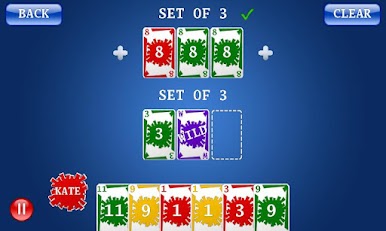
Phase Out is a rummy style card game where players work through a list of phases, each with its own goal, like building sets or runs, then laying them down before the others do. The trick is pacing, deciding when to hold a card to block, when to discard, and when to drop a phase and reset the hand. It feels like a friendly race that gets tenser the closer everyone gets to the last few phases. Turns are quick, the rules make sense right away, and the randomness of the draw deck mixes nicely with planning.
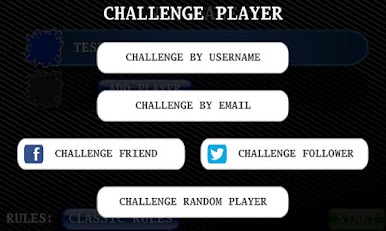
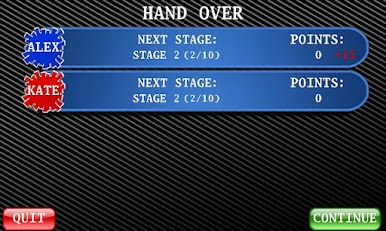
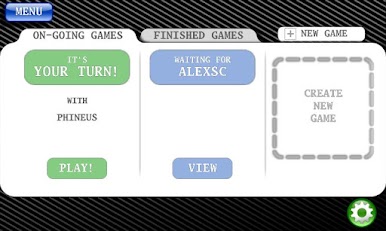
It supports online matches for up to four, with social logins to find friends if that is easier. Solo play is covered with computer opponents, and there is a pass and play option on one device for couch sessions. There are a couple of ready rule sets, or the rules can be tweaked a lot, then saved as a favorite so the same setup can be replayed later. Games can be saved mid round and resumed, which is great when a session has to pause. There is an ad supported option if buying is not on the table. On PC through BlueStacks it is comfortable, the cards are easy to read, dragging and dropping with a mouse feels natural, and keeping track of phases on a bigger screen helps a lot. It suits quick breaks and also longer runs, with just enough luck to keep everyone guessing.
Slay your opponents with your epic moves. Play it your way on BlueStacks and dominate the battlefield.


Zagraj w Phase Out! na PC. To takie proste.
-
Pobierz i zainstaluj BlueStacks na PC
-
Zakończ pomyślnie ustawienie Google, aby otrzymać dostęp do sklepu Play, albo zrób to później.
-
Wyszukaj Phase Out! w pasku wyszukiwania w prawym górnym rogu.
-
Kliknij, aby zainstalować Phase Out! z wyników wyszukiwania
-
Ukończ pomyślnie rejestrację Google (jeśli krok 2 został pominięty) aby zainstalować Phase Out!
-
Klinij w ikonę Phase Out! na ekranie startowym, aby zacząć grę

