


Guns of Glory: Zagubiona wyspa
Graj na PC z BlueStacks – Platforma gamingowa Android, która uzyskała zaufanie ponad 500 milionów graczy!

Strona zmodyfikowana w dniu: Oct 16, 2026
Graj w Guns of Glory: Zagubiona wyspa na PC lub Mac
Guns of Glory: Zagubiona wyspa to gra strategie opracowana przez studio FunPlus International AG. Odtwarzacz aplikacji BlueStacks to najlepsza platforma do grania w tę grę dla systemu Android na komputerze stacjonarnym lub laptopie, zapewniająca doskonałe wrażenia z rozgrywki.
O grze:
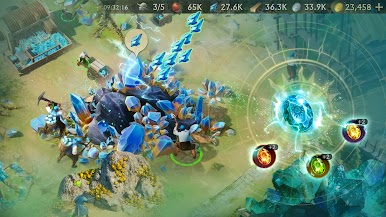
Wcielasz się w doświadczonego dowódcę, który po katastrofie statku trafia na bezludną wyspę pełną niebezpieczeństw i ukrytych skarbów. Przygotuj się na walkę, eksplorację i przetrwanie w epickiej przygodzie.
Zbuduj i bron swoja bazę, odkrywaj nieznane terytoria i stawiaj czoła epickim wyzwaniom, aby przetrwać. Zbieraj zasoby, stawiaj budynki, rekrutuj bohaterów i walcz dzikimi stworzeniami.
Każda decyzja, którą podejmiesz, wpłynie na losy Twojej grupy. Tylko dzięki sprytowi i odwadze zdołasz odkryć sekrety wyspy.
Cechy gry:
- Budowa i zarządzanie bazą: stwórz bezpieczną placówkę i wzmocnij jej obronę, aby zapewnić przetrwanie swojej grupie.
- Eksploracja wyspy: odkrywaj nowe obszary, ukryte skarby i starożytne sekrety, eksplorując niezbadane i niebezpieczne terytorium.
- Strategiczne bitwy: zmierz się z potężnymi przeciwnikami i mitycznymi stworzeniami w bitwach, które wymagają taktycznego planowania.
- Wyjątkowi bohaterowie: rekrutuj i trenuj bohaterów, z których każdy ma specjalne zdolności, które pomogą Ci pokonać wyzwania.
- Uczta dla oczu: ciesz się pierwszorzędną oprawą graficzną i bogatymi miejscami, które ożywiają wyspę.
- Misje i wydarzenia specjalne: weź udział w ekscytujących misjach i ograniczonych czasowo wydarzeniach, aby zdobyć ekskluzywne nagrody.
Co nowego?
Najnowsza aktualizacja dodała do gry mnóstwo usprawnień wizualnych i funkcjonalnych. Teraz rozgrywka nie tylko wygląda, ale i działa, lepiej!
Guns of Glory: Zagubiona wyspa to idealna przygoda dla tych, którzy kochają strategię, akcję i tajemnice. Czy jesteś gotowy, aby odkryć, co kryje wyspa?

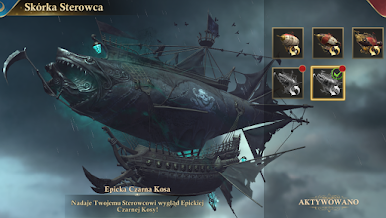
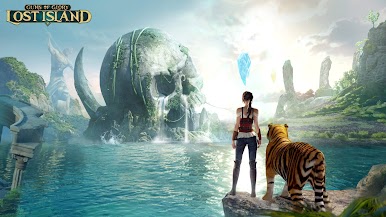

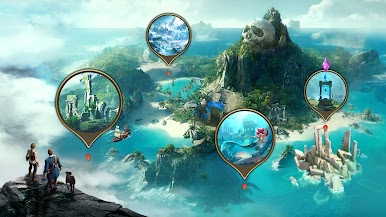
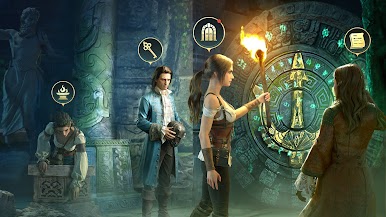
Zagraj w Guns of Glory: Zagubiona wyspa na PC. To takie proste.
-
Pobierz i zainstaluj BlueStacks na PC
-
Zakończ pomyślnie ustawienie Google, aby otrzymać dostęp do sklepu Play, albo zrób to później.
-
Wyszukaj Guns of Glory: Zagubiona wyspa w pasku wyszukiwania w prawym górnym rogu.
-
Kliknij, aby zainstalować Guns of Glory: Zagubiona wyspa z wyników wyszukiwania
-
Ukończ pomyślnie rejestrację Google (jeśli krok 2 został pominięty) aby zainstalować Guns of Glory: Zagubiona wyspa
-
Klinij w ikonę Guns of Glory: Zagubiona wyspa na ekranie startowym, aby zacząć grę

