


Христианское радио
Graj na PC z BlueStacks – Platforma gamingowa Android, która uzyskała zaufanie ponad 500 milionów graczy!

Strona zmodyfikowana w dniu: Jul 25, 2025
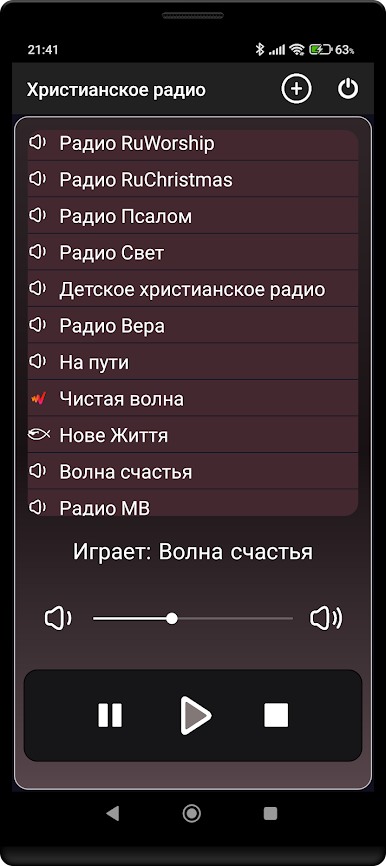
Play Христианское радио on PC
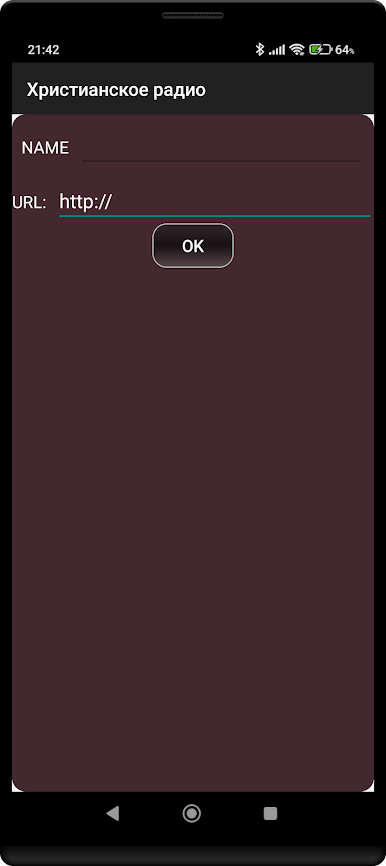
It is possible to add your own radio stations.
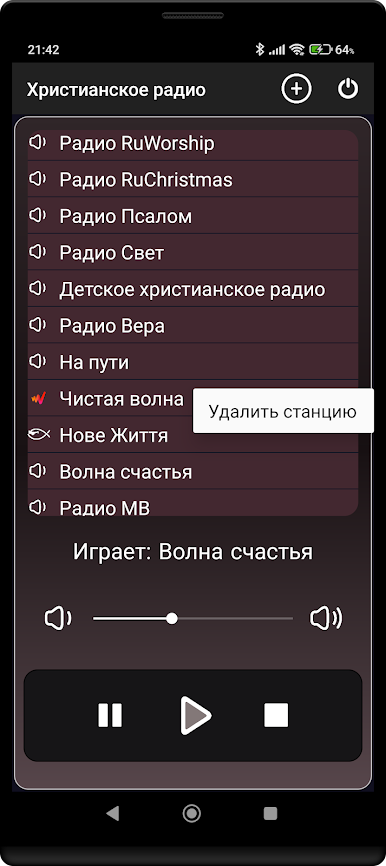
You can delete a radio station by holding it down for a long time.
To close, you must click the corresponding button at the top of the screen.
IMPORTANT!
1). For those whose program stops working in the background when the screen is off and who have Android 6 and higher, be sure to do the following:
go to the phone settings and select “Christian Radio” from the list, then in the permissions section you need to give all permissions for this application, in the activity control section set it to unlimited.
Unfortunately, I cannot test the radio on all devices and configure the application more carefully, so if the above procedure did not help you, I cannot help you!
The Christian Radio application allows you to play any online radio stations in the format supported by your device.
Zagraj w Христианское радио na PC. To takie proste.
-
Pobierz i zainstaluj BlueStacks na PC
-
Zakończ pomyślnie ustawienie Google, aby otrzymać dostęp do sklepu Play, albo zrób to później.
-
Wyszukaj Христианское радио w pasku wyszukiwania w prawym górnym rogu.
-
Kliknij, aby zainstalować Христианское радио z wyników wyszukiwania
-
Ukończ pomyślnie rejestrację Google (jeśli krok 2 został pominięty) aby zainstalować Христианское радио
-
Klinij w ikonę Христианское радио na ekranie startowym, aby zacząć grę

