


分類英単語 for the TOEIC® TEST
Chơi trên PC với BlueStacks - Nền tảng chơi game Android, được hơn 500 triệu game thủ tin tưởng.

Trang đã được sửa đổi vào: Sep 29, 2024
Play 分類英単語 for the TOEIC® TEST on PC
Recommended for those who are not good at English!
--------------------
This application contains 1500 words of English words and Idioms frequently used in TOEIC.
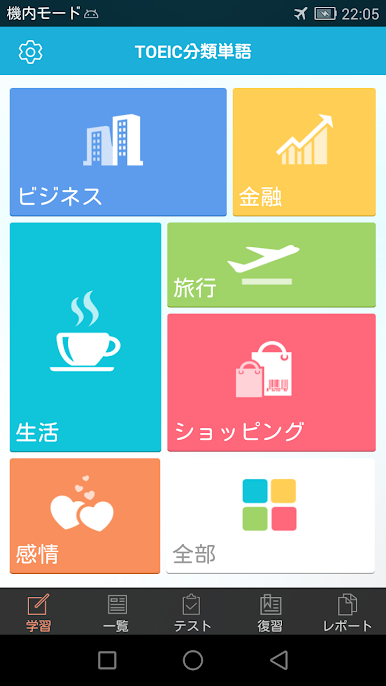
Depending on the usage, it is divided into six types, such as business, finance, life, travel, shopping, and emotion.
It is an application for TOEIC English word memorization that can be used conveniently.
Feature Description
■ Word learning ■
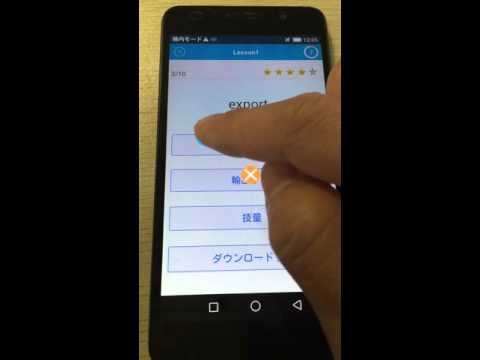
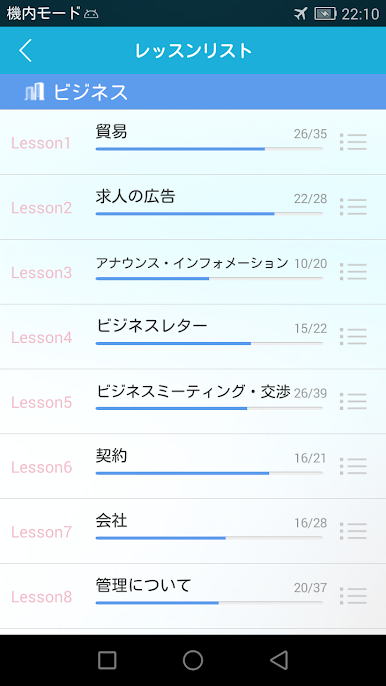
・ If you select learning, the shot carts of all 6 categories are displayed on the main screen.
Also, under each category, depending on the specific use case, all 1,500 words are divided into 50 lessons.
In learning mode, the learning progress of each lesson can be learned automatically, so you can learn efficiently.
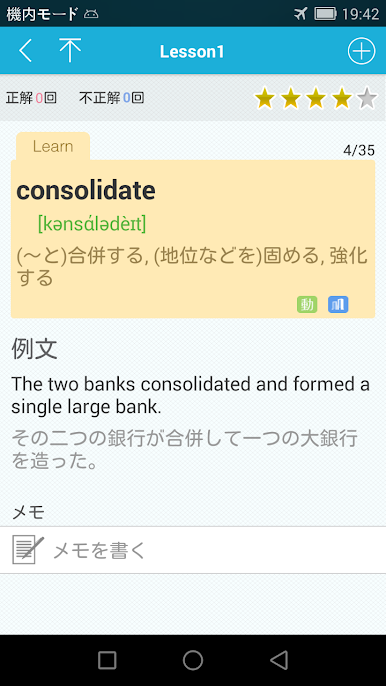
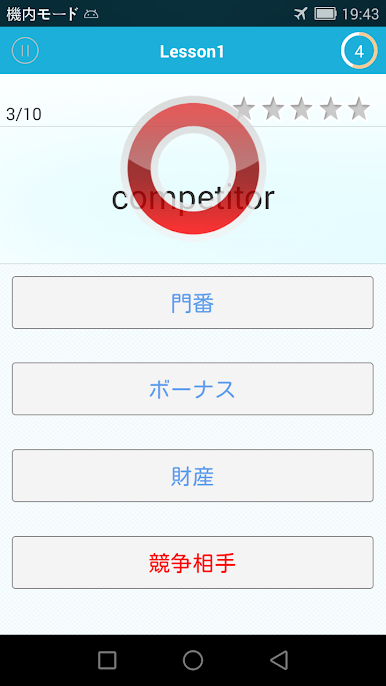
・ English pronunciation, example sentences and translated sentences are included.
・ If you have a favorite word, you can check it with just the left and right slide. Moreover, depending on the degree of difficulty of the word, you can select the check level.
・ The progress of word learning can be remembered, so you can continue learning the next time you enter.
■ Word list ■
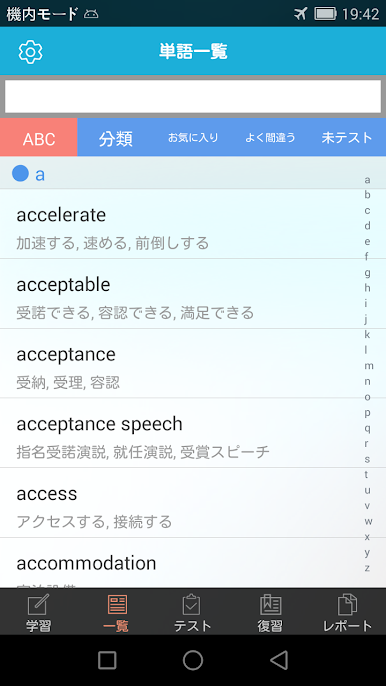
Features such as all word lists, search and favorites.
・ ABC order: list of ordered words such as a, b, c ...
-Classification: Word list sorted by business, finance, life, travel, shopping, emotions;
・ Favorite: Word list by level;
Mistaken: A list of words sorted by the number of times the answer was incorrect during a test or challenge;
Untested: A list of words that have not been tested even once;
In addition, search function can search English and Japanese at once.
■ Test & Challenge ■
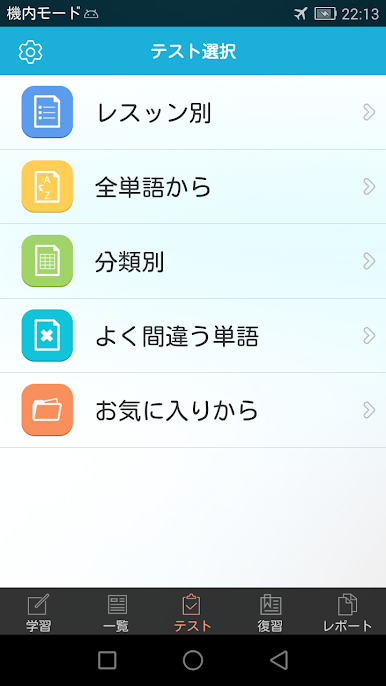
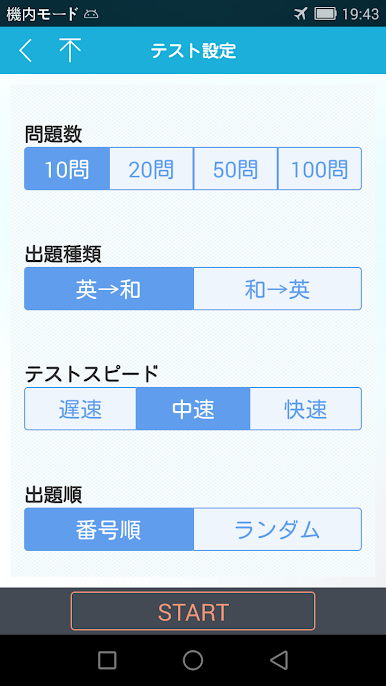
After selecting the test scope and setting the test conditions, test or challenge the word.
The test range is of the following types:
-By Unit (Lesson): All the words in each lesson are targeted, and the test progress (words that correct) can be remembered;
・ From all words: Combine the 50 lessons freely and choose the range;
・ Classification: Select the range from business, finance, life, travel, shopping, emotion, etc. classification;
• Frequently mistaken words: select test range by wrong number of times such as 1 time, 1 to 3 times, 3 to 5 times, 5 to 10 times, 10 times or more;
・ From Favorites: Select test range by favorite check level;
During the test, you can pause, retry and favorite check functions, and retest only the wrong words.
■ Review ■
・ Words that are incorrect in the test are listed by date and displayed as a list, so you can see at a glance which word was wrong. In addition, you can retest on the words of that date.
■ Report ■
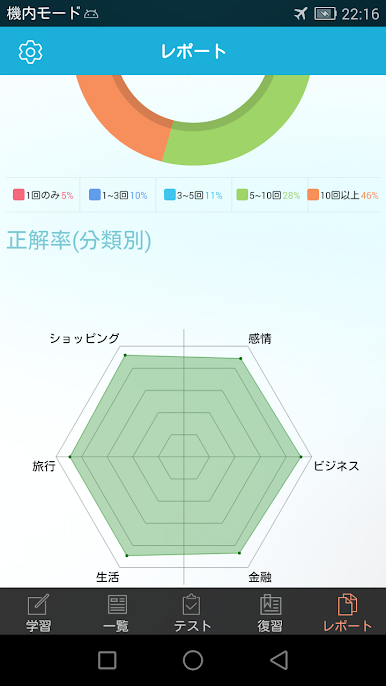
・ The number of learned words is displayed in a graph, making it easy to see the progress of learning.
・ Test results, correct answer rates, incorrect answer rates are displayed in the form of a chart, enabling you to gain a detailed understanding of your learning scores.
・ The correct answer rate according to classification is also displayed as a chart, and learning effects can be understood in many ways.
・ The chart by the number of wrong words is also displayed, you can check the word situation that became a learning problem immediately.
It is important to study English every day. Aim for a high TOEIC score with this application!
■ Settings ■
Features such as learning history deletion, test results deletion, favorites deletion and sound effects settings;
-----
TOEIC is a registered trademark of Educational Testing Service (ETS).
This product is not endorsed or approved by ETS.
-----
Chơi 分類英単語 for the TOEIC® TEST trên PC. Rất dễ để bắt đầu
-
Tải và cài đặt BlueStacks trên máy của bạn
-
Hoàn tất đăng nhập vào Google để đến PlayStore, hoặc thực hiện sau
-
Tìm 分類英単語 for the TOEIC® TEST trên thanh tìm kiếm ở góc phải màn hình
-
Nhấn vào để cài đặt 分類英単語 for the TOEIC® TEST trong danh sách kết quả tìm kiếm
-
Hoàn tất đăng nhập Google (nếu bạn chưa làm bước 2) để cài đặt 分類英単語 for the TOEIC® TEST
-
Nhấn vào icon 分類英単語 for the TOEIC® TEST tại màn hình chính để bắt đầu chơi

