


Equate
Chơi trên PC với BlueStacks - Nền tảng chơi game Android, được hơn 500 triệu game thủ tin tưởng.

Trang đã được sửa đổi vào: May 31, 2020
Run Equate on PC or Mac
Why limit yourself to your small screen on the phone? Run Equate, an app by LlamaCorp, best experienced on your PC or Mac with BlueStacks, the world’s #1 Android emulator.
About the App
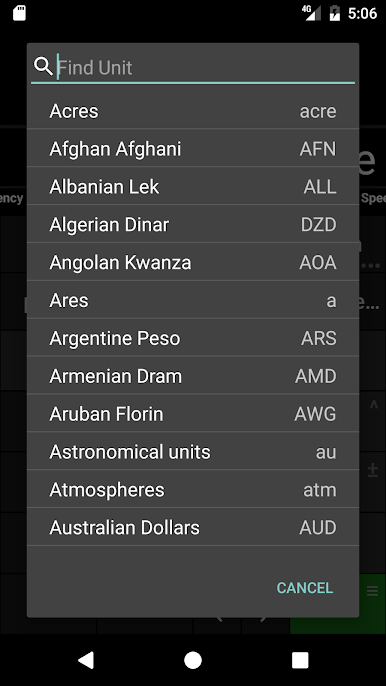
Equate is a straightforward calculator that takes the headache out of unit and currency conversions. Whether you’re baking, budgeting, or just curious about the latest bitcoin price, Equate gives you answers in seconds. Built by LlamaCorp, it packs a ton of tools into a clean, ad-free package—great for quick math or tracking down conversions you rarely need but don’t want to Google every time.
App Features
-
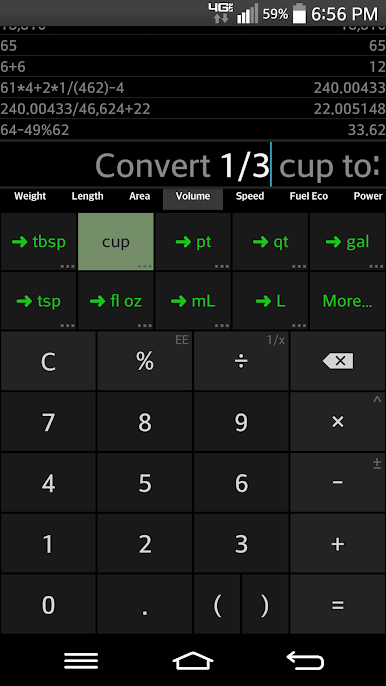
One-Tap Conversions
Forget about searching for formulas. Just enter your numbers, pick the units—like cups to tablespoons or dollars to bitcoin—and Equate does the rest. It’s fast, and yes, even handles fractions and decimals smoothly. -
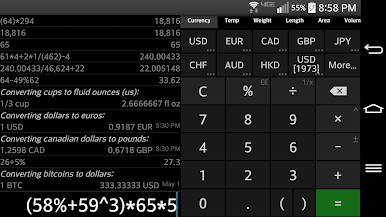
Currency Updates
Curious about your crypto? Equate fetches the latest exchange rates for currencies and cryptocurrencies, updating every 20 minutes, so you always see current values when flipping between BTC, USD, and more. -
Old vs. New Dollars
Ever wonder how much $15 in 1945 would be today? There’s a feature for that—compare historical and modern dollar amounts without any hassle. -
Browse and Edit Your History
Swipe through previous calculations, double-tap to bring them back, or hold down if you want to clear something out. Accidentally mess up an input? You can tweak the middle of your math—no need to start over. -
Syntax-Smart Keypad
Operator keys gray out to help you avoid syntax errors, and smart parenthesis closing keeps everything tidy. No more surprise error messages because you forgot a parenthesis. -
Clear Display
Big numbers, dynamic fonts, everything stays readable—even with longer calculations. -
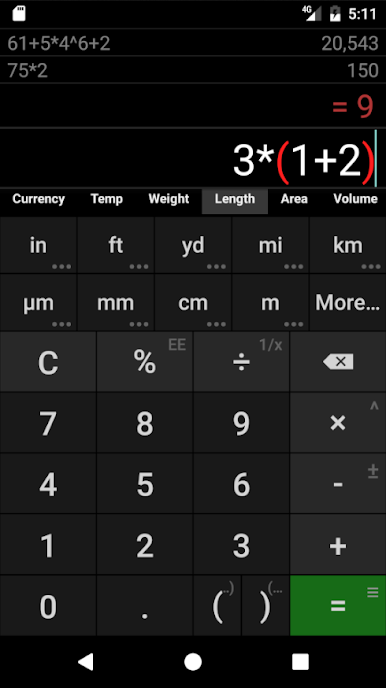
Parenthesis and Multiplication Helpers
Matching parentheses light up, and the calculator even spots implied multiplication (like 2(3+5))—saving you from manual fixes. -
Copy, Cut, and Paste
Simply select, copy, or edit any part of your calculation for easier adjustments. -
Extra Tips and Shortcuts
Press and hold the percent key for more options, or hold a result in your history to delete it—little time-savers you’ll appreciate.
You can use Equate on BlueStacks for quick access on your PC when you want full keyboard comfort or just like working from your desktop.
Big screen. Bigger performance. Use BlueStacks on your PC or Mac to run your favorite apps.
Chơi Equate trên PC. Rất dễ để bắt đầu
-
Tải và cài đặt BlueStacks trên máy của bạn
-
Hoàn tất đăng nhập vào Google để đến PlayStore, hoặc thực hiện sau
-
Tìm Equate trên thanh tìm kiếm ở góc phải màn hình
-
Nhấn vào để cài đặt Equate trong danh sách kết quả tìm kiếm
-
Hoàn tất đăng nhập Google (nếu bạn chưa làm bước 2) để cài đặt Equate
-
Nhấn vào icon Equate tại màn hình chính để bắt đầu chơi

