


Bật / Tắt màn hình thông minh
Chơi trên PC với BlueStacks - Nền tảng chơi game Android, được hơn 500 triệu game thủ tin tưởng.

Trang đã được sửa đổi vào: Sep 26, 2019
Run Smart Screen On/Off Pro on PC or Mac
Let BlueStacks turn your PC, Mac, or laptop into the perfect home for Smart Screen On/Off Pro, a fun Tools app from LuuTinh Developer.
About the App
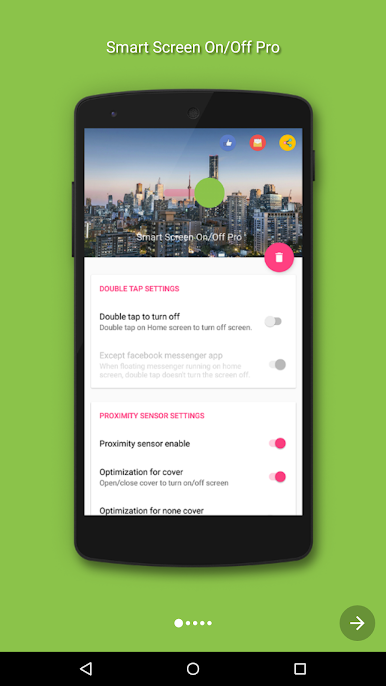
Tapping the power button a hundred times a day? Smart Screen On/Off Pro keeps your screen in check for you. This handy Tools app from LuuTinh Developer uses your phone’s proximity sensor and a few clever tricks so the display turns on or off when you need it—no extra presses, no wear and tear. Prefer running Android utilities on a desktop? It’s also comfortable to use on BlueStacks.
App Features
- Hands-free screen control: Uses the proximity sensor to wake or sleep the display when you cover or uncover it—great when the power button is hard to reach.
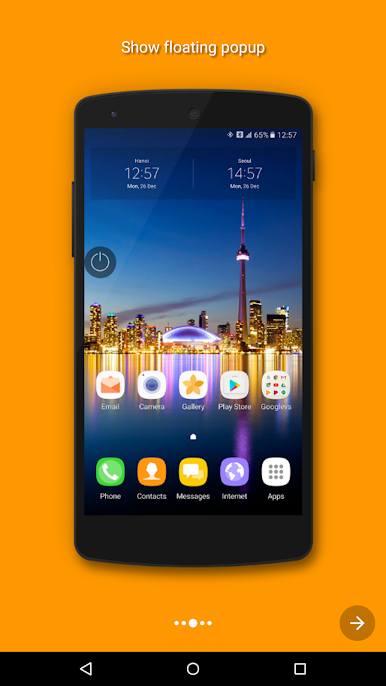
- Floating lock button: A small, movable on-screen “power” head lets you lock the screen instantly with a single tap.
- Pocket and cover aware: Automatically turns the screen off when the phone goes into your pocket and supports flip/folio covers for open/close actions.
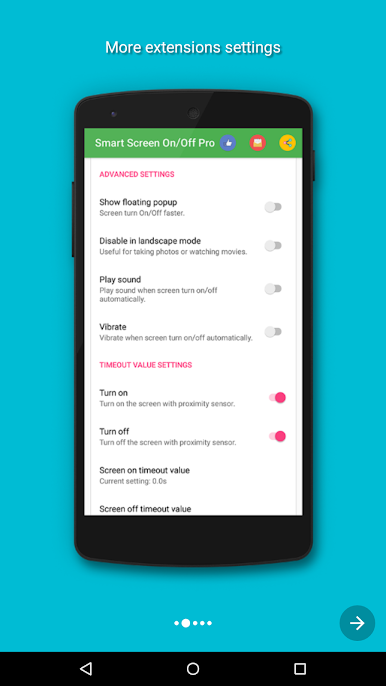
- Smarter in landscape: Option to pause detection when the device is horizontal, so watching videos or gaming doesn’t trigger unwanted screen actions.
- Custom delay timers: Set different delays for turning the screen on and off to avoid accidental triggers from quick movements.
- Biometric-friendly: Includes options designed to play nicely with fingerprint and Smart Lock so unlocking stays smooth.
- Light on resources: Optimized to run snappy and use minimal RAM (around 5 MB), keeping your phone responsive.
- Clear permissions use: Requires Device Administrator permission solely to lock the device when you use the screen-off feature, and Accessibility services to detect the home screen. You can enable both right inside the app.
Switch to BlueStacks and make the most of your apps on your PC or Mac.
Chơi Bật / Tắt màn hình thông minh trên PC. Rất dễ để bắt đầu
-
Tải và cài đặt BlueStacks trên máy của bạn
-
Hoàn tất đăng nhập vào Google để đến PlayStore, hoặc thực hiện sau
-
Tìm Bật / Tắt màn hình thông minh trên thanh tìm kiếm ở góc phải màn hình
-
Nhấn vào để cài đặt Bật / Tắt màn hình thông minh trong danh sách kết quả tìm kiếm
-
Hoàn tất đăng nhập Google (nếu bạn chưa làm bước 2) để cài đặt Bật / Tắt màn hình thông minh
-
Nhấn vào icon Bật / Tắt màn hình thông minh tại màn hình chính để bắt đầu chơi

