


MetaMoJi Note Lite
Chơi trên PC với BlueStacks - Nền tảng chơi game Android, được hơn 500 triệu game thủ tin tưởng.

Trang đã được sửa đổi vào: Oct 30, 2018
Run MetaMoJi Note Lite on PC or Mac
What’s better than using MetaMoJi Note Lite by MetaMoJi Corp.? Well, try it on a big screen, on your PC or Mac, with BlueStacks to see the difference.
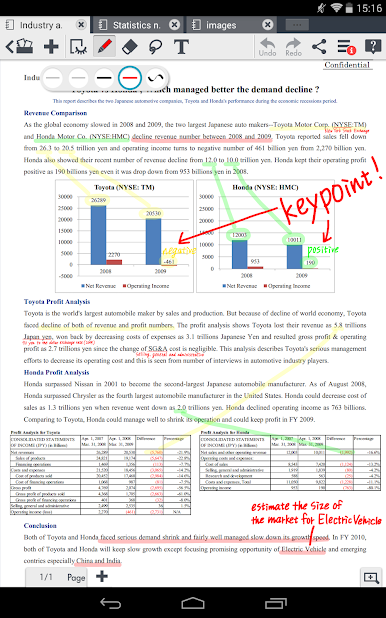
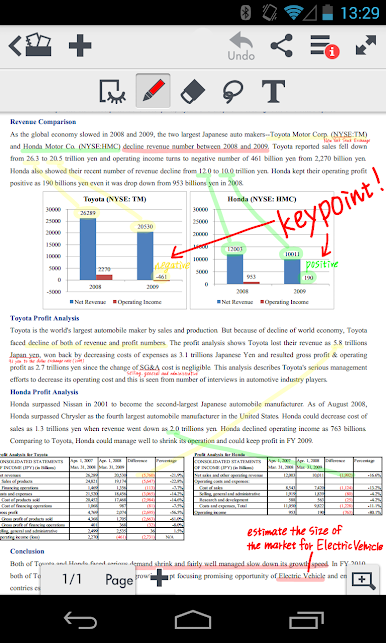
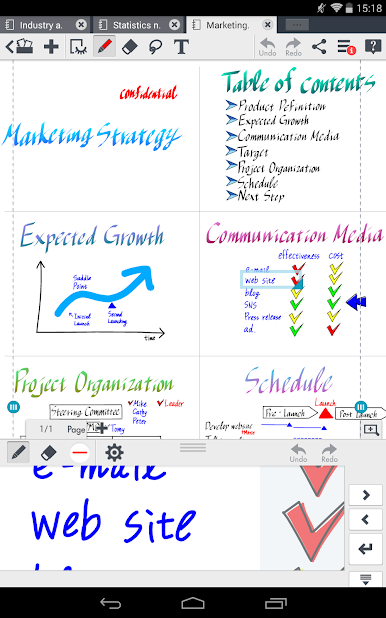
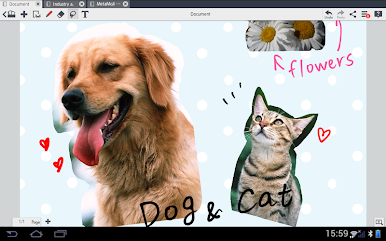
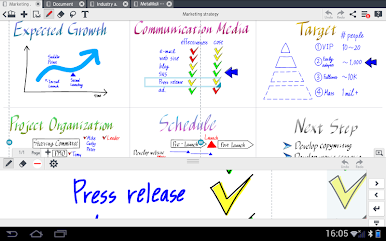
MetaMoJi Note Lite feels like one of those all-in-one apps that tries to give you every tool you might want for jotting down ideas or doodling, and it actually pulls it off. It doesn’t care if you’re typing up a regular to-do list or sketching out a messy brainstorm, because the pen options are genuinely solid — tons of colors, some calligraphy stuff if that’s your thing, and a pretty open canvas. Some will use it like a sketchbook, others more as a whiteboard, and for anyone who gets easily distracted, the ability to move and resize things all over the page adds a certain freedom you don’t always get. On PC with BlueStacks, there’s a lot more space to play around, and the zoom is smooth, so flipping between an overview and tiny details happens without losing quality.
There’s a cloud option for keeping everything synced, but things stay pretty simple—you can pull in PDFs, scribble over them, or stash your favorite bits as images for later. Sharing is built in, too, so grabbing a screenshot or throwing a note up on social isn’t a big deal. It’s not just for art or visual notes, though — outlining articles, collecting recipes, making a digital scrapbook, or hashing out a group project all make sense here. It’s kind of like a physical notebook got mashed together with a digital bulletin board. Nothing feels locked behind awkward menus, so even if someone’s new, most of it feels straightforward to find and use.
Eager to take your app experience to the next level? Start right away by downloading BlueStacks on your PC or Mac.





Chơi MetaMoJi Note Lite trên PC. Rất dễ để bắt đầu
-
Tải và cài đặt BlueStacks trên máy của bạn
-
Hoàn tất đăng nhập vào Google để đến PlayStore, hoặc thực hiện sau
-
Tìm MetaMoJi Note Lite trên thanh tìm kiếm ở góc phải màn hình
-
Nhấn vào để cài đặt MetaMoJi Note Lite trong danh sách kết quả tìm kiếm
-
Hoàn tất đăng nhập Google (nếu bạn chưa làm bước 2) để cài đặt MetaMoJi Note Lite
-
Nhấn vào icon MetaMoJi Note Lite tại màn hình chính để bắt đầu chơi

