


SolarCT - Kalkulator słoneczny
Graj na PC z BlueStacks – Platforma gamingowa Android, która uzyskała zaufanie ponad 500 milionów graczy!

Strona zmodyfikowana w dniu: Oct 30, 2025
Run SolarCT - Solar PV Systems on PC or Mac
Upgrade your experience. Try SolarCT – Solar PV Systems, the fantastic Productivity app from M. N. N., from the comfort of your laptop, PC, or Mac, only on BlueStacks.
About the App
Ever wondered just what goes into setting up a solar PV system or tweaking the one you’ve got? SolarCT – Solar PV Systems makes it super straightforward to get your solar questions answered, whether you’re a beginner or have a few projects under your belt. With a mix of easy-to-use tools and detailed calculations, you’ll find it’s a practical companion for anyone curious about solar power. For anyone looking to make their energy use smarter, this app gives you the info you need without the fluff.
App Features
-
Flexible Calculation Modes
Choose between a step-by-step approach or jump into advanced calculations for your solar system requirements—whichever you find easier to follow. -
Solar Output Insights
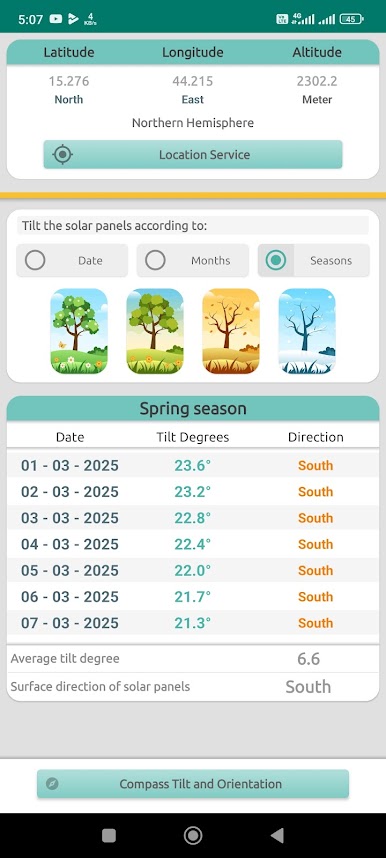
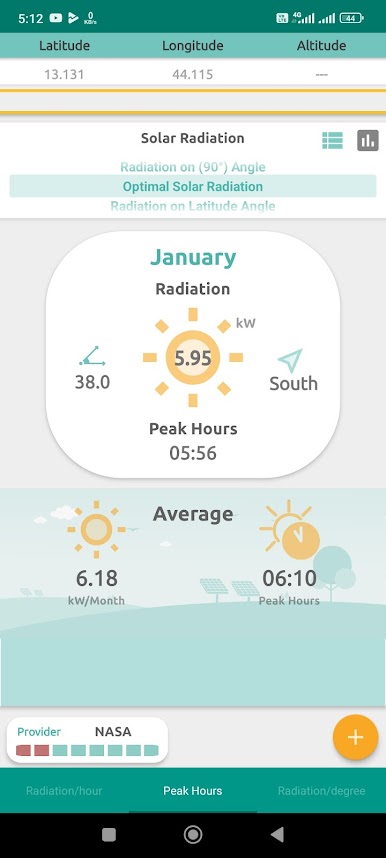
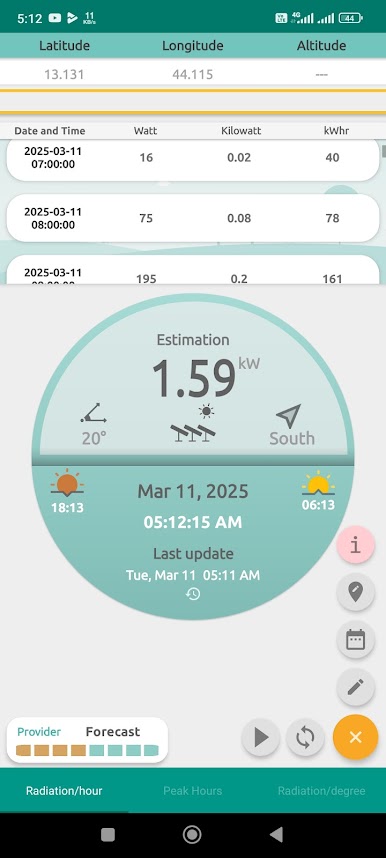
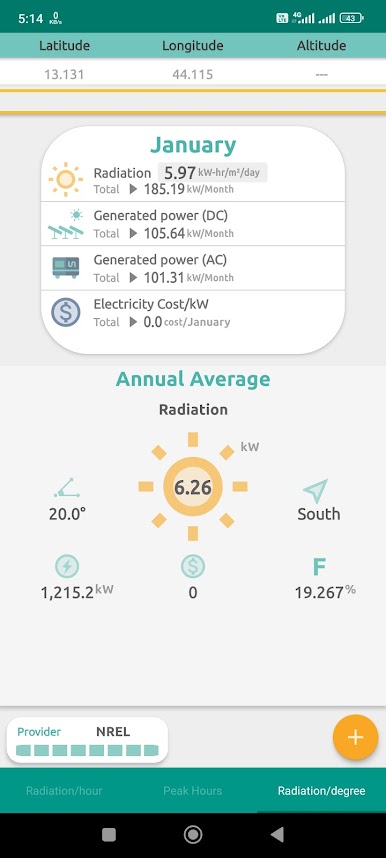
Check out the estimated solar radiation for your area, plus get running totals for what your panels are expected to produce over time. -
Battery Life Estimates
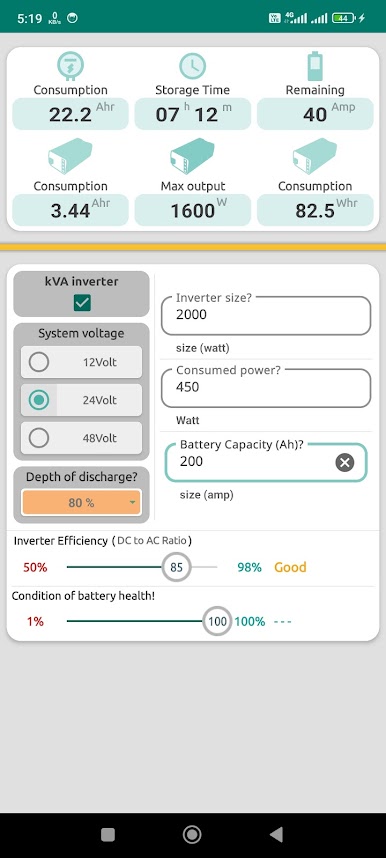
Wondering how long your batteries will last? The app calculates expected running hours so you’re never caught off guard. -
Panel Orientation Tools
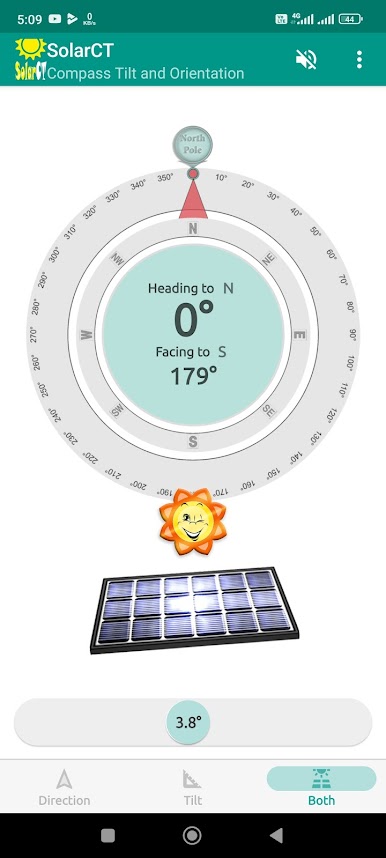
Find the best orientation and tilt for your solar panels, complete with reminders for when it’s time to adjust for peak performance. -
Wiring Made Simple
The app helps figure out the right wire size, whether you use AWG, mm², or SWG, and even handles voltage drop calculations. -
Panel & Battery Configurations
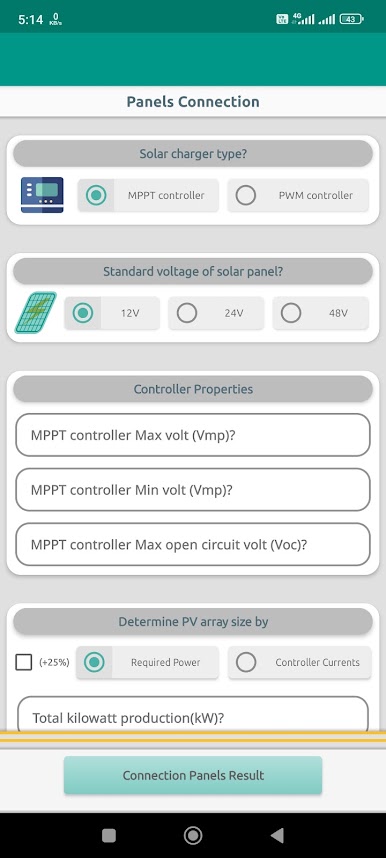
Easily see how to connect your panels and batteries in series or parallel, depending on what you need for your setup. -
Appliance Consumption Calculator
Get straightforward numbers on how much energy your appliances use, helping you plan your solar needs more precisely.
If you prefer working on a larger screen, you can always run SolarCT – Solar PV Systems through BlueStacks for a smoother desktop experience.
Eager to take your app experience to the next level? Start right away by downloading BlueStacks on your PC or Mac.
Zagraj w SolarCT - Kalkulator słoneczny na PC. To takie proste.
-
Pobierz i zainstaluj BlueStacks na PC
-
Zakończ pomyślnie ustawienie Google, aby otrzymać dostęp do sklepu Play, albo zrób to później.
-
Wyszukaj SolarCT - Kalkulator słoneczny w pasku wyszukiwania w prawym górnym rogu.
-
Kliknij, aby zainstalować SolarCT - Kalkulator słoneczny z wyników wyszukiwania
-
Ukończ pomyślnie rejestrację Google (jeśli krok 2 został pominięty) aby zainstalować SolarCT - Kalkulator słoneczny
-
Klinij w ikonę SolarCT - Kalkulator słoneczny na ekranie startowym, aby zacząć grę

