


NAVER Dictionary
Chơi trên PC với BlueStacks - Nền tảng chơi game Android, được hơn 500 triệu game thủ tin tưởng.

Trang đã được sửa đổi vào: Nov 16, 2025
Run NAVER Dictionary on PC or Mac
Let BlueStacks turn your PC, Mac, or laptop into the perfect home for NAVER Dictionary, a fun Education app from NAVER Corp..
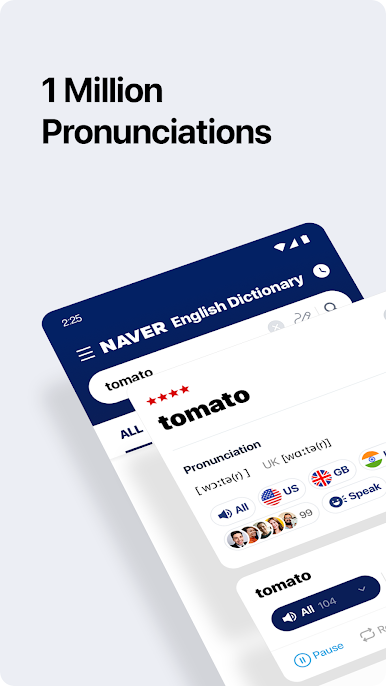
NAVER Dictionary’s kind of wild with how much it packs in. It isn’t just a regular dictionary app—there’s a huge mix of official dictionaries, everyday conversation examples, and even language quizzes. When someone’s using it on PC with BlueStacks, it actually feels easier to flip through all those different dictionaries, which is nice if switching screens all the time on a phone gets old. They have a bunch of English-English dictionaries like Oxford and Merriam-Webster, along with Wiktionary, so there’s always a backup if one definition isn’t clear enough. Plus, the app doesn’t just give one accent for pronunciation—there’s American, British, Australian, and even Indian English, all with audio.
For anyone working with Korean, it’s basically a one-stop shop. Not only are there English-Korean links, but also tons of other pairings—French, Russian, Arabic, even Mongolian. There are so many, it’s actually a little surprising. The thesaurus options go from beginner-friendly to more advanced, and if standard entries don’t cut it, there’s this open dictionary part where users add their own terms. That’s helpful for jargon or newer slang that big publishers never catch up on. Even with this much going on, the interface keeps things organized, so it doesn’t get overwhelming. Feels more like a language toolkit than just a dictionary, honestly.
BlueStacks gives you the much-needed freedom to experience your favorite apps on a bigger screen. Get it now.

Chơi NAVER Dictionary trên PC. Rất dễ để bắt đầu
-
Tải và cài đặt BlueStacks trên máy của bạn
-
Hoàn tất đăng nhập vào Google để đến PlayStore, hoặc thực hiện sau
-
Tìm NAVER Dictionary trên thanh tìm kiếm ở góc phải màn hình
-
Nhấn vào để cài đặt NAVER Dictionary trong danh sách kết quả tìm kiếm
-
Hoàn tất đăng nhập Google (nếu bạn chưa làm bước 2) để cài đặt NAVER Dictionary
-
Nhấn vào icon NAVER Dictionary tại màn hình chính để bắt đầu chơi

