


PassMark PerformanceTest
Chơi trên PC với BlueStacks - Nền tảng chơi game Android, được hơn 500 triệu game thủ tin tưởng.

Trang đã được sửa đổi vào: Oct 30, 2025
Run PassMark PerformanceTest on PC or Mac
Get freedom from your phone’s obvious limitations. Use PassMark PerformanceTest, made by PassMark Software, a Tools app on your PC or Mac with BlueStacks, and level up your experience.
About the App
Ever wondered how your phone really stacks up when it comes to speed and performance? PassMark PerformanceTest is here to help you take a closer look under the hood. Whether you’re just curious or working out if your device is due for an upgrade, this handy tool lets you run quick benchmarks and see how your phone compares against a bunch of others. You can expect a straightforward experience, perfect for both tech lovers and anyone simply wanting to see what their device can do.
App Features
-
Comprehensive CPU Testing
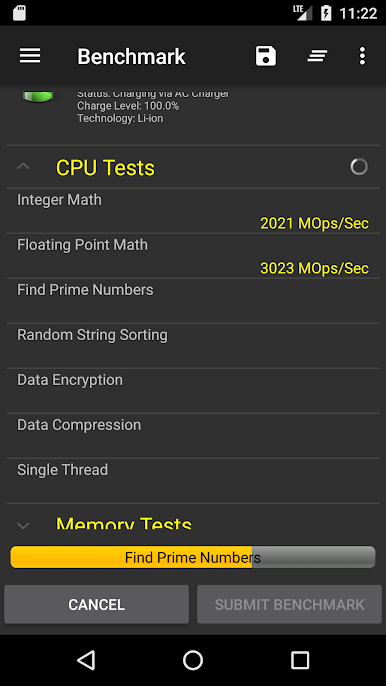
Check out your phone’s processing power with a suite of CPU tests, including tasks like complex math, file compression, and encryption. The results line up with the tests you’d run on a Windows PC, which is pretty cool if you like to geek out over cross-platform comparisons. -
Storage and Disk Checks
Not sure how fast your storage really is? Measure how quickly your device can read and write files to both its internal and external storage. Handy for figuring out if that SD card is worth it. -
Memory Speed Benchmarks
Run tests that dive into your phone’s memory performance, from speedy reads to snappy writes. No more guessing if random lags are your RAM’s fault. -
2D Graphics Tests
Curious how your device handles simple (and not-so-simple) visuals? There are tests for everything from drawing basic shapes to rendering more intricate images and filters. -
3D Graphics Demos
Watch your phone take on 3D scenes, like bouncing balls or even some battle simulations. It’s a fun way to put your device’s graphics capabilities to the test. -
Score Comparison
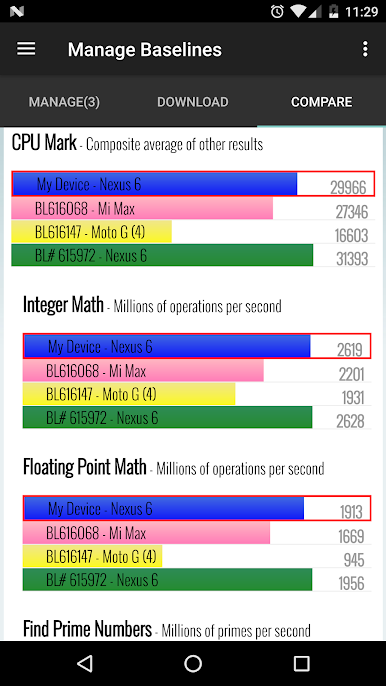
Once you’ve got your results, you can see how your device performs next to others. Want to know if your upgrades made a difference? You’ll have a clear, unbiased answer.
You can even run these benchmarks on BlueStacks for a different perspective by testing Android performance right from your desktop. This app gives you a no-nonsense, easy way to truly see what your device is made of.
Ready to experience PassMark PerformanceTest on a bigger screen, in all its glory? Download BlueStacks now.



Chơi PassMark PerformanceTest trên PC. Rất dễ để bắt đầu
-
Tải và cài đặt BlueStacks trên máy của bạn
-
Hoàn tất đăng nhập vào Google để đến PlayStore, hoặc thực hiện sau
-
Tìm PassMark PerformanceTest trên thanh tìm kiếm ở góc phải màn hình
-
Nhấn vào để cài đặt PassMark PerformanceTest trong danh sách kết quả tìm kiếm
-
Hoàn tất đăng nhập Google (nếu bạn chưa làm bước 2) để cài đặt PassMark PerformanceTest
-
Nhấn vào icon PassMark PerformanceTest tại màn hình chính để bắt đầu chơi

