


Ohm's Law Calculator
Graj na PC z BlueStacks – Platforma gamingowa Android, która uzyskała zaufanie ponad 500 milionów graczy!

Strona zmodyfikowana w dniu: Jul 6, 2025
Run Ohm's Law Calculator on PC or Mac
Let BlueStacks turn your PC, Mac, or laptop into the perfect home for Ohm’s Law Calculator, a fun Tools app from Peter Ho.
About the App
Ever fumbled with electronics calculations and wished there was an easier way? Ohm’s Law Calculator by Peter Ho is designed exactly for those moments. Whether you’re tinkering on a project, double-checking your homework, or just need a quick answer for a resistor value, this handy tool’s got you covered in the Tools genre. Simple interface, straight answers—no complicated steps or fluff.
App Features
-
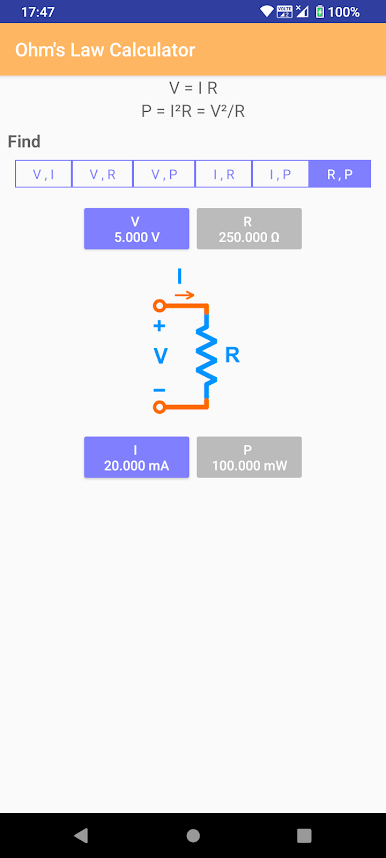
Quick Voltage, Current, Resistance, and Power Calculations
Plug in any two values, and the app takes care of the rest—you’ll get instant numbers for voltage, current, resistance, or power in a flash. Perfect for sorting out basic electrical circuit math without grabbing a notepad. -
Handles AC Circuit Calculations Too
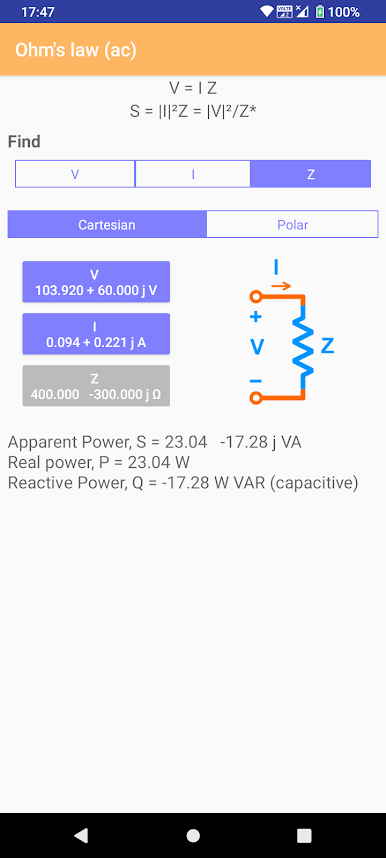
If you’re dealing with alternating current, the app will help you calculate not only voltage and current but also impedance and power. A real bonus for anyone working beyond simple DC circuits. -
Effortless Experience
No need to scroll through menus or learn complex formulas. Everything you need is right there on the main screen. Just tap, input your values, and the Ohm’s Law Calculator does the heavy lifting. -
Accessible on Larger Screens
Prefer using a bigger display for clarity? With BlueStacks, Ohm’s Law Calculator works perfectly well, so you can calculate all your electronics figures right from your desktop.
BlueStacks gives you the much-needed freedom to experience your favorite apps on a bigger screen. Get it now.
Zagraj w Ohm's Law Calculator na PC. To takie proste.
-
Pobierz i zainstaluj BlueStacks na PC
-
Zakończ pomyślnie ustawienie Google, aby otrzymać dostęp do sklepu Play, albo zrób to później.
-
Wyszukaj Ohm's Law Calculator w pasku wyszukiwania w prawym górnym rogu.
-
Kliknij, aby zainstalować Ohm's Law Calculator z wyników wyszukiwania
-
Ukończ pomyślnie rejestrację Google (jeśli krok 2 został pominięty) aby zainstalować Ohm's Law Calculator
-
Klinij w ikonę Ohm's Law Calculator na ekranie startowym, aby zacząć grę

