


Plickers
Chơi trên PC với BlueStacks - Nền tảng chơi game Android, được hơn 500 triệu game thủ tin tưởng.

Trang đã được sửa đổi vào: Nov 14, 2023
Run Plickers on PC or Mac
Get freedom from your phone’s obvious limitations. Use Plickers, made by Plickers, a Education app on your PC or Mac with BlueStacks, and level up your experience.
About the App
If you’re a teacher who wants a quick, no-fuss way to check in on what your students know—without making everyone use their own devices—Plickers has you covered. It’s designed for real classrooms, making polling and instant feedback way simpler. Just hand out special cards and use your phone or tablet as a scanner, and you’re good to go. Expect smooth, hassle-free polls whenever you want, with all your results sorted right away.
App Features
-
No Student Devices Needed
Students answer questions using unique printed cards—no phones or laptops required for them. All the tech is handled right from your side. -
Real-Time Scanning
Bring out your phone or tablet and scan the whole room in seconds. You get answers instantly, so you’ll always know how your class is doing. -
Instant Feedback
See responses right away, making it easy to find out who’s on track and who might need a little more help before moving on. -
Automatic Data Saving
All your students’ answers are saved automatically and organized, so you can look back later and track how everyone’s progressing. -
Versatile Polling
Use it for quick pop quizzes, exit tickets, or even those spontaneous questions that just come up during a lesson. -
Works with BlueStacks
Looking to run Plickers on your computer for even more convenience? It works smoothly with BlueStacks, so you aren’t tied to just mobile devices.
BlueStacks gives you the much-needed freedom to experience your favorite apps on a bigger screen. Get it now.
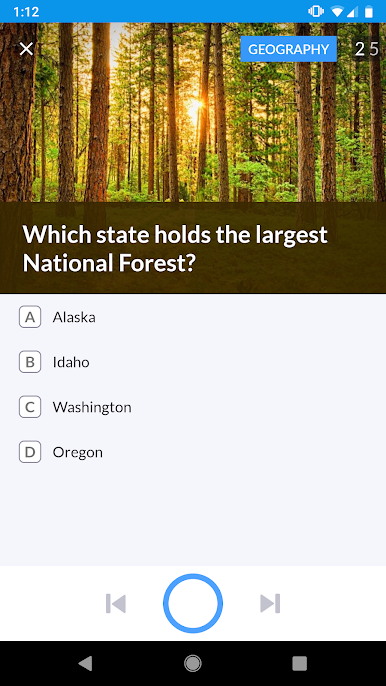
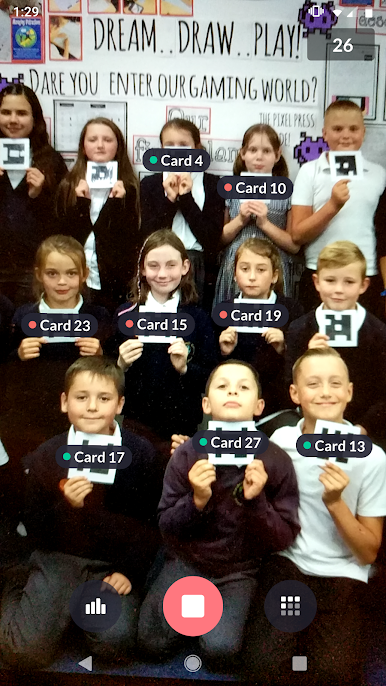
Chơi Plickers trên PC. Rất dễ để bắt đầu
-
Tải và cài đặt BlueStacks trên máy của bạn
-
Hoàn tất đăng nhập vào Google để đến PlayStore, hoặc thực hiện sau
-
Tìm Plickers trên thanh tìm kiếm ở góc phải màn hình
-
Nhấn vào để cài đặt Plickers trong danh sách kết quả tìm kiếm
-
Hoàn tất đăng nhập Google (nếu bạn chưa làm bước 2) để cài đặt Plickers
-
Nhấn vào icon Plickers tại màn hình chính để bắt đầu chơi

