

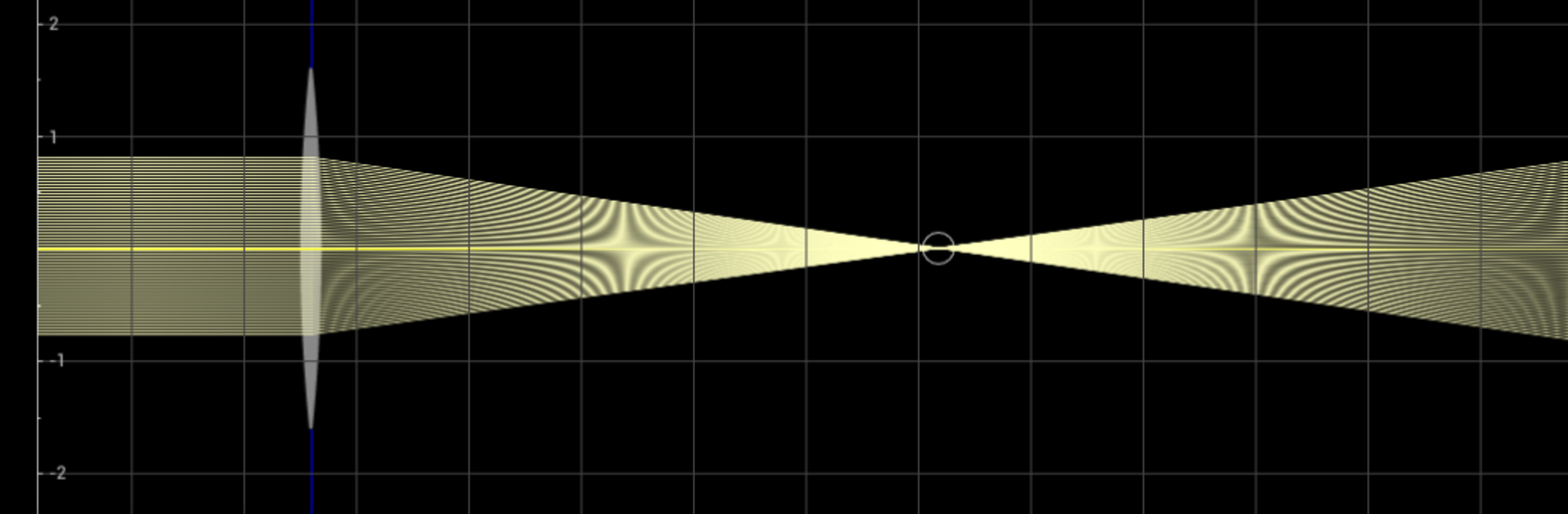
Pocket Optics
Chơi trên PC với BlueStacks - Nền tảng chơi game Android, được hơn 500 triệu game thủ tin tưởng.

Trang đã được sửa đổi vào: Aug 7, 2025
Run Pocket Optics on PC or Mac
Why limit yourself to your small screen on the phone? Run Pocket Optics, an app by Alpa-Tek, best experienced on your PC or Mac with BlueStacks, the world’s #1 Android emulator.
About the App
Pocket Optics by Alpa-Tek is a hands-on sandbox for exploring how light behaves. Build simple or complex optical benches, drop in lenses and mirrors, then watch rays and images update the moment you move something. It’s made for the Education genre, so it’s approachable for students, hobbyists, and pros who want a fast, visual way to test ideas. Prefer a desk setup? It feels great on a bigger display when you run it through BlueStacks.
App Features
- Touch-first workspace: Drag, rotate, and fine-tune every element with a finger, stylus, or mouse for precise control.
- Fits any screen: Clean layouts scale from small phones and tablets to Android TV, so your optical bench never feels cramped.
- Flexible light sources: Create point sources, set opening angles, adjust beam width, and control ray density per source to see exactly what’s happening.
- Lenses and mirrors, your way: Set focal lengths or change lens curvature; you can even grab the focal points and move them to refocus instantly.
- Apertures that matter: Add adjustable stops to clip beams and experiment with illumination control.
- Real-time image tracing: Track an object’s image as it travels through your setup—great for teaching, demos, or quick checks.
- Scrollable stage: Expand your build area and pan around as your design grows.
- Save your builds: Store bench configurations on your device and revisit or tweak them later.
- Grids and snapping: Toggle a coordinate grid and snap parts to a fine grid for tidy, repeatable layouts.
- Built-in visual help: On-screen guidance shows what’s interactive and how each control works.
- Group and move assemblies: Bundle multiple elements into a single unit to reposition complex sections with one drag.
- Explore aberrations: Add spherical and chromatic aberrations to lenses to see real-world effects, not just idealized optics.
Big screen. Bigger performance. Use BlueStacks on your PC or Mac to run your favorite apps.
Chơi Pocket Optics trên PC. Rất dễ để bắt đầu
-
Tải và cài đặt BlueStacks trên máy của bạn
-
Hoàn tất đăng nhập vào Google để đến PlayStore, hoặc thực hiện sau
-
Tìm Pocket Optics trên thanh tìm kiếm ở góc phải màn hình
-
Nhấn vào để cài đặt Pocket Optics trong danh sách kết quả tìm kiếm
-
Hoàn tất đăng nhập Google (nếu bạn chưa làm bước 2) để cài đặt Pocket Optics
-
Nhấn vào icon Pocket Optics tại màn hình chính để bắt đầu chơi

