


Đài phát thanh Hoa Kỳ FM
Chơi trên PC với BlueStacks - Nền tảng chơi game Android, được hơn 500 triệu game thủ tin tưởng.

Trang đã được sửa đổi vào: Nov 11, 2025
Run United States Radio: Free FM Radio on PC or Mac
Multitask effortlessly on your PC or Mac as you try out United States Radio: Free FM Radio, a Music & Audio app by Radios Color on BlueStacks.
About the App
Looking for an easy way to keep up with all your favorite American radio stations? United States Radio: Free FM Radio makes it simple to tune in to live news, music, sports, and talk from across the country – all in one place. Whether you’re chasing the latest hits, catching up on NPR, or scanning for local weather, this Music & Audio app from Radios Color turns any moment into a radio moment.
App Features
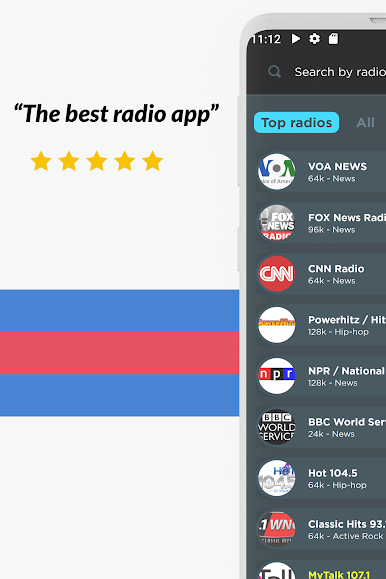
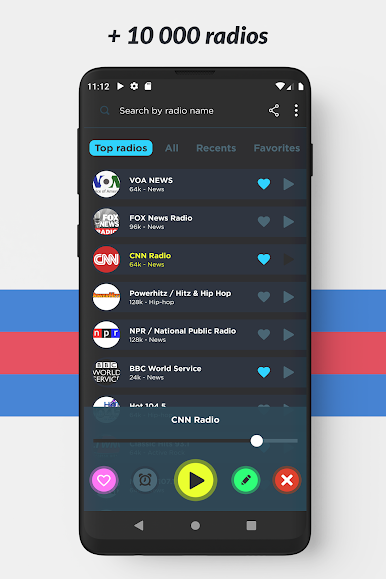
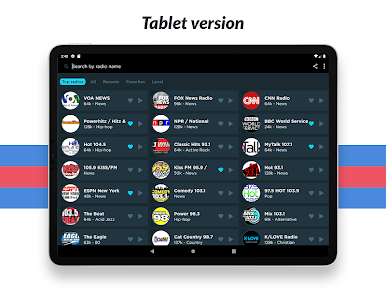
- Huge Channel Selection: Browse and listen to more than 1,000 US radio stations, from national names like CNN Radio and ESPN to local gems and specialty channels.
- Quick Search: Know what you want? Just type in the name, genre, or theme — finding your station is lightning fast.
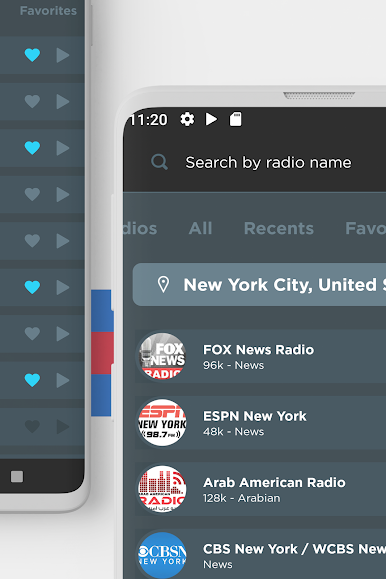
- Theme Filters: Not sure what to pick? Filter stations by music genre, news, talk, or even region, so you’ll hit the vibe you’re searching for.
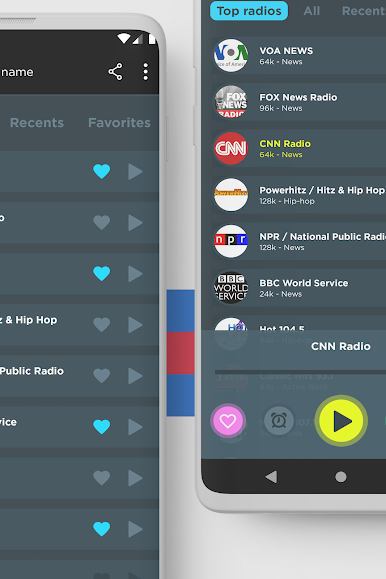
- Favorites List: Mark the stations you love and skip the hunt next time. One tap and you’re listening.
- Easy Sharing: Heard a hilarious segment or great song? Send a station link to your friends in a snap.
- Smart Interruptions: If you get a call while listening, the app handles it smoothly – your radio experience pauses and resumes, just like it should.
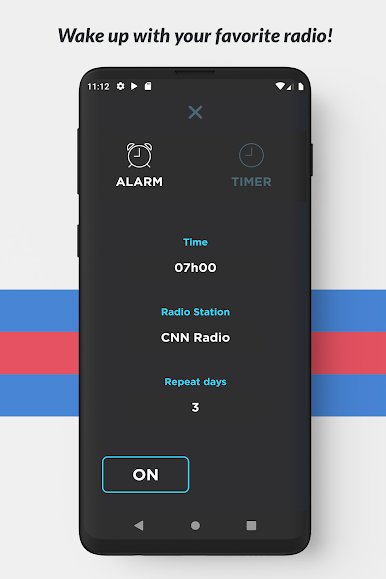
- Sleep Countdown: Set a timer to have the app shut off after a certain time — perfect for those who drift off listening to late-night jazz.
- Chromecast Support: Want to bring the sound into the living room? Cast stations to your TV or compatible speakers effortlessly.
- Android Auto Ready: Take your radio with you on the road, with smooth integration into your car’s dashboard.
- Works with BlueStacks: Enjoy listening on a bigger screen if you use BlueStacks. Because honestly, radios sound even better with room to breathe.
With United States Radio: Free FM Radio, you just need an internet connection — then it’s all American radio, wherever you are.
BlueStacks gives you the much-needed freedom to experience your favorite apps on a bigger screen. Get it now.
Chơi Đài phát thanh Hoa Kỳ FM trên PC. Rất dễ để bắt đầu
-
Tải và cài đặt BlueStacks trên máy của bạn
-
Hoàn tất đăng nhập vào Google để đến PlayStore, hoặc thực hiện sau
-
Tìm Đài phát thanh Hoa Kỳ FM trên thanh tìm kiếm ở góc phải màn hình
-
Nhấn vào để cài đặt Đài phát thanh Hoa Kỳ FM trong danh sách kết quả tìm kiếm
-
Hoàn tất đăng nhập Google (nếu bạn chưa làm bước 2) để cài đặt Đài phát thanh Hoa Kỳ FM
-
Nhấn vào icon Đài phát thanh Hoa Kỳ FM tại màn hình chính để bắt đầu chơi

