


Sirin Odtwarzacz Audiobooków
Graj na PC z BlueStacks – Platforma gamingowa Android, która uzyskała zaufanie ponad 500 milionów graczy!

Strona zmodyfikowana w dniu: Aug 19, 2025
Run Sirin Audiobook Player on PC or Mac
Multitask effortlessly on your PC or Mac as you try out Sirin Audiobook Player, a Music & Audio app by rif on BlueStacks.
About the App
Sirin Audiobook Player makes it easy and enjoyable to listen to your favorite stories wherever you are. Designed by someone who’s truly obsessed with audiobooks, this app lets you kick back and listen to books in just about any audio format out there. Whether you’re an audiobook junkie or just getting started, Sirin Audiobook Player, built by rif, gives you a smooth, no-fuss experience for organizing, finding, and playing your library. Give it a try on your phone—or sit back with BlueStacks if you want that extra bit of convenience.
App Features
-
Wide Format Support
Got a collection with all sorts of file types? Sirin Audiobook Player can handle mp3, Apple m4b, FLAC, ogg, opus, WMA, WV, and plenty more, so you’re not stuck converting files. -
Torrent Downloads Built-In
Don’t want to search far and wide for your next listen? You can download audiobooks right in the app using torrent files or magnet links. There’s even a handy Wi-Fi only setting if you need to watch your data. -
Chapter and Cover Detection
No more boring lists—Sirin can read audio file metadata, detect chapters, and show off those cover artworks, making your library much easier on the eyes. -
Manage and Organize Your Library
Edit titles, delete old listens, group audiobooks into series, and keep your collection looking sharp. With the intuitive library management, everything’s just where you want it. -
Gesture Controls
With simple gestures for fast-forward and rewind, jumping around in a story is a breeze. Forget fiddling with tiny buttons. -
Personalized Playback
Adjust narration speed to your liking, or set a sleep timer for those late-night sessions where you know you’ll doze off halfway through a chapter.
This Music & Audio app from rif isn’t just about playing audiobooks—it’s about making the whole experience pleasant from start to finish. And if you like getting your stories on a bigger screen, you can use BlueStacks for that, too.
Big screen. Bigger performance. Use BlueStacks on your PC or Mac to run your favorite apps.
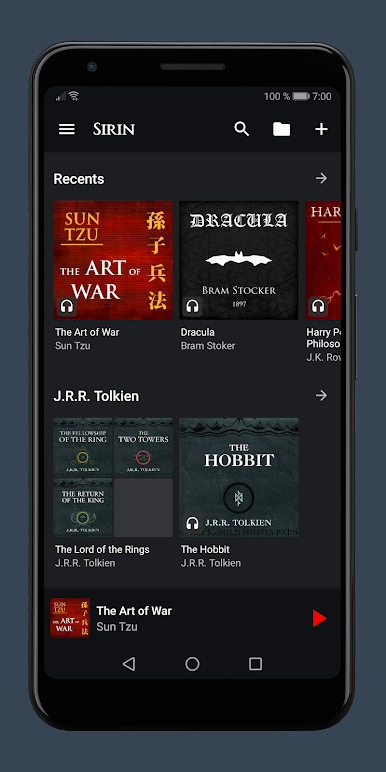
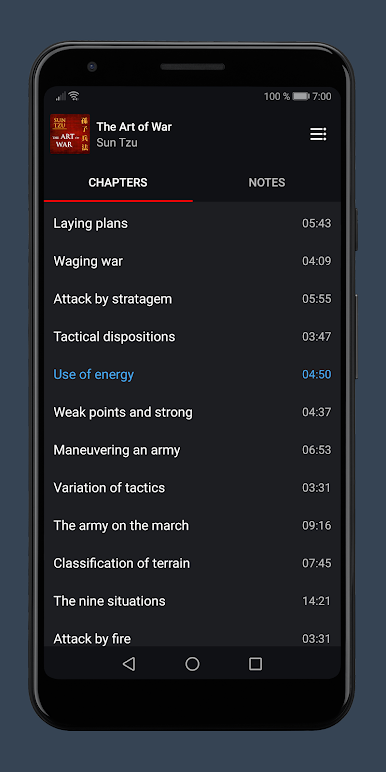
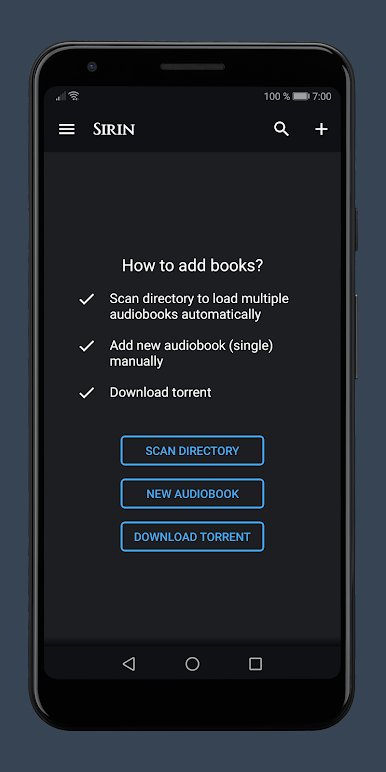
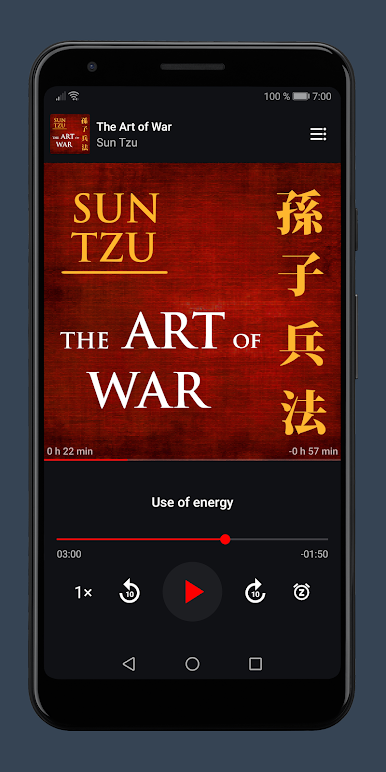
Zagraj w Sirin Odtwarzacz Audiobooków na PC. To takie proste.
-
Pobierz i zainstaluj BlueStacks na PC
-
Zakończ pomyślnie ustawienie Google, aby otrzymać dostęp do sklepu Play, albo zrób to później.
-
Wyszukaj Sirin Odtwarzacz Audiobooków w pasku wyszukiwania w prawym górnym rogu.
-
Kliknij, aby zainstalować Sirin Odtwarzacz Audiobooków z wyników wyszukiwania
-
Ukończ pomyślnie rejestrację Google (jeśli krok 2 został pominięty) aby zainstalować Sirin Odtwarzacz Audiobooków
-
Klinij w ikonę Sirin Odtwarzacz Audiobooków na ekranie startowym, aby zacząć grę

