

SEP Mobile
Chơi trên PC với BlueStacks - Nền tảng chơi game Android, được hơn 500 triệu game thủ tin tưởng.

Trang đã được sửa đổi vào: Oct 23, 2025
Run SEP Mobile on PC or Mac
Upgrade your experience. Try SEP Mobile, the fantastic Tools app from Skycure acquired by Symantec, from the comfort of your laptop, PC, or Mac, only on BlueStacks.
About the App
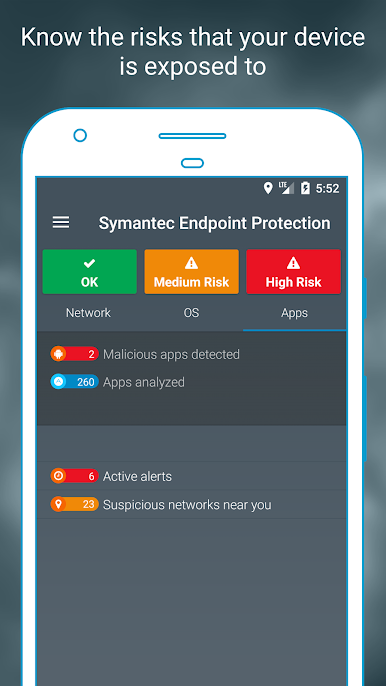
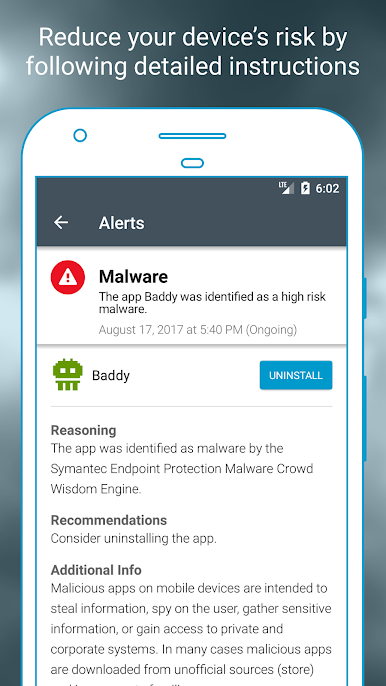
Ever worry about the security of your work phone? SEP Mobile is here to keep your device (and your company’s data) one step ahead of mobile threats. Built by Skycure acquired by Symantec and landing under the Tools category, SEP Mobile quietly runs in the background, offering powerful protection without getting in your way. You can expect real-time alerts and security that won’t tank your battery or slow down your workflow. Whether you’re at the office or away, SEP Mobile makes sure risky Wi-Fi networks, shady apps, and hidden threats are kept at bay.
App Features
-
Real-time Threat Alerts
Get a heads-up if your device comes under cyberattack, so you can take action fast—sometimes before you even notice anything’s wrong. -
Risky Wi-Fi Detection
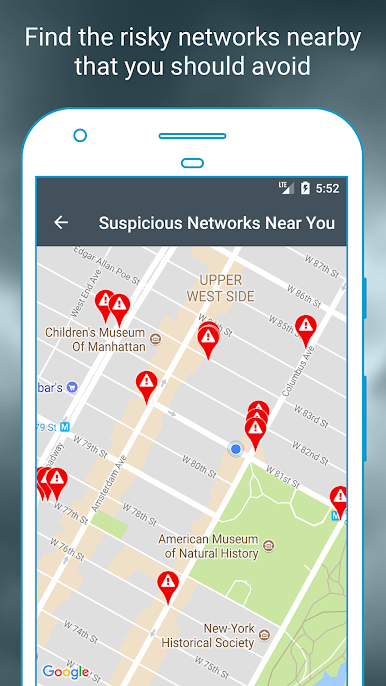
Standing in a coffee shop or airport? SEP Mobile lets you know if nearby Wi-Fi networks look suspicious, helping you steer clear of trouble spots. -
Zero Hassle, No Slowdown
You’ll barely notice SEP Mobile is there—privacy, productivity, and your battery life are all protected right alongside your sensitive info. -
Automatic Security for Enterprises
Businesses using SEP Mobile benefit from hands-off protection against advanced threats, including enforcement of company-wide security policies. -
Seamless Enterprise Integrations
Supports integrations with SIEM, MDM, and VPN tools, so IT teams can keep a close watch and enforce security on every device. -
Simple Setup
Download and activate in just a couple of taps—no confusing setups or complicated instructions required.
SEP Mobile is designed for smooth use on Android, but if you want to try it on your PC, BlueStacks can help you run it with the same ease.
Switch to BlueStacks and make the most of your apps on your PC or Mac.
Chơi SEP Mobile trên PC. Rất dễ để bắt đầu
-
Tải và cài đặt BlueStacks trên máy của bạn
-
Hoàn tất đăng nhập vào Google để đến PlayStore, hoặc thực hiện sau
-
Tìm SEP Mobile trên thanh tìm kiếm ở góc phải màn hình
-
Nhấn vào để cài đặt SEP Mobile trong danh sách kết quả tìm kiếm
-
Hoàn tất đăng nhập Google (nếu bạn chưa làm bước 2) để cài đặt SEP Mobile
-
Nhấn vào icon SEP Mobile tại màn hình chính để bắt đầu chơi

