


MP4Fix Naprawa Video
Graj na PC z BlueStacks – Platforma gamingowa Android, która uzyskała zaufanie ponad 500 milionów graczy!

Strona zmodyfikowana w dniu: Jul 18, 2025
Run MP4Fix Video Repair Tool on PC or Mac
Why limit yourself to your small screen on the phone? Run MP4Fix Video Repair Tool, an app by Smamolot, best experienced on your PC or Mac with BlueStacks, the world’s #1 Android emulator.
About the App
Phone died mid-recording? Storage ran out right when something awesome happened? MP4Fix Video Repair Tool helps you bring those unplayable MP4 clips back to life. Built by Smamolot, it focuses on quick, reliable fixes for camera recordings so you can get back to watching, not troubleshooting.
App Features
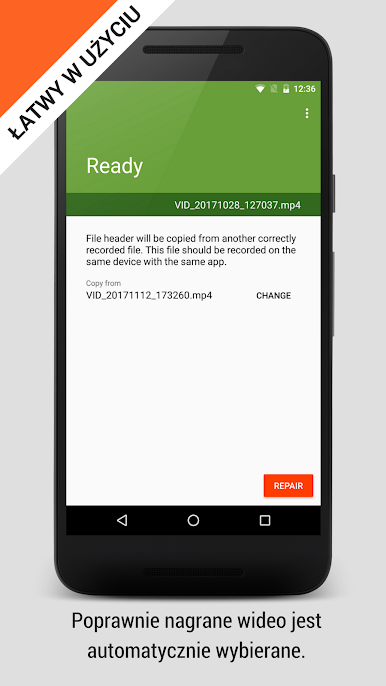
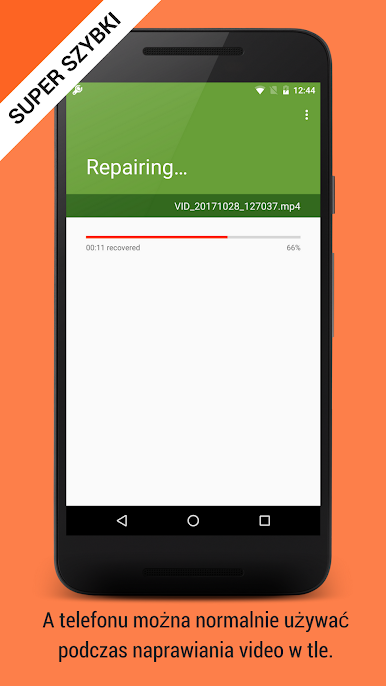
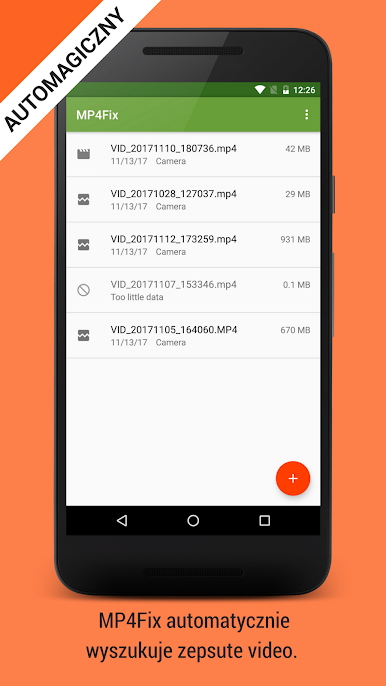
- Quick repair, no fuss: Pick the damaged clip, add a short “healthy” video recorded on the same Android phone with the same camera app, and let MP4Fix Video Repair Tool do its thing. A few taps, then hit play.
- Made for camera recordings: Tailored for MP4 videos created by your phone’s camera. It’s ideal when a recording is broken by a camera crash, a dead battery, or running out of memory.
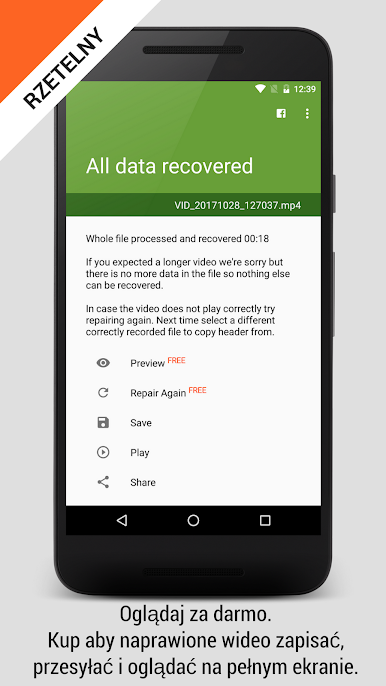
- Free, unlimited previews: Watch your repaired videos inside the app as many times as you want. Check the results before you decide to save.
- One-time unlock to export: When you’re ready to keep or share a fixed video, a single purchase enables saving and lets you repair as many future clips as you need.
- Clear on what it can’t fix: It’s not for videos downloaded from the internet, and it can’t repair damage from faulty hardware. If your SD card is corrupted, replace it first.
- Clean, straightforward design: No technical jargon or confusing steps—just a simple, guided flow that fits the Video-players genre.
- Optional desktop convenience: Prefer sorting files on a computer? You can also run MP4Fix Video Repair Tool with BlueStacks for a roomier view while you manage repairs.
Switch to BlueStacks and make the most of your apps on your PC or Mac.


Zagraj w MP4Fix Naprawa Video na PC. To takie proste.
-
Pobierz i zainstaluj BlueStacks na PC
-
Zakończ pomyślnie ustawienie Google, aby otrzymać dostęp do sklepu Play, albo zrób to później.
-
Wyszukaj MP4Fix Naprawa Video w pasku wyszukiwania w prawym górnym rogu.
-
Kliknij, aby zainstalować MP4Fix Naprawa Video z wyników wyszukiwania
-
Ukończ pomyślnie rejestrację Google (jeśli krok 2 został pominięty) aby zainstalować MP4Fix Naprawa Video
-
Klinij w ikonę MP4Fix Naprawa Video na ekranie startowym, aby zacząć grę

