


2nd Phone Number: Text & Call
Chơi trên PC với BlueStacks - Nền tảng chơi game Android, được hơn 500 triệu game thủ tin tưởng.

Trang đã được sửa đổi vào: Nov 5, 2024
Run 2nd Phone Number: Text & Call on PC or Mac
Let BlueStacks turn your PC, Mac, or laptop into the perfect home for 2nd Phone Number: Text & Call, a fun Communication app from Dingtone Communications Ltd.
About the App
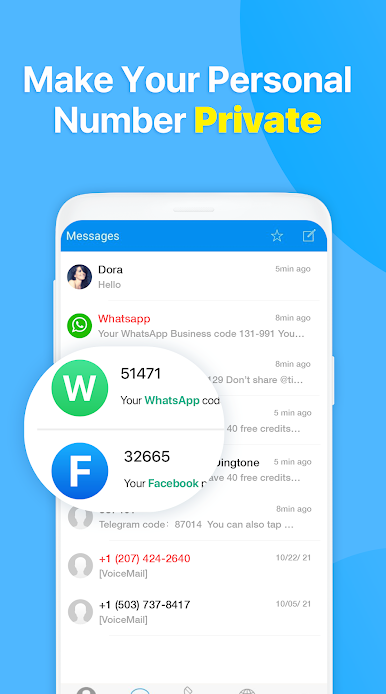
Ever wished you could keep your real number under wraps when signing up for something online or when chatting on dating apps? 2nd Phone Number: Text & Call from Dingtone Communications Ltd makes that super easy. This Communication app lets you pick up a second phone number—think of it like a mask for your privacy—so your main line stays yours alone. It’s a handy way to handle calls, texts, and verifications, whether you’re making connections overseas or just want a little extra anonymity.
App Features
Pick Your Country
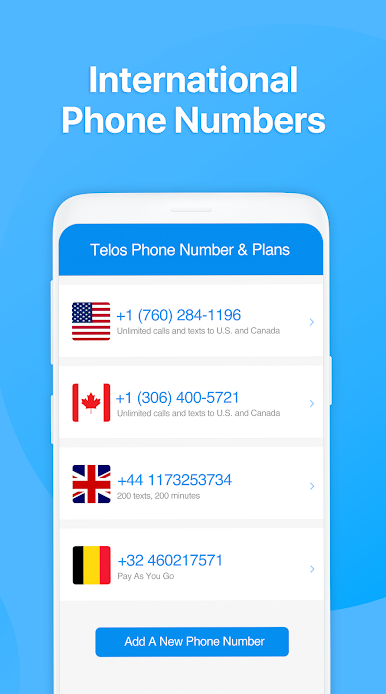
Want a U.S., UK, or Canadian number? Or maybe one from Spain or Sweden? Choose from over 20 countries to get a number that fits your needs.
Flexible Calling & Texting
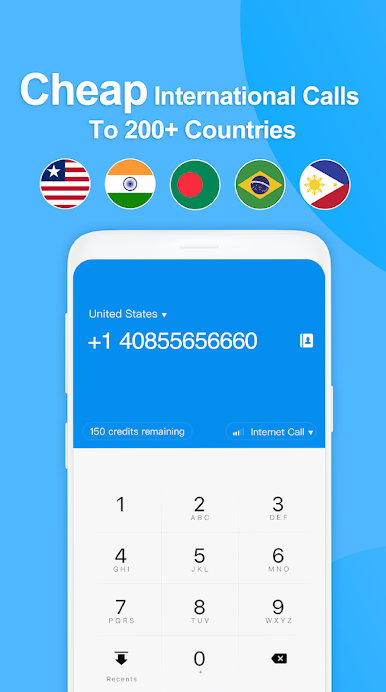
Affordable rates make it practical to call or text anyone, pretty much anywhere, without stressing about your bill.
Privacy-Control Tools
Hand out a temporary or private number for things like social sign-ups, dating, or bank accounts. If things get weird or you’re done, just “burn” the number and start fresh—nobody can bug you on it anymore.
Voicemail & Replies
Set up custom voicemail, schedule auto-replies, or block those annoying spam calls. Customize it the way you like.
Call Forwarding & Porting
Redirect calls to your main line or another number, or even port your second number to your regular carrier if you want to keep it for the long haul.
International Convenience
Traveling? Friends and family can reach you on a local number—no long-distance fees for them.
Crystal Clear Calls
No need to worry about fuzzy connections. The app uses HD voice tech so your calls sound crisp, even if your cell signal isn’t the strongest.
Works Across Devices
Want a bigger screen for your messages or calls? You can easily use the 2nd Phone Number: Text & Call app through BlueStacks whenever you want.
BlueStacks brings your apps to life on a bigger screen—seamless and straightforward.

Chơi 2nd Phone Number: Text & Call trên PC. Rất dễ để bắt đầu
-
Tải và cài đặt BlueStacks trên máy của bạn
-
Hoàn tất đăng nhập vào Google để đến PlayStore, hoặc thực hiện sau
-
Tìm 2nd Phone Number: Text & Call trên thanh tìm kiếm ở góc phải màn hình
-
Nhấn vào để cài đặt 2nd Phone Number: Text & Call trong danh sách kết quả tìm kiếm
-
Hoàn tất đăng nhập Google (nếu bạn chưa làm bước 2) để cài đặt 2nd Phone Number: Text & Call
-
Nhấn vào icon 2nd Phone Number: Text & Call tại màn hình chính để bắt đầu chơi

