


Watermark: Chèn Watermark
Chơi trên PC với BlueStacks - Nền tảng chơi game Android, được hơn 500 triệu game thủ tin tưởng.

Trang đã được sửa đổi vào: Dec 15, 2025
Run Watermark Maker - Add Watermark to Photos on PC or Mac
Upgrade your experience. Try Watermark Maker – Add Watermark to Photos, the fantastic Photography app from Cute Wallpapers Studio, from the comfort of your laptop, PC, or Mac, only on BlueStacks.
About the App
Looking for a simple way to add your stamp to every photo you share? Watermark Maker – Add Watermark to Photos by Cute Wallpapers Studio has you covered. Whether you’re protecting your photography or making sure folks know where to find you, this Photography app makes watermarking a breeze. It’s built for anyone who wants to add that personal (or professional) touch to images in just a few taps.
App Features
-
Design & Save Your Own Watermarks
Create custom watermarks from scratch or jump right in with one of the preset templates. Want to reuse your favorite designs? Just save them as templates for next time. -
Preview Before You Go
Don’t like surprises? This app lets you see exactly how each watermark will look on your photo. Tweak the pattern, placement, or style until you’re happy—even apply different styles to individual shots before batch processing. -
Customize Text—A Lot
Make your watermark yours. Change up the font, color, background, angle, size—you’re in total control. That means you can keep it classy, bold, quirky, whatever mood you’re in. -
Batch Watermarking
Got tons of photos? No worries. You can process thousands of files at once. Set it up, and watch all your pics get your mark in one go. -
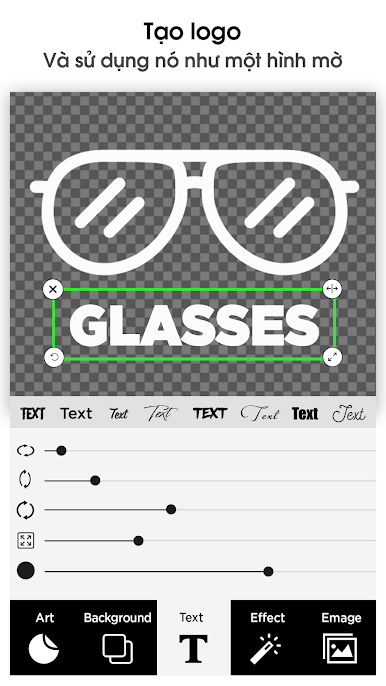
Add Logos or Images
Want your logo on your photos? Import it as an image and set it as your watermark. No fuss, just upload and position. -
Official Touches
Use built-in copyright, trademark, or registered symbols to give your photos that legit feel. No guessing if your images are protected. -
Pinpoint Placement
Arrange your watermark with pixel-perfect accuracy. Every image in your batch gets updated all at once, so everything lines up just the way you like it. -
Font Playground
Take your pick from over 100 fonts! Get creative or match your brand style—typography fans, this is for you. -
Pattern Effects
For extra protection, try automatic tiling to cover your whole photo, or set patterns like cross and plus to make removing your watermark nearly impossible. -
Digital Signature
Sign your work digitally—make every photo unmistakably yours.
If you’re working on your photography with BlueStacks, Watermark Maker – Add Watermark to Photos fits right in with your workflow. No complicated steps, just a straightforward way to keep your images yours.
Eager to take your app experience to the next level? Start right away by downloading BlueStacks on your PC or Mac.
















Chơi Watermark: Chèn Watermark trên PC. Rất dễ để bắt đầu
-
Tải và cài đặt BlueStacks trên máy của bạn
-
Hoàn tất đăng nhập vào Google để đến PlayStore, hoặc thực hiện sau
-
Tìm Watermark: Chèn Watermark trên thanh tìm kiếm ở góc phải màn hình
-
Nhấn vào để cài đặt Watermark: Chèn Watermark trong danh sách kết quả tìm kiếm
-
Hoàn tất đăng nhập Google (nếu bạn chưa làm bước 2) để cài đặt Watermark: Chèn Watermark
-
Nhấn vào icon Watermark: Chèn Watermark tại màn hình chính để bắt đầu chơi

