


Tikoo - Group Voice Chat Room
Graj na PC z BlueStacks – Platforma gamingowa Android, która uzyskała zaufanie ponad 500 milionów graczy!

Strona zmodyfikowana w dniu: 8 sie 2022
Play Tikoo - Group Voice Chat Room on PC
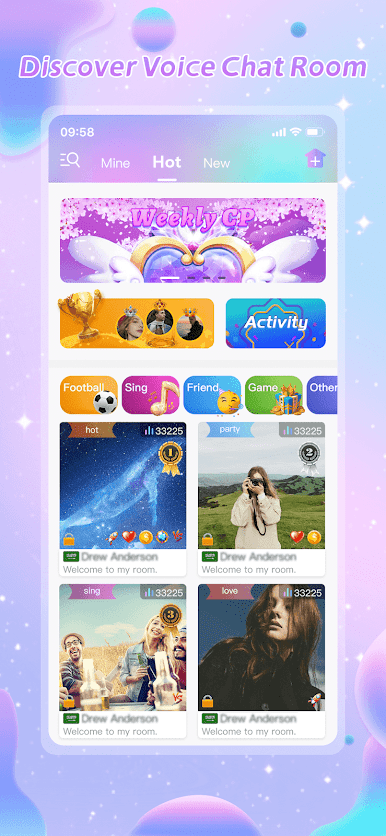
"Voice chat room
Everyone can create their own voice chat room, there is no personal level requirements. In chat room, can be multi-person, real-time, high-quality voice chat.
Have a party with friends
You can invite friends from all over the world into your voice chat room. Have a party, play games, sing songs, compete, etc
Various topic chat rooms
There are new greetings, various parties, game exchanges, song contests, poetry sharing, story reading and other topic chat rooms waiting for you to join
Various funny games
Here have some simple and fun games, and you can chat with your friends while playing games, spend a pleasant and relaxing time together
Quick and easy login
Tikoo supports logging with your Facebook, Google account or your phone number.
Get ready for a great voice chat with your friends."
"If you have any feedback or questions, please contact:
tikoo2022@outlook.com"





Zagraj w Tikoo - Group Voice Chat Room na PC. To takie proste.
-
Pobierz i zainstaluj BlueStacks na PC
-
Zakończ pomyślnie ustawienie Google, aby otrzymać dostęp do sklepu Play, albo zrób to później.
-
Wyszukaj Tikoo - Group Voice Chat Room w pasku wyszukiwania w prawym górnym rogu.
-
Kliknij, aby zainstalować Tikoo - Group Voice Chat Room z wyników wyszukiwania
-
Ukończ pomyślnie rejestrację Google (jeśli krok 2 został pominięty) aby zainstalować Tikoo - Group Voice Chat Room
-
Klinij w ikonę Tikoo - Group Voice Chat Room na ekranie startowym, aby zacząć grę

