


Keeng: Mạng xã hội âm nhạc
Chơi trên PC với BlueStacks - Nền tảng chơi game Android, được hơn 500 triệu game thủ tin tưởng.

Trang đã được sửa đổi vào: Feb 18, 2025
Chơi Keeng: Mạng xã hội âm nhạc on PC
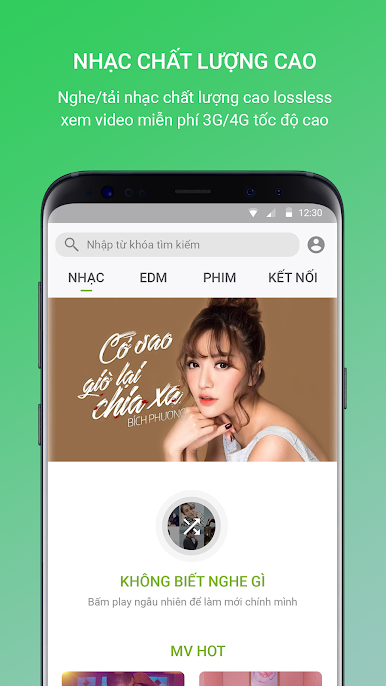
Keeng cũng là ứng dụng duy nhất Việt Nam có chuyên trang EDM dành riêng cho các tín đồ nhạc điện tử, có bản quyền từ tất cả DJ nổi tiếng trong nước và thế giới như: Martin Garrix, Alan Walkers, The Chainsmoker, Armin Van Buuren, Minh Trí, KS, Zedd, Calvin Harris… khiến bạn không thể ngồi yên và đắm chìm trong không gian EDM sôi động.
Đặc biệt, nếu bạn là khách hàng Viettel, bạn có thể thưởng thức những bộ phim mà mình yêu thích mọi lúc mọi nơi mà không lo tốn dung lượng data 3G/4G bằng cách đăng ký các gói VIP của Keeng với giá cực kì ưu đãi.
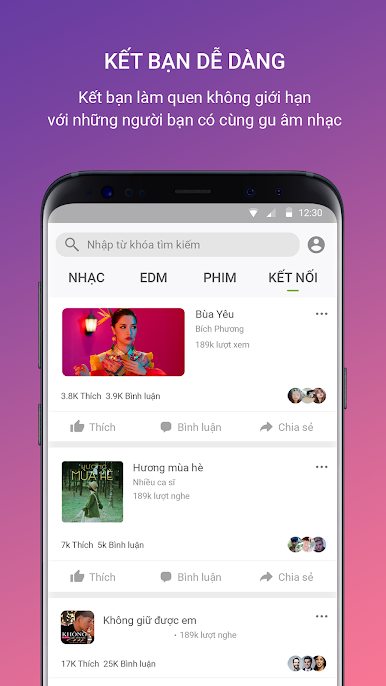
Tính năng ‘Kết nối’ trên Keeng giúp bạn dễ dàng giao lưu, kết bạn với những người bạn mới có cùng sở thích bằng cách chia sẻ bài hát, phim và video mà mình yêu thích.
Bạn yêu Keeng?
• Hãy tham gia cộng đồng Keeng: http://keeng.vn
• Keeng trên Facebook: https://www.facebook.com/Keeng.vn
Mọi thắc mắc xin gửi về địa chỉ: cskh_vtm@viettel.com.vn hoặc liên hệ 198 (miễn phí)
Chơi Keeng: Mạng xã hội âm nhạc trên PC. Rất dễ để bắt đầu
-
Tải và cài đặt BlueStacks trên máy của bạn
-
Hoàn tất đăng nhập vào Google để đến PlayStore, hoặc thực hiện sau
-
Tìm Keeng: Mạng xã hội âm nhạc trên thanh tìm kiếm ở góc phải màn hình
-
Nhấn vào để cài đặt Keeng: Mạng xã hội âm nhạc trong danh sách kết quả tìm kiếm
-
Hoàn tất đăng nhập Google (nếu bạn chưa làm bước 2) để cài đặt Keeng: Mạng xã hội âm nhạc
-
Nhấn vào icon Keeng: Mạng xã hội âm nhạc tại màn hình chính để bắt đầu chơi

