


Whova - Event & Conference App
Chơi trên PC với BlueStacks - Nền tảng chơi game Android, được hơn 500 triệu game thủ tin tưởng.

Trang đã được sửa đổi vào: Dec 18, 2025
Play Whova - Event & Conference App on PC
Watch this PREVIEW VIDEO to see how Whova can help you: https://www.youtube.com/watch?v=9IKTYK8ZS9g
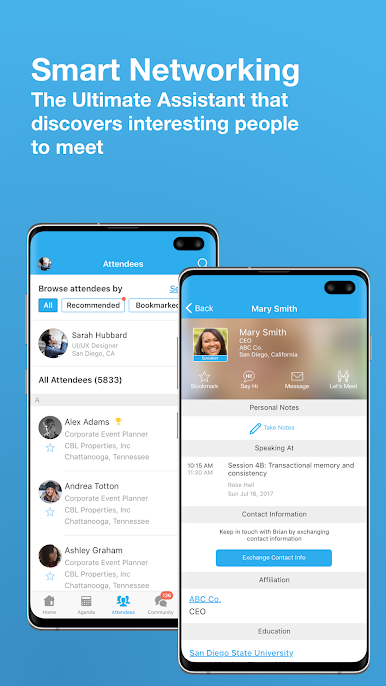
What makes Whova special? Whova's technology builds comprehensive profiles of attendees so you can view all attendee profiles before you even arrive at the event or conference. Plan in advance whom to meet at an event, what to talk about with each attendee and reach out to others via in-app messages before, during and after the event. You can also create casual meetups and arrange social activities with other groups of attendees. Whova revolutionizes event networking and significantly improves the ROI of attending events.
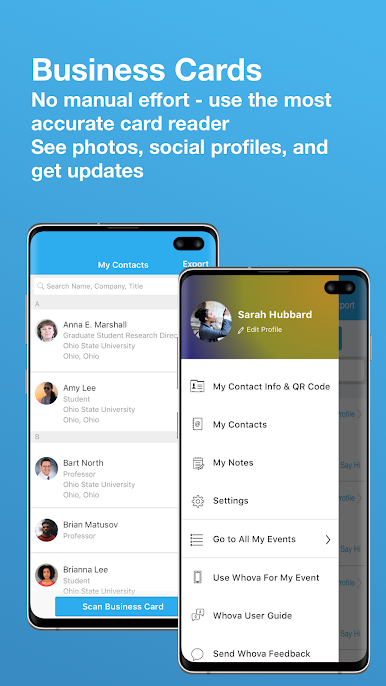
You can also use the Whova conference app to digitize and manage business cards you receive at events. Whova exceeds other business card reader apps like CamCard, CardMunch, ScanBizCards or Scannable etc. by automatically building full profiles using Whova's SmartProfile technology. This allows you to gain deep insights into your contacts' professional backgrounds, work experience, passions, and interests. You can also seamlessly connect with contacts online via LinkedIn and other platforms. Whova's business card scanning feature now supports cards in English, Chinese, and Korean.
Whova is SOC2 Type II and PCI compliant. These security and privacy certificates recognize Whova’s practice of reliable, safe, secure, and trustworthy management of user data protection and privacy.
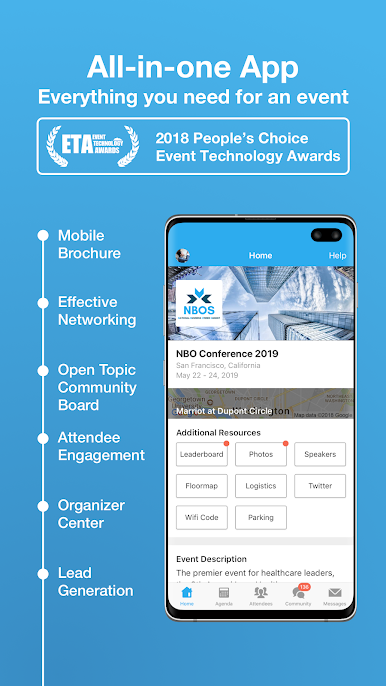
Get more out of events:
- Never miss important updates: Get instant notifications from event organizers
- Browse comprehensive professional profiles of all event attendees
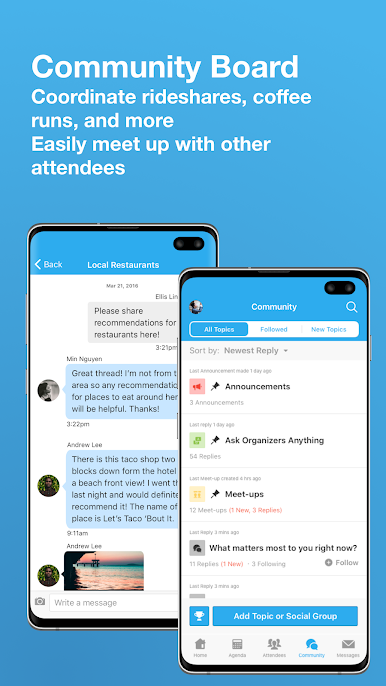
- Use the Community Board to self-organize social activities and gatherings, coordinate rideshares, break the ice, explore job opportunities, post questions and lost & found items, etc.
- Scan and save business cards and gain deep insights into your contacts
- Send in-app messages and schedule private meetings before and after events
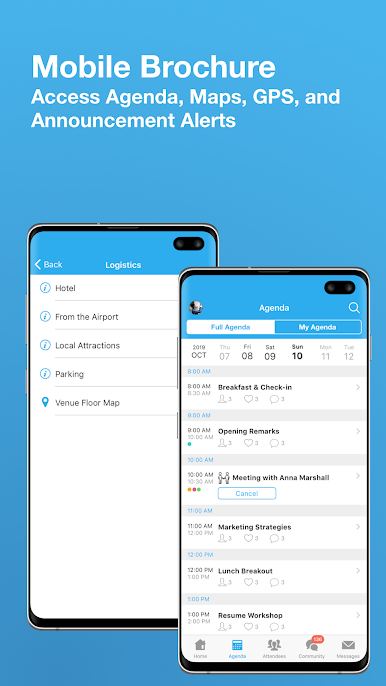
- Access the agenda, GPS guidance, interactive floor maps, parking directions, slides, and photos
- Get involved in event activities through live polling, event gamification, Tweeting, photo sharing, group chatting, and mobile surveys
- Conveniently explore exhibitors' information and get coupons/giveaways with one tap
Get in touch:
To partner with Whova or simply to stay up-to-date with the latest news, please visit our website and follow us on Twitter:
http://twitter.com/whovasupport
We would love to hear your feedback!
Contact us at: support@whova.com
Acknowledgements: Icons by Icons8

Chơi Whova - Event & Conference App trên PC. Rất dễ để bắt đầu
-
Tải và cài đặt BlueStacks trên máy của bạn
-
Hoàn tất đăng nhập vào Google để đến PlayStore, hoặc thực hiện sau
-
Tìm Whova - Event & Conference App trên thanh tìm kiếm ở góc phải màn hình
-
Nhấn vào để cài đặt Whova - Event & Conference App trong danh sách kết quả tìm kiếm
-
Hoàn tất đăng nhập Google (nếu bạn chưa làm bước 2) để cài đặt Whova - Event & Conference App
-
Nhấn vào icon Whova - Event & Conference App tại màn hình chính để bắt đầu chơi

