


Speedometer – GPS Speedometer
Chơi trên PC với BlueStacks - Nền tảng chơi game Android, được hơn 500 triệu game thủ tin tưởng.

Trang đã được sửa đổi vào: Sep 3, 2025
Play Speedometer – GPS Speedometer on PC
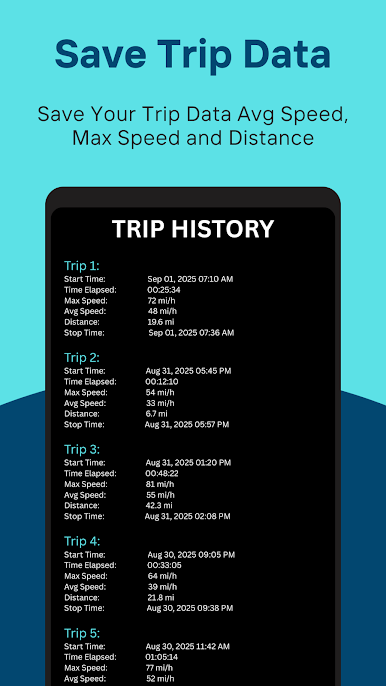
This GPS speedometer app also works as an MPH tracker and odometer, showing your current speed in both MPH and KMH. You can save trips to view details like maximum speed, average speed, total distance, and travel time. It is the perfect speedometer app for driving, cycling, or walking, with a clear digital HUD (heads-up display) style.
⭐ Features:
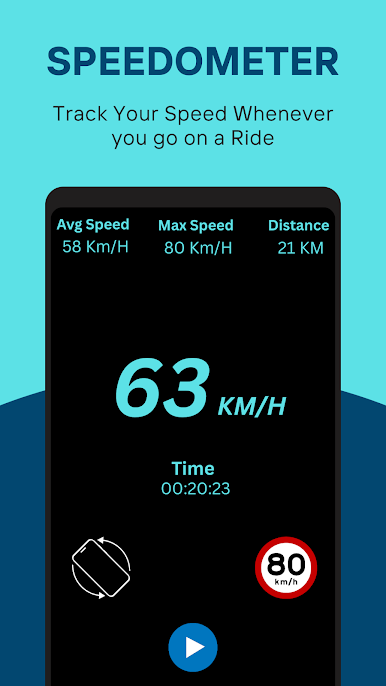
• GPS Speedometer – measure real-time speed using GPS
• MPH Tracker – switch between MPH and KMH anytime
• Save Trip – store trip data with max speed, avg speed, distance, and time
• Odometer – calculate total distance covered
• Bike Speedometer – track cycling speed and distance
• Car Speedometer – measure speed while driving
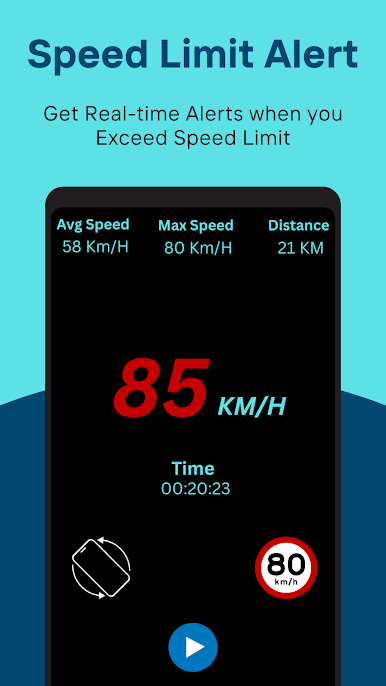
• Speed Tracker – shows current, max, and average speed
• Speedometer App Free – easy to use with GPS tracking, MPH tracker and odometer.
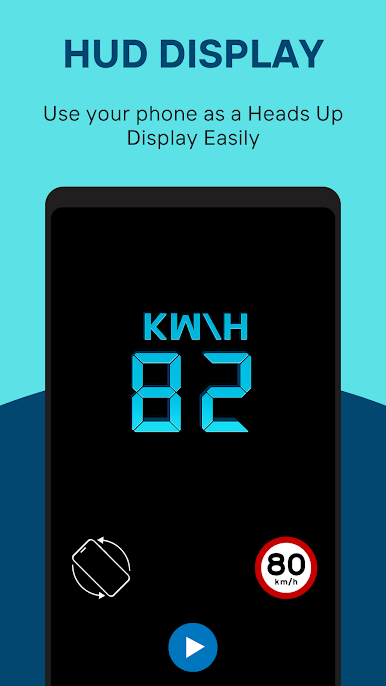
• Digital Speedometer HUD – clear and modern display
The Speedometer GPS app uses your phone’s built-in GPS sensor. Accuracy depends on your device and GPS signal quality. In open areas, the GPS speedometer works with high accuracy, but speed readings may vary in tunnels or areas with weak signals.
📌 Disclaimer:
This speedometer app is designed for informational purposes. It is not intended to replace a car’s built-in speedometer. Accuracy may vary based on device and location conditions.
⚠️ Safety Warning:
Do not operate the app while driving. Always focus on the road. If you need to change settings or check your MPH tracker, park your car safely first. Using mobile phones while driving can be dangerous for you and others.
Download Speedometer today and enjoy a free, reliable digital speedometer app with trip saving for car and bike speed tracking.
Chơi Speedometer – GPS Speedometer trên PC. Rất dễ để bắt đầu
-
Tải và cài đặt BlueStacks trên máy của bạn
-
Hoàn tất đăng nhập vào Google để đến PlayStore, hoặc thực hiện sau
-
Tìm Speedometer – GPS Speedometer trên thanh tìm kiếm ở góc phải màn hình
-
Nhấn vào để cài đặt Speedometer – GPS Speedometer trong danh sách kết quả tìm kiếm
-
Hoàn tất đăng nhập Google (nếu bạn chưa làm bước 2) để cài đặt Speedometer – GPS Speedometer
-
Nhấn vào icon Speedometer – GPS Speedometer tại màn hình chính để bắt đầu chơi

