


Battery Guard
Chơi trên PC với BlueStacks - Nền tảng chơi game Android, được hơn 500 triệu game thủ tin tưởng.

Trang đã được sửa đổi vào: Jan 7, 2024
Play Battery Guard on PC
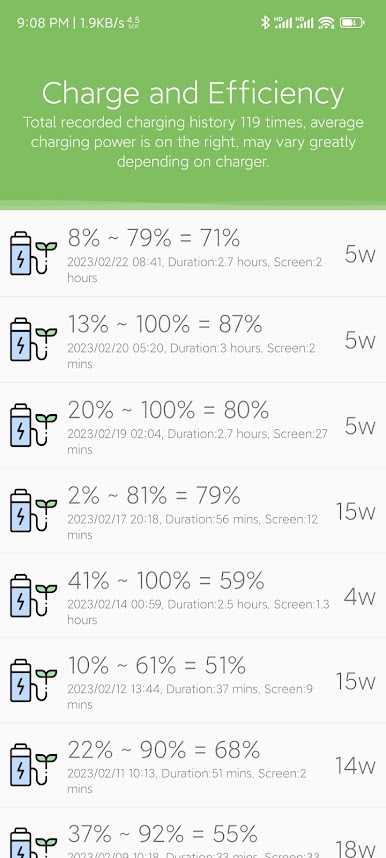
* Charge to 90%, only 0.52 cycle
* Charge to 80%, only 0.27 cycle
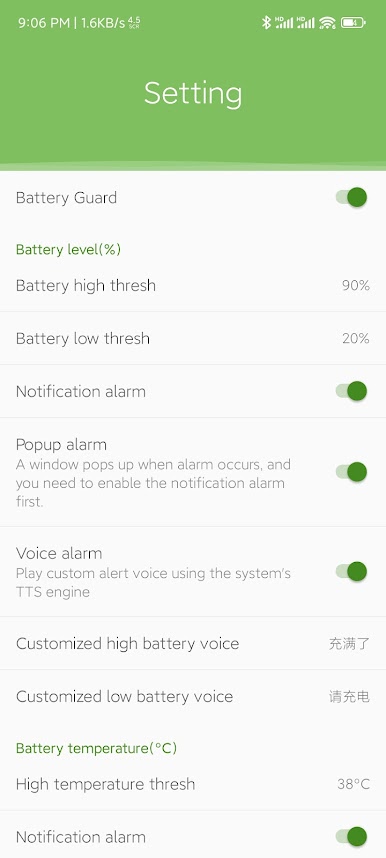
Battery Guard can set high and low thresholds and then alerting the user when the power reaches the threshold, so that the battery maintains a shallow cycle working state.
App features are as follows:
* Light and compact App, less than 200k.
* Support text, vibration and voice alarm when the power reaches the threshold.
* Voice alarm uses TTS engine and supports custom voice.
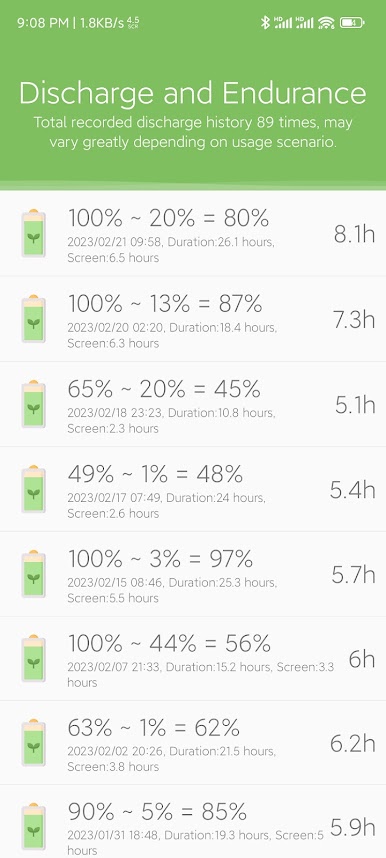
* Backend records daily battery cycle loss and generates daily, weekly and monthly statistical charts.
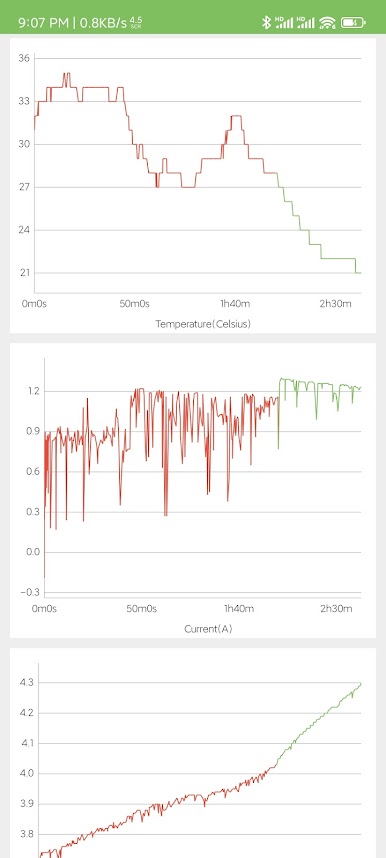
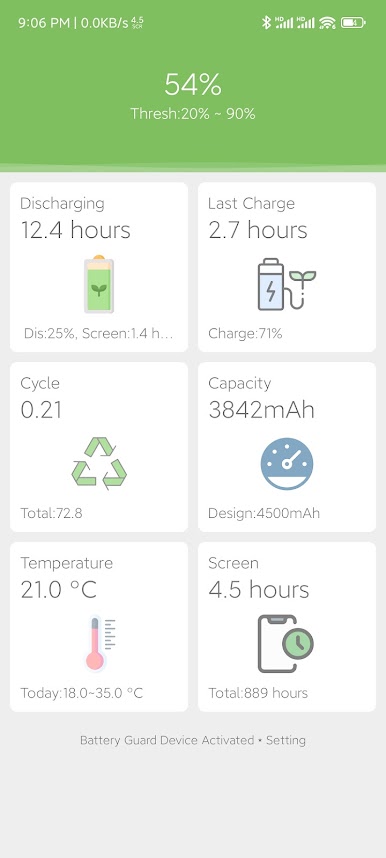
* Record battery temperature and generate daily, weekly and monthly statistical charts.
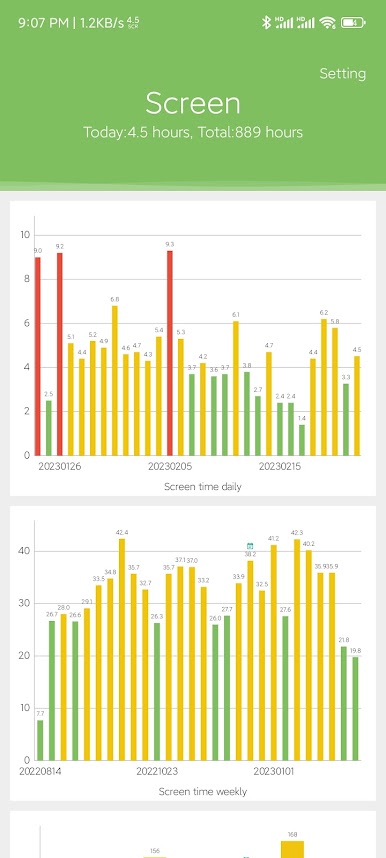
* Record daily bright screen time and generate daily, weekly, and monthly statistical charts.
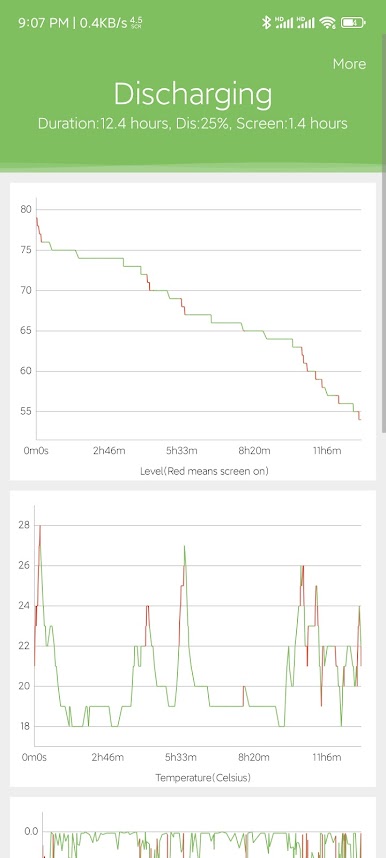
* Support charging and discharging details, including charts of power, temperature, current, etc.
In addition to the basic battery-related statistics, the following functions are supported.
* Support daily, weekly, and monthly screen time statistics.
* Support daily, weekly, and monthly temperature range statistics.
* Customizable notification bar icons and functions
Battery monitoring requires background operation, please refer to the help to reserve the background correctly.
Chơi Battery Guard trên PC. Rất dễ để bắt đầu
-
Tải và cài đặt BlueStacks trên máy của bạn
-
Hoàn tất đăng nhập vào Google để đến PlayStore, hoặc thực hiện sau
-
Tìm Battery Guard trên thanh tìm kiếm ở góc phải màn hình
-
Nhấn vào để cài đặt Battery Guard trong danh sách kết quả tìm kiếm
-
Hoàn tất đăng nhập Google (nếu bạn chưa làm bước 2) để cài đặt Battery Guard
-
Nhấn vào icon Battery Guard tại màn hình chính để bắt đầu chơi

