


Khóa phòng thủ Zombie
Chơi trên PC với BlueStacks - Nền tảng chơi game Android, được hơn 500 triệu game thủ tin tưởng.

Trang đã được sửa đổi vào: May 26, 2023
Play Zombie Defense Shooting:hunt on PC or Mac
From the innovators and creators at Gun And Zombie Shooting Games, Zombie Defense Shooting:hunt is another fun addition to the World of Action games. Go beyond your mobile screen and play it bigger and better on your PC or Mac. An immersive experience awaits you.
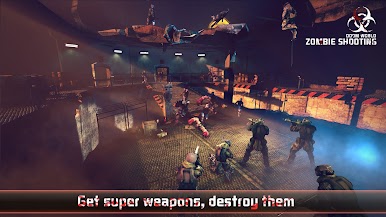
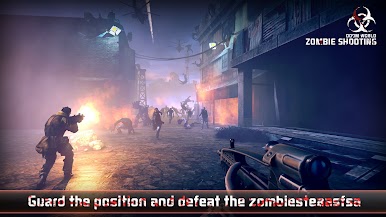
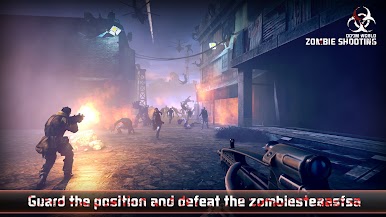
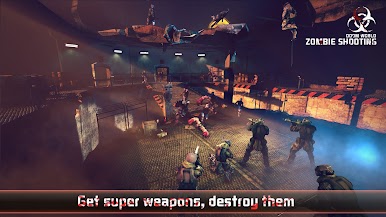
Zombie Defense Shooting:hunt throws you straight into a world where zombies are coming non-stop, some showing up out of nowhere and keeping you on your toes the whole time. The game sets you up as the last person standing between the hordes and whatever’s left of the city, so you’re constantly switching between weapons, scanning the screen, and keeping an eye out for the tougher, boss zombies—they really take a lot more to bring down compared to the regular ones. It mixes that classic arcade shooter feeling with a bunch of challenges, and it’s not just about aiming well—timing matters, staying alert is essential, and ignoring what’s happening on the battlefield gets you taken out fast.
There’s a wide mix of zombies, which makes each round interesting. Some look like regular walkers, others are way larger and pop up when you least expect it. Each weapon handles differently, so it’s all about finding what works best for the tougher situations. The missions are straightforward but do change things up often enough to keep it from feeling repetitive. Graphics are crisp, and even though it’s made for mobile, playing on PC with BlueStacks makes everything more comfortable to see and control. No internet required, so it’s easy to jump in and play whenever. If someone’s after quick action and that old-school zombie shooter rush, this one just delivers.
Start your journey now. Download the game on BlueStacks, invite your friends, and march on a new adventure.






Chơi Khóa phòng thủ Zombie trên PC. Rất dễ để bắt đầu
-
Tải và cài đặt BlueStacks trên máy của bạn
-
Hoàn tất đăng nhập vào Google để đến PlayStore, hoặc thực hiện sau
-
Tìm Khóa phòng thủ Zombie trên thanh tìm kiếm ở góc phải màn hình
-
Nhấn vào để cài đặt Khóa phòng thủ Zombie trong danh sách kết quả tìm kiếm
-
Hoàn tất đăng nhập Google (nếu bạn chưa làm bước 2) để cài đặt Khóa phòng thủ Zombie
-
Nhấn vào icon Khóa phòng thủ Zombie tại màn hình chính để bắt đầu chơi

