


Mobile to PC File Transfer
Chơi trên PC với BlueStacks - Nền tảng chơi game Android, được hơn 500 triệu game thủ tin tưởng.

Trang đã được sửa đổi vào: Jan 26, 2025
Play Mobile to PC File Transfer on PC
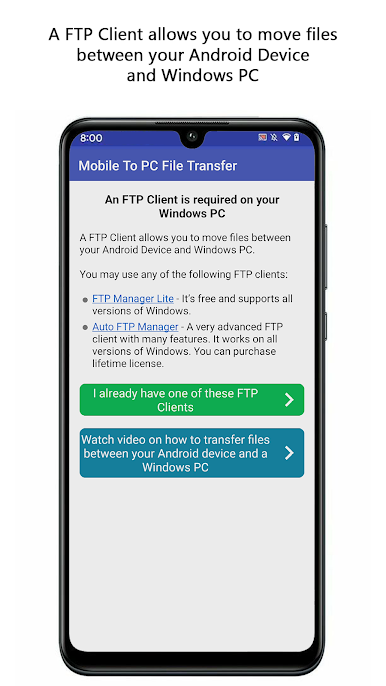
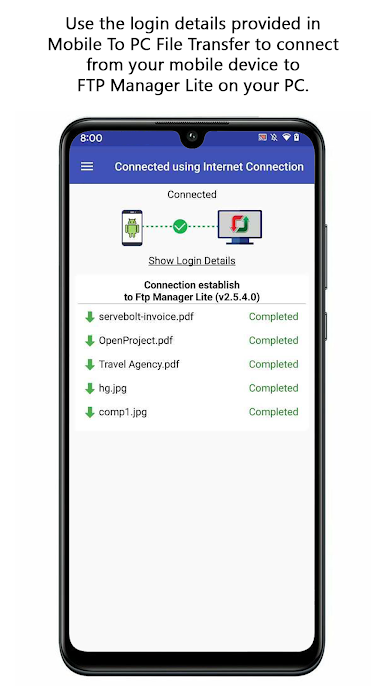
This is the simplest and most reliable solution for transferring files between your Windows PC and a group of mobile devices.
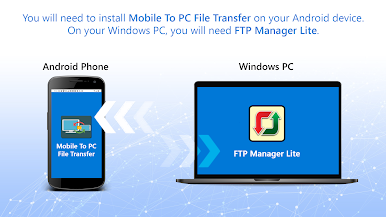
PC To Mobile Transfer works with Windows PC software - FTP Manager Pro.
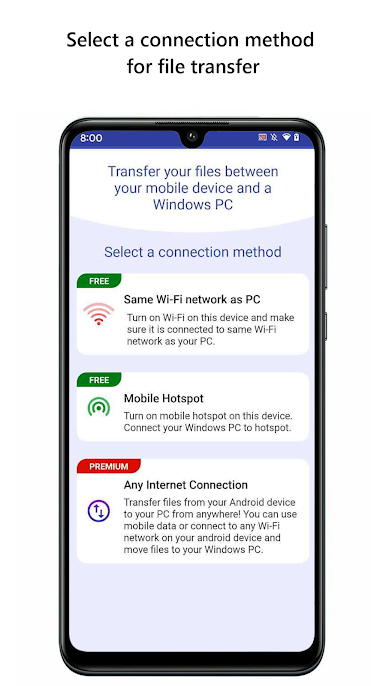
If you are using a Wi-Fi network, please make sure your mobile device and PC are on the same network. If you are outside your local Wi-Fi network, use mobile data for file transfer. The speed of file transfer between your mobile device and PC is dependent on your internet speed.
Watch the video tutorial to see how easy it is to set up.
Key Features:-
• Access all data stored on Phone, tablet or SD card.
• You can create, move and delete the files from your Windows PC.
• No USB cable is required to transfer files.
• Transfer Photos, videos, music, and any other files.
• Create multiple connection profiles for file transfer.
• Set password to prevent anyone from randomly accessing your connection profile.
• Autostarts the application on device reboot.
If you need help with PC To Mobile Transfer, please refer to our support forum.
To best use PC to Mobile Transfer, we ask the following user permissions:
For Android 10 and below-
• Write Internal Storage(Required): To send and store files that are in internal storage.
For Android 11-
• All Files Access (Required): To access storage and find the files you want to transfer, as well as store any files you receive.
LIKE US and STAY CONNECTED
Facebook: https://www.facebook.com/Deskshare-1590403157932074
Deskshare: https://www.deskshare.com
Contact Us: https://www.deskshare.com/contact_tech.aspx

Chơi Mobile to PC File Transfer trên PC. Rất dễ để bắt đầu
-
Tải và cài đặt BlueStacks trên máy của bạn
-
Hoàn tất đăng nhập vào Google để đến PlayStore, hoặc thực hiện sau
-
Tìm Mobile to PC File Transfer trên thanh tìm kiếm ở góc phải màn hình
-
Nhấn vào để cài đặt Mobile to PC File Transfer trong danh sách kết quả tìm kiếm
-
Hoàn tất đăng nhập Google (nếu bạn chưa làm bước 2) để cài đặt Mobile to PC File Transfer
-
Nhấn vào icon Mobile to PC File Transfer tại màn hình chính để bắt đầu chơi

