



Run Hidden Camera Detector Gold on PC or Mac
Upgrade your experience. Try Hidden Camera Detector Gold, the fantastic Tools app from FutureApps, from the comfort of your laptop, PC, or Mac, only on BlueStacks.
About the App
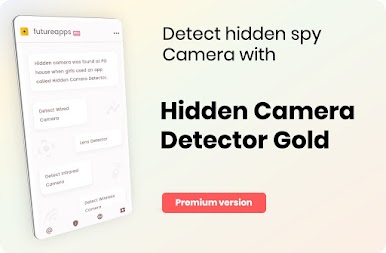
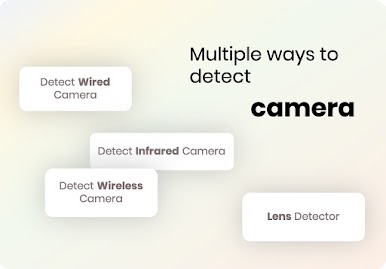
Hidden Camera Detector Gold makes it easier to check rooms, rentals, and changing areas for suspicious lenses using tools already built into your phone. It combines magnetic scanning with an infrared viewer, so you can quickly sweep a space and decide if something needs a closer look. If you’re browsing Android apps on BlueStacks, keep in mind you’ll still want a phone with the right sensors when you actually scan in the real world.
App Features
-
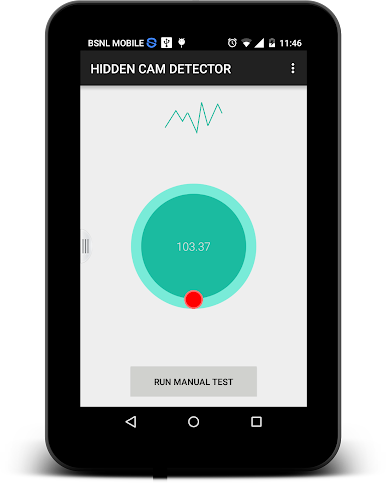
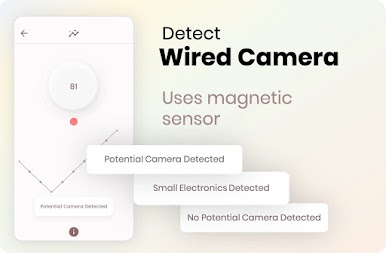
Magnetic scan for hidden lenses: Move your device near spots that feel off—mirrors, vents, flowerpots, or decorations. The app listens for magnetic patterns that often match camera hardware and alerts you with a sound so you can inspect further.
-
Requires a magnetic sensor: The magnetometer tool only works on phones that include a magnetic sensor. No sensor? You can still use the infrared mode.
-
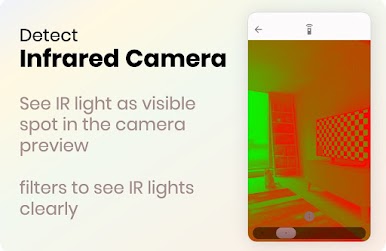
Infrared camera finder: Open the IR viewer to spot bright white flares on the screen that you can’t see with your eyes. That glow can indicate infrared, which many hidden cameras use. There’s a built-in luminescence effect to make those hotspots easier to notice.
-
Know where your sensor is: Not sure which end of your phone to point? Do a quick pass near a known camera to figure out where your sensor is most responsive.
-
Smarter alerts, fewer false alarms: The app is tuned to ignore everyday metal, but certain shapes or conditions can still set it off. If it beeps, look for an actual lens before you worry.
-
Handy safety tips: Learn simple techniques to reduce risk and, if you find something, share the location with friends so they can be cautious too.
-
Fixes for camera conflicts: If the IR viewer doesn’t open or freezes, close other apps using the camera and try again.
-
Genre and developer: A practical Tools app from FutureApps designed for quick, on-the-spot checks.
Eager to take your app experience to the next level? Start right away by downloading BlueStacks on your PC or Mac.


Zagraj w Hidden Camera Detector Gold na PC. To takie proste.
-
Pobierz i zainstaluj BlueStacks na PC
-
Zakończ pomyślnie ustawienie Google, aby otrzymać dostęp do sklepu Play, albo zrób to później.
-
Wyszukaj Hidden Camera Detector Gold w pasku wyszukiwania w prawym górnym rogu.
-
Kliknij, aby zainstalować Hidden Camera Detector Gold z wyników wyszukiwania
-
Ukończ pomyślnie rejestrację Google (jeśli krok 2 został pominięty) aby zainstalować Hidden Camera Detector Gold
-
Klinij w ikonę Hidden Camera Detector Gold na ekranie startowym, aby zacząć grę

