


Double Jump Ringo Run Action
Chơi trên PC với BlueStacks - Nền tảng chơi game Android, được hơn 500 triệu game thủ tin tưởng.

Trang đã được sửa đổi vào: Jul 6, 2019
Play Double Jump Ringo Run Action on PC or Mac
From the innovators and creators at EZDAEMON, Double Jump Ringo Run Action is another fun addition to the World of Action games. Go beyond your mobile screen and play it bigger and better on your PC or Mac. An immersive experience awaits you.
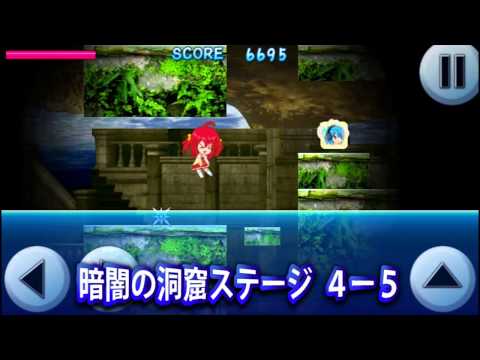
Double Jump Ringo Run Action is a clean, old-school 2D side scroller that is all about jump timing and control. Ringo-san and Ai-chan run through seven themed worlds, and the whole game leans on how long the jump button is held and when to trigger that second jump. That variable height plus a double jump gives players a lot of freedom to correct midair and thread tight gaps. Early stages feel like a warmup that teaches the rhythm. Later on it demands sharper inputs, the kind that make palms a bit sweaty but still fair.
Scoring is a big hook. Every stage hands out a rank, so chasing S on everything becomes the quiet obsession, and there is a player grade that climbs with strong runs, all the way to 十段 if the consistency is there. Stages can be replayed as much as needed, so it turns into that one-more-try loop. Points earned in play go into a small shop for helpful items, and there are trophies for meeting specific goals that boost scores even more. Character voices for Ringo-san and Ai-chan add some charm, simple but cute. Online leaderboards ended in April 2024, so the competition is local now, which actually suits score grinding pretty well. On PC with BlueStacks, mapping jump to a key and using arrow keys feels crisp, and the bigger screen makes hazards easier to read. It is straightforward, snappy, and rewards clean execution alot.
Slay your opponents with your epic moves. Play it your way on BlueStacks and dominate the battlefield.












Chơi Double Jump Ringo Run Action trên PC. Rất dễ để bắt đầu
-
Tải và cài đặt BlueStacks trên máy của bạn
-
Hoàn tất đăng nhập vào Google để đến PlayStore, hoặc thực hiện sau
-
Tìm Double Jump Ringo Run Action trên thanh tìm kiếm ở góc phải màn hình
-
Nhấn vào để cài đặt Double Jump Ringo Run Action trong danh sách kết quả tìm kiếm
-
Hoàn tất đăng nhập Google (nếu bạn chưa làm bước 2) để cài đặt Double Jump Ringo Run Action
-
Nhấn vào icon Double Jump Ringo Run Action tại màn hình chính để bắt đầu chơi

