


Metronomerous - pro metronome
Graj na PC z BlueStacks – Platforma gamingowa Android, która uzyskała zaufanie ponad 500 milionów graczy!

Strona zmodyfikowana w dniu: Nov 21, 2025
Run Metronomerous - pro metronome on PC or Mac
What’s better than using Metronomerous – pro metronome by Knoedelbart? Well, try it on a big screen, on your PC or Mac, with BlueStacks to see the difference.
About the App
Metronomerous – pro metronome is a precision practice tool built for musicians who care about feel, detail, and flexibility. Created by Knoedelbart, this ad-free metronome gives you deep control over tempo, accents, and subdivisions without getting in your way. If you’re comfortable with basic notation and want a metronome that can keep up with your practice ideas, you’ll feel right at home. Prefer a bigger screen? It runs nicely on BlueStacks, too. Genre: Music & Audio.
App Features
- Deep Subdivisions
-
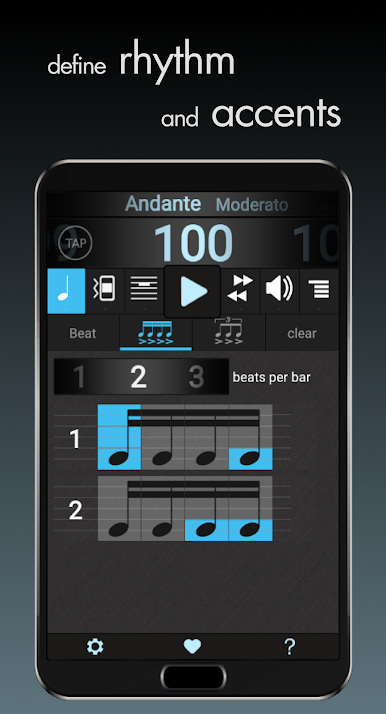
Work with eighths, sixteenths, triplets, quintuplets, and septuplets—great for straight, swing, and odd-meter practice.
-
Custom Accents and Levels
-
Accent any 16th or triplet and set individual volumes for each subdivision to shape your groove exactly how you want it.
-
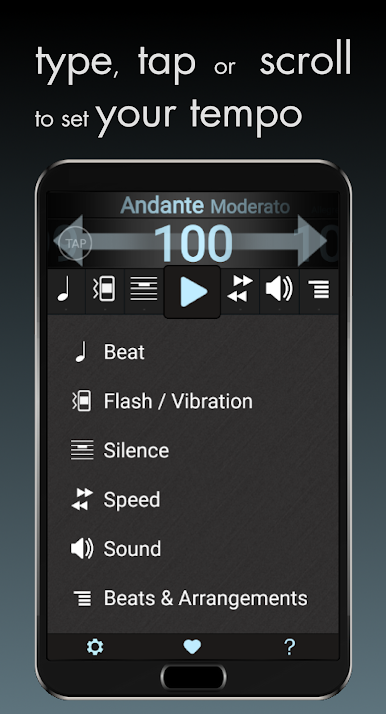
Flexible Tempo Control
-
Dial in tempo by sliding, tapping, numeric entry, or tap-in—whatever’s fastest in the moment.
-
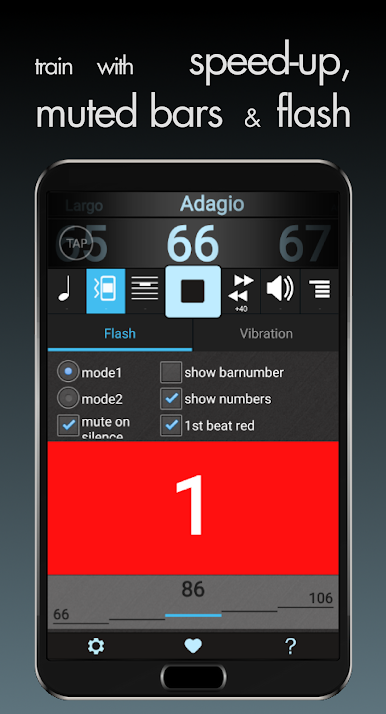
Visual and Haptic Cues
-
Follow along with clear visual pulses or feel the beat with vibration feedback when you don’t want sound.
-
Smart Practice Tools
-
Use “silence” to mute the click for a few bars and test your internal time. Or let TempoIncrement ramp the tempo gradually during play.
-
Sound Options You Can Tweak
-
Choose from lots of click sounds, with editable options to suit different rooms, instruments, or preferences.
-
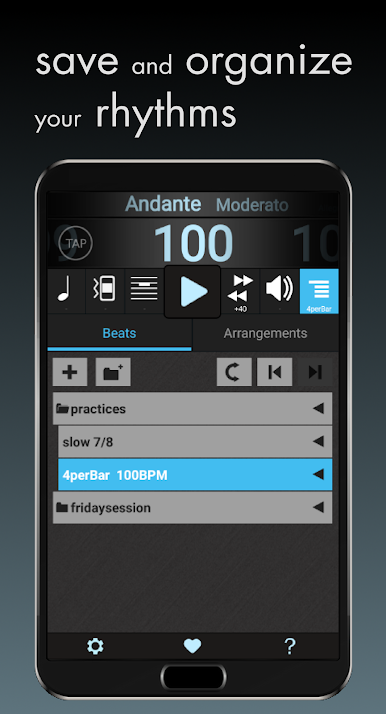
Save and Organize
-
Store your setups in the BeatList so you can jump between songs, sheds, or lesson plans instantly.
-
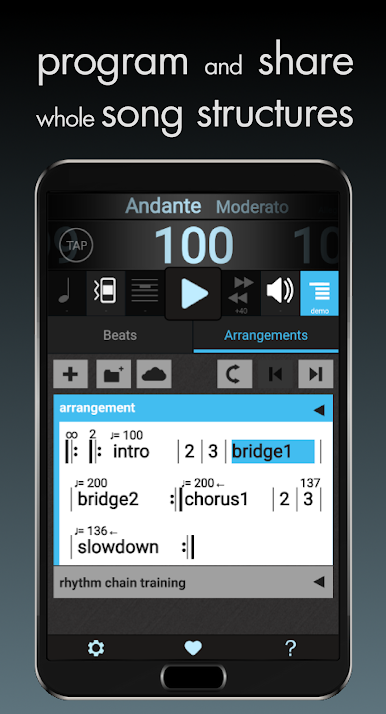
Program Full Arrangements
-
Build complex sequences with changing meters and tempos, then share your arrangements across devices.
-
Clear and Handy Interface
-
Portrait or landscape layouts, Italian tempo names if you like the classics, plus in-app help when you need it.
-
Multilingual Support
-
Available in English, German, and Russian.
-
Thoughtful Permissions
- Pauses automatically on incoming calls and uses network access only when sharing your arrangements.
Eager to take your app experience to the next level? Start right away by downloading BlueStacks on your PC or Mac.

Zagraj w Metronomerous - pro metronome na PC. To takie proste.
-
Pobierz i zainstaluj BlueStacks na PC
-
Zakończ pomyślnie ustawienie Google, aby otrzymać dostęp do sklepu Play, albo zrób to później.
-
Wyszukaj Metronomerous - pro metronome w pasku wyszukiwania w prawym górnym rogu.
-
Kliknij, aby zainstalować Metronomerous - pro metronome z wyników wyszukiwania
-
Ukończ pomyślnie rejestrację Google (jeśli krok 2 został pominięty) aby zainstalować Metronomerous - pro metronome
-
Klinij w ikonę Metronomerous - pro metronome na ekranie startowym, aby zacząć grę

