


Undercards
Graj na PC z BlueStacks – Platforma gamingowa Android, która uzyskała zaufanie ponad 500 milionów graczy!

Strona zmodyfikowana w dniu: Oct 23, 2025
Podgląd
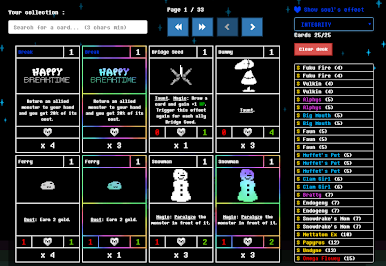
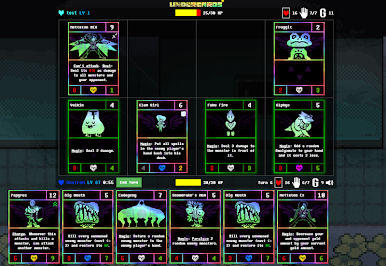
In this game, you can collect cards (monsters, spells) by playing against balanced opponents! But not only, you can also play to level up and get card packs, or complete your every day quests.
You can build various decks with different souls (classes) : Determination, Justice, Perseverance, Integrity, Kindness, Patience, Bravery. Each soul has its own effect and its own set of spells. There are a lot of strategies.
If you think you are good enough, you can try to become the best Undercards player with the ranked mode ! Here are the ranks : Copper, Iron, Gold, Emerald, Sapphire, Ruby, Diamond, Master. There is a season per month and rewards !
The community is important ! You can make friends and add them to your friend list.
But you can also chat with the community in public channels.
Zagraj w Undercards na PC. To takie proste.
-
Pobierz i zainstaluj BlueStacks na PC
-
Zakończ pomyślnie ustawienie Google, aby otrzymać dostęp do sklepu Play, albo zrób to później.
-
Wyszukaj Undercards w pasku wyszukiwania w prawym górnym rogu.
-
Kliknij, aby zainstalować Undercards z wyników wyszukiwania
-
Ukończ pomyślnie rejestrację Google (jeśli krok 2 został pominięty) aby zainstalować Undercards
-
Klinij w ikonę Undercards na ekranie startowym, aby zacząć grę

