


Square Pic: Photo Editor
Chơi trên PC với BlueStacks - Nền tảng chơi game Android, được hơn 500 triệu game thủ tin tưởng.

Trang đã được sửa đổi vào: Sep 14, 2024
Run Square Pic: Photo Editor on PC or Mac
Get freedom from your phone’s obvious limitations. Use Square Pic: Photo Editor, made by A Photo Studio, a Photography app on your PC or Mac with BlueStacks, and level up your experience.
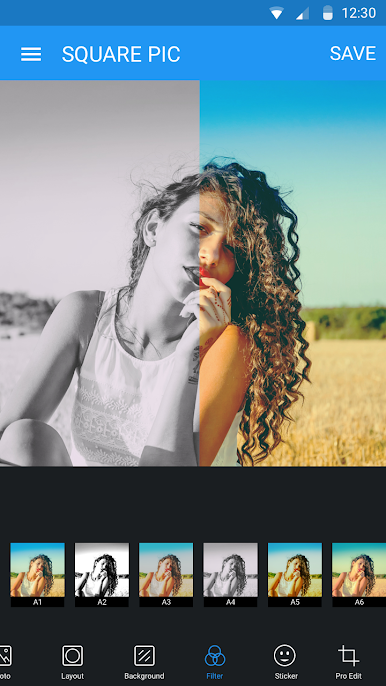
Square Pic is one of those apps that makes editing photos for Instagram a lot easier, especially when you don’t want to crop anything out of the shot. On PC with BlueStacks, it runs just as smoothly, and actually editing with a mouse feels less fiddly. The main thing is how fast it is to get any picture into that perfect square format—just pick the photo, the app does the rest, and there are so many backgrounds to pick from, whether it’s a blur effect or just a plain color that matches the vibe. People who like posting full photos without awkward cropping will probably appreciate that.
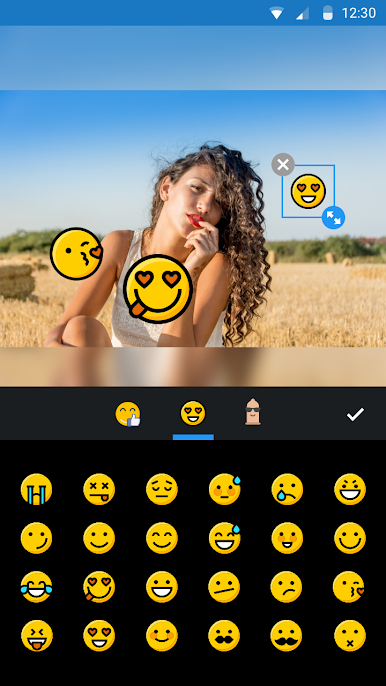
There’s also a collage option, so combining a few photos into one big post is simple, and there’s control over the layout—so it doesn’t feel stuck with generic grids. Filters are built-in, plus a surprising number of stickers and emojis to mess around with before sharing. Tools for resizing and moving things around are easy enough too, nothing feels complicated or hidden away in menus. All the basics are there for editing without feeling bloated, and anyone who wants to clean up their feed or post more creative layouts is likely going to have fun playing with it.
Big screen. Bigger performance. Use BlueStacks on your PC or Mac to run your favorite apps.


Chơi Square Pic: Photo Editor trên PC. Rất dễ để bắt đầu
-
Tải và cài đặt BlueStacks trên máy của bạn
-
Hoàn tất đăng nhập vào Google để đến PlayStore, hoặc thực hiện sau
-
Tìm Square Pic: Photo Editor trên thanh tìm kiếm ở góc phải màn hình
-
Nhấn vào để cài đặt Square Pic: Photo Editor trong danh sách kết quả tìm kiếm
-
Hoàn tất đăng nhập Google (nếu bạn chưa làm bước 2) để cài đặt Square Pic: Photo Editor
-
Nhấn vào icon Square Pic: Photo Editor tại màn hình chính để bắt đầu chơi

