


このページには広告が含まれます
W&O 小売店・店舗向けPOSシステム - POSレジ
ビジネス | aadhk
BlueStacksを使ってPCでプレイ - 5憶以上のユーザーが愛用している高機能Androidゲーミングプラットフォーム

Play W&O POS - Retail Point of Sale on PC
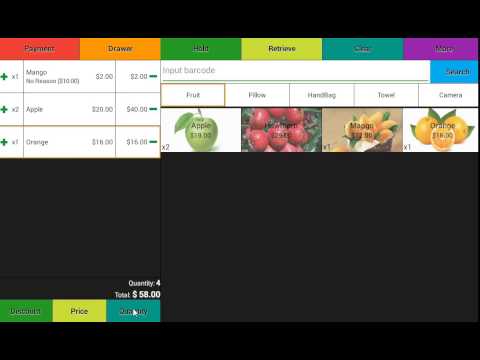
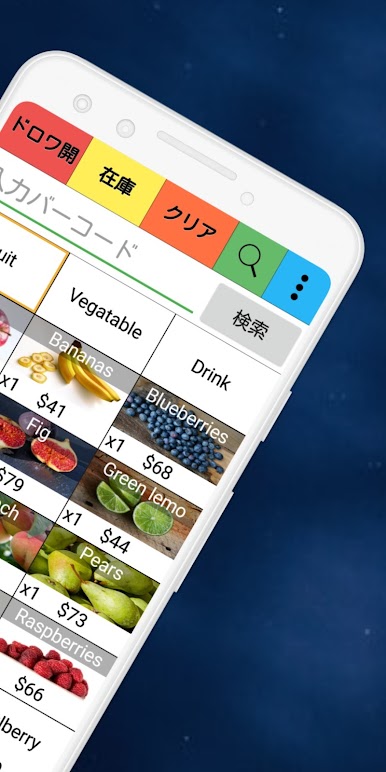
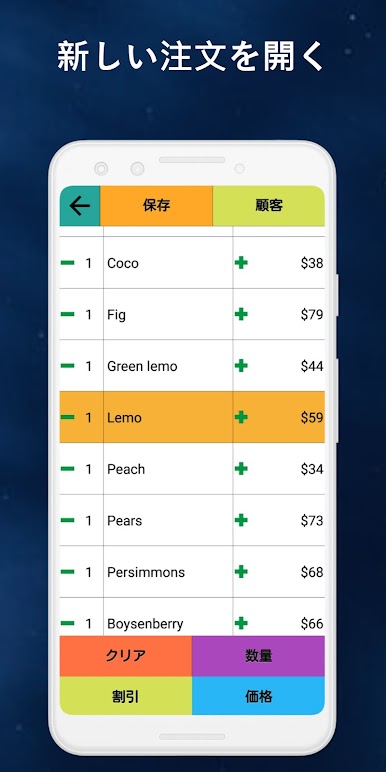
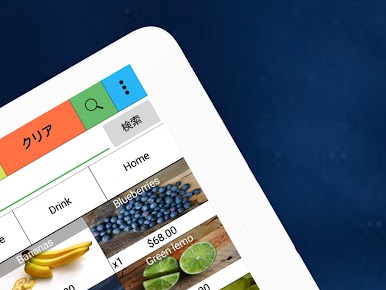
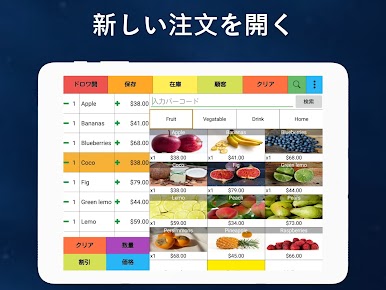
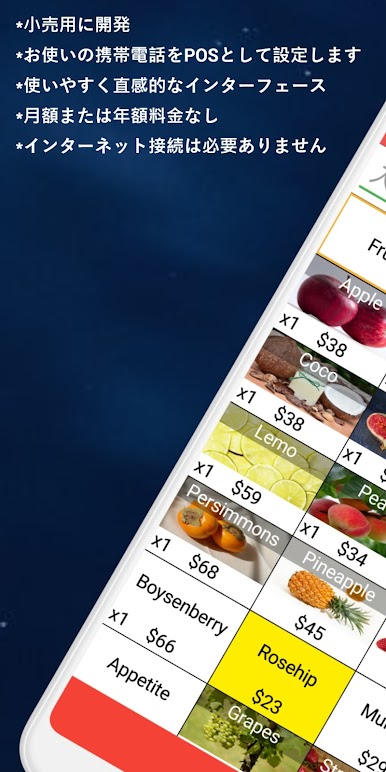
W&O POS - Retail Point of Sale is a full featured, easy to use and affordable POS for any small or medium business. W&O Retail POS - Point of Sale is perfect for stores offering electronics, clothing, toys, books, baby items, etc.
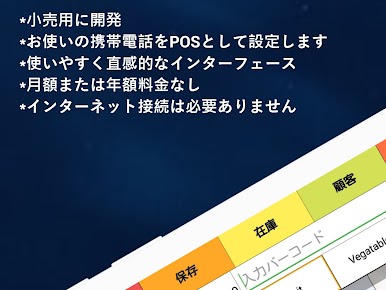
No monthly or annual fee. One time cost.
Key Features
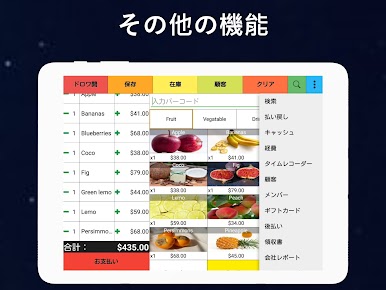
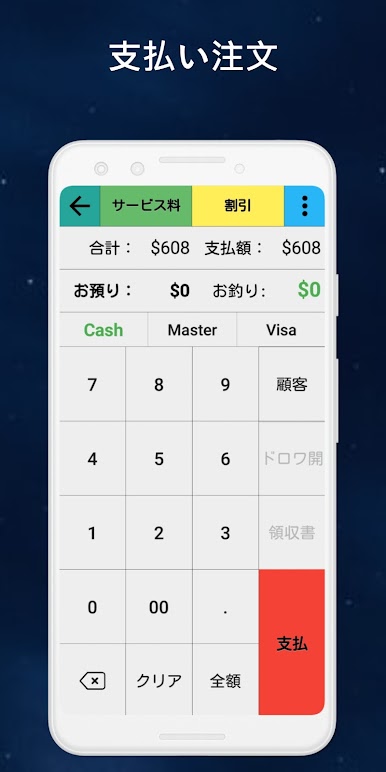
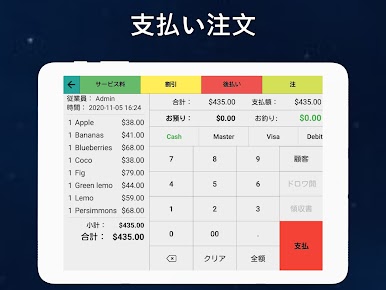
★ Purchase order, payment
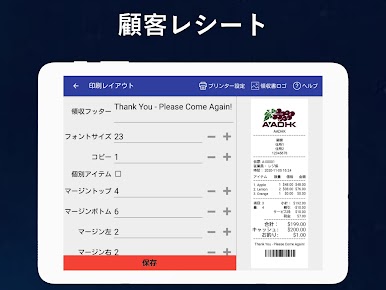
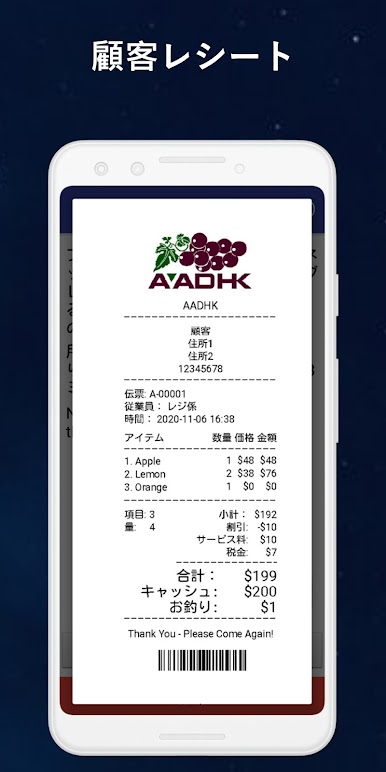
★ Print receipt, report
★ Various discount, surcharge and tax
★ Flexible permissions
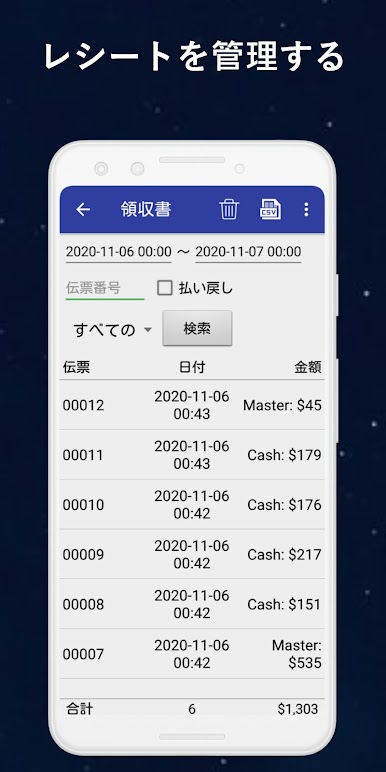
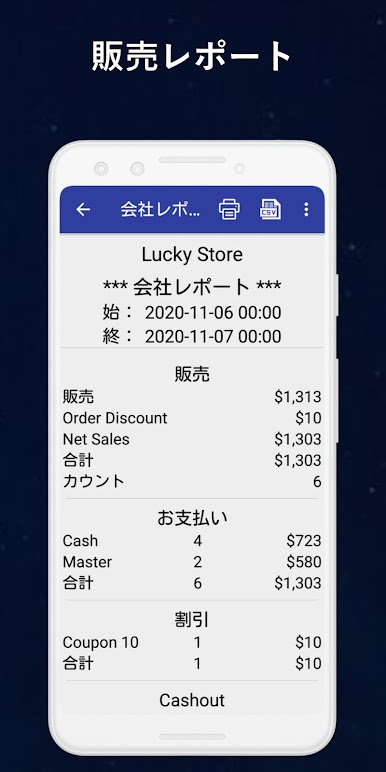
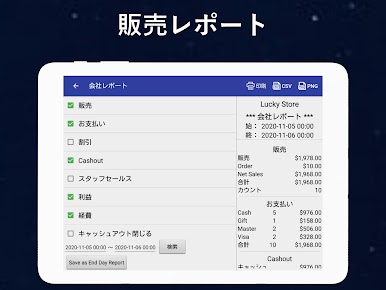
★ Sales report
★ Pay in & pay out
★ Expense management
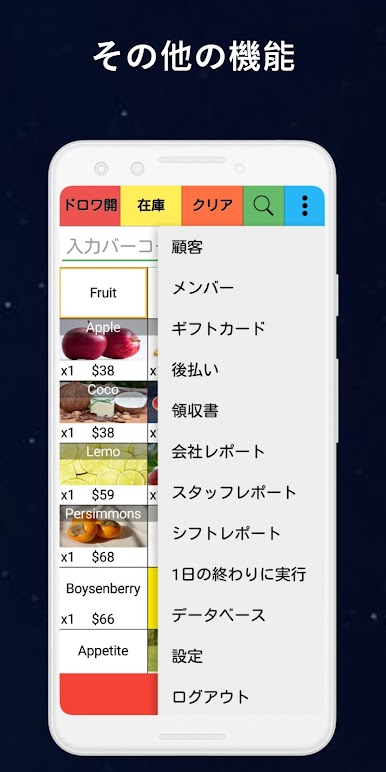
★ Customer membership
★ Inventory management
★ Customer display
Printer
Printer setup guide: https://wnopos.com/doc/Printer_Setup_Guide.pdf
Support following printers:
1. W&O POS Printer Adapter (Support all kind of printers)
Download PC-Printer Adapter http://www.wnopos.com/download/WnO-Printer-Adapter.zip
2. Wi-Fi/Lan or USB (Support most thermal printers with ESC/POS Command)
Best support printer: TSP143LAN(https://www.amazon.com/dp/B000FCP92C/ref=cm_sw_r_tw_dp_x_MOJqyb835K87B)
3. Bluetooth printer (Support specific printers with ESC/POS Command)
Best support printer: Star SM-L200(https://www.amazon.com/dp/B010AFD5VK/ref=cm_sw_r_tw_dp_x_jMJqybHY3XHK2)
W&O POS supports Fire Tablets
https://www.amazon.com/dp/B01J94SWWU/ref=fs_ods_tab_ds
More information about the hardware
http://wnopos.com/android-pos-hardware.html
Work with Customer Facing Display
https://wnopos.com/android-pos-customer-facing-display.html
Try our full version
https://wnopos.com/android-pos-retail.html
To support multiple devices taking order at same time, you will need server version, you can download the trial version from our website.
http://wnopos.com/android-pos-retail.html
To get user guide:
https://wnopos.com/android-pos-support.html
To report bugs or request features
https://support.androidappshk.com/pos-retail/
※ If you like the app, then please give us a good rating as the driving force behind our continued development, thank you.
※ If you have any suggestions or questions please mail to our mailbox directly. For market reviews, please just leave your rating and cheers, thanks again.
Available languages (more coming soon)
English, 中文, Español (Manuel Iraizos), Deutsch (SK.Aldein), Français (Jean-Marie), Italiano (Massimiliano), Ελληνικά (next.com), Magyar (Daniel Botka), Português do Brasil (Flávio Etrusco), Indonesia (Ricky Alamsyah), Dansk, Suomi, Svenska, Norsk, 日本語, 한국어, Thai, Türkçe (Omer), Czech (Petr Komin), Nederlands, Pусский, Indonesian, Yкраїнська, Tiếng Việt, Filipino(Max VA)
Retail POS - Point of Sale can be used as pet store POS (pet store point of sale), pharmacy POS (pharmacy point of sale), convenience store POS (convenience store point of sale), salons & spas POS (salons & spas point of sale), kiosk POS (kiosk point of sale), clothing store POS (clothing store point of sale) or any other point of sales.
No monthly or annual fee. One time cost.
Key Features
★ Purchase order, payment
★ Print receipt, report
★ Various discount, surcharge and tax
★ Flexible permissions
★ Sales report
★ Pay in & pay out
★ Expense management
★ Customer membership
★ Inventory management
★ Customer display
Printer
Printer setup guide: https://wnopos.com/doc/Printer_Setup_Guide.pdf
Support following printers:
1. W&O POS Printer Adapter (Support all kind of printers)
Download PC-Printer Adapter http://www.wnopos.com/download/WnO-Printer-Adapter.zip
2. Wi-Fi/Lan or USB (Support most thermal printers with ESC/POS Command)
Best support printer: TSP143LAN(https://www.amazon.com/dp/B000FCP92C/ref=cm_sw_r_tw_dp_x_MOJqyb835K87B)
3. Bluetooth printer (Support specific printers with ESC/POS Command)
Best support printer: Star SM-L200(https://www.amazon.com/dp/B010AFD5VK/ref=cm_sw_r_tw_dp_x_jMJqybHY3XHK2)
W&O POS supports Fire Tablets
https://www.amazon.com/dp/B01J94SWWU/ref=fs_ods_tab_ds
More information about the hardware
http://wnopos.com/android-pos-hardware.html
Work with Customer Facing Display
https://wnopos.com/android-pos-customer-facing-display.html
Try our full version
https://wnopos.com/android-pos-retail.html
To support multiple devices taking order at same time, you will need server version, you can download the trial version from our website.
http://wnopos.com/android-pos-retail.html
To get user guide:
https://wnopos.com/android-pos-support.html
To report bugs or request features
https://support.androidappshk.com/pos-retail/
※ If you like the app, then please give us a good rating as the driving force behind our continued development, thank you.
※ If you have any suggestions or questions please mail to our mailbox directly. For market reviews, please just leave your rating and cheers, thanks again.
Available languages (more coming soon)
English, 中文, Español (Manuel Iraizos), Deutsch (SK.Aldein), Français (Jean-Marie), Italiano (Massimiliano), Ελληνικά (next.com), Magyar (Daniel Botka), Português do Brasil (Flávio Etrusco), Indonesia (Ricky Alamsyah), Dansk, Suomi, Svenska, Norsk, 日本語, 한국어, Thai, Türkçe (Omer), Czech (Petr Komin), Nederlands, Pусский, Indonesian, Yкраїнська, Tiếng Việt, Filipino(Max VA)
Retail POS - Point of Sale can be used as pet store POS (pet store point of sale), pharmacy POS (pharmacy point of sale), convenience store POS (convenience store point of sale), salons & spas POS (salons & spas point of sale), kiosk POS (kiosk point of sale), clothing store POS (clothing store point of sale) or any other point of sales.
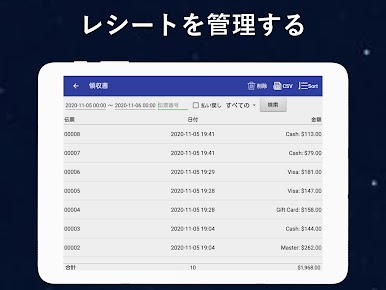
W&O 小売店・店舗向けPOSシステム - POSレジをPCでプレイ
-
BlueStacksをダウンロードしてPCにインストールします。
-
GoogleにサインインしてGoogle Play ストアにアクセスします。(こちらの操作は後で行っても問題ありません)
-
右上の検索バーにW&O 小売店・店舗向けPOSシステム - POSレジを入力して検索します。
-
クリックして検索結果からW&O 小売店・店舗向けPOSシステム - POSレジをインストールします。
-
Googleサインインを完了してW&O 小売店・店舗向けPOSシステム - POSレジをインストールします。※手順2を飛ばしていた場合
-
ホーム画面にてW&O 小売店・店舗向けPOSシステム - POSレジのアイコンをクリックしてアプリを起動します。

