


ニード・フォー・スピード ノーリミットレーシング
BlueStacksを使ってPCでプレイ - 5憶以上のユーザーが愛用している高機能Androidゲーミングプラットフォーム

PCまたはMacでニード・フォー・スピード ノーリミットレーシングをプレイする
ELECTRONIC ARTSのイノベーターとクリエイターが贈るニード・フォー・スピード ノーリミットレーシングは、レースゲームの世界にまた新たな楽しみを加えます。モバイルのスクリーンを超えて、PCやMacでより大きく、より良くプレイしてください。没入感のある体験があなたを待っています。
ゲームについて
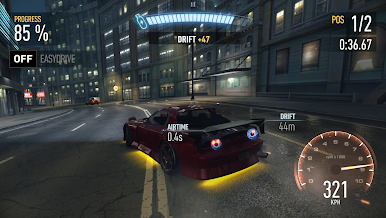
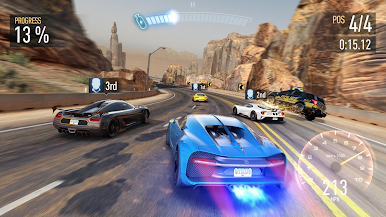
「ニード・フォー・スピード ノーリミットレーシング」は、ELECTRONIC ARTSが手掛けるモバイルのレーシングゲームで、プレイヤーはストリートを支配し、暗黒街の王座を目指します。プレイヤーはエキサイティングなアンダーグラウンドのストリートレースに参加し、多彩なカスタマイズで自分だけのマシンを操り、名声を得て次々にライバルを打ち倒します。
ゲームの特徴
-
マシンのカスタマイズ:
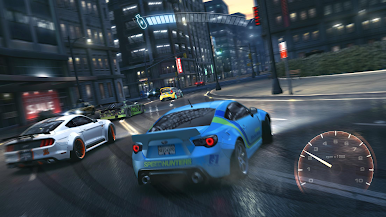
Bugatti、Lamborghiniなどの実在する車両を使い、モッドショップやブラックマーケットで250万通り以上の組み合わせでカスタマイズ可能。 -
アクセル全開:
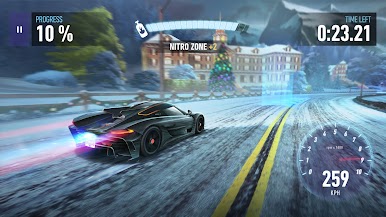
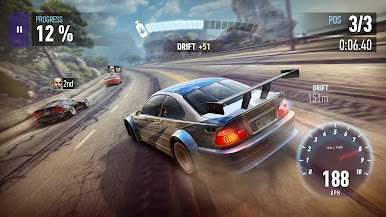
ブラックリッジのストリートで大胆にジャンプやドリフトを決め、一般車や障害物を乗り越え、ナイトロで加速するレース体験。 -
名声を追求:
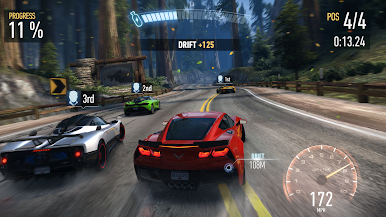
危険なライバルや警察を相手に1,000を超えるスリリングなレースをクリアし、ストリートの王者を目指して名を広げよう。 -
クロスプラットフォーム:
BlueStacksを利用してPCでのプレイも可能、デバイスを問わず楽しめます。
リーダーボードのトップに立つ準備はできていますか?準備は万全でしょう。BlueStacksに最適化された正確なコントロールと鮮明なビジュアルがあなたを勝利へと導きます。

ニード・フォー・スピード ノーリミットレーシングをPCでプレイ
-
BlueStacksをダウンロードしてPCにインストールします。
-
GoogleにサインインしてGoogle Play ストアにアクセスします。(こちらの操作は後で行っても問題ありません)
-
右上の検索バーにニード・フォー・スピード ノーリミットレーシングを入力して検索します。
-
クリックして検索結果からニード・フォー・スピード ノーリミットレーシングをインストールします。
-
Googleサインインを完了してニード・フォー・スピード ノーリミットレーシングをインストールします。※手順2を飛ばしていた場合
-
ホーム画面にてニード・フォー・スピード ノーリミットレーシングのアイコンをクリックしてアプリを起動します。

