


Guild of Heroes - fantasy RPG
BlueStacksを使ってPCでプレイ - 5憶以上のユーザーが愛用している高機能Androidゲーミングプラットフォーム

PCまたはMacでGuild of Heroes - fantasy RPGをプレイする
Guild of Heroes – fantasy RPG は、MY.GAMES BV が開発したロールプレイング ゲームです。BlueStacks アプリ プレーヤーは、没入感のあるゲーム体験のために、この Android ゲームを PC または Mac でプレイするのに最適なプラットフォームです。
このゲームでは、他のヒーローとチームを組んで闇の勢力と戦うことができます。激しい戦いの中で、剣と魔法の力を持つ戦士としてのスキルを披露できます。
ゲームについて
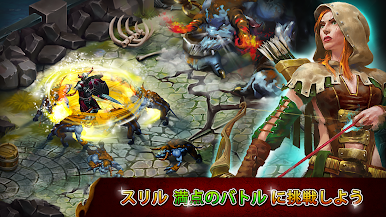
このゲームは、スリル満点の冒険の旅にあなたを連れて行くアクション満載の戦略ゲームです。勝利を収めて名声を得るためには、綿密に計画された戦略を必要とするミッションが用意されています。
ゲームプレイの概要
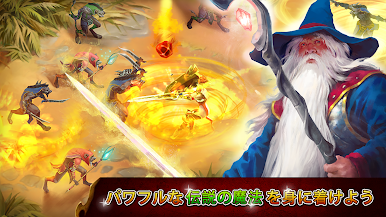
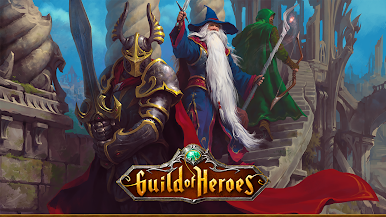
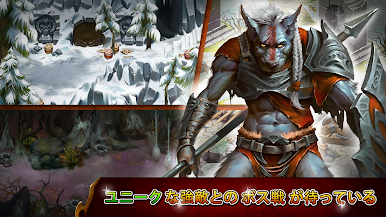
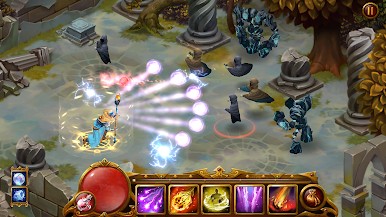
Guild of Heroes – 明確な目的を持つ、魅力的でわかりやすいゲームプレイが特徴のファンタジー RPG。兵士、射手、魔術師の 3 つのクラスからキャラクターを選択します。
キャラクターの能力を開発し、友人や他のプレイヤーと同盟を組んで、戦場で共通の敵を倒しましょう。
ゲームの特徴
- 幅広い武器から選択
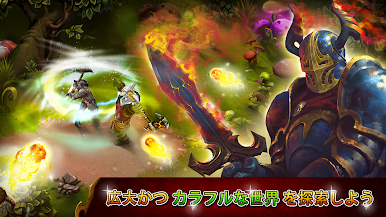
- 鮮やかでカラフルなグラフィック
- 競争的なマルチプレイヤー モード
プレイ方法
BlueStacks アプリ プレーヤーの Google Play ストアまたは Apple App Store から、Guild of Heroes – fantasy RPG を無料でダウンロードしてください。

Guild of Heroes - fantasy RPGをPCでプレイ
-
BlueStacksをダウンロードしてPCにインストールします。
-
GoogleにサインインしてGoogle Play ストアにアクセスします。(こちらの操作は後で行っても問題ありません)
-
右上の検索バーにGuild of Heroes - fantasy RPGを入力して検索します。
-
クリックして検索結果からGuild of Heroes - fantasy RPGをインストールします。
-
Googleサインインを完了してGuild of Heroes - fantasy RPGをインストールします。※手順2を飛ばしていた場合
-
ホーム画面にてGuild of Heroes - fantasy RPGのアイコンをクリックしてアプリを起動します。

