


このページには広告が含まれます
HomeExchange - House Swapping
トラベルとローカル | HomeExchange
BlueStacksを使ってPCでプレイ - 5憶以上のユーザーが愛用している高機能Androidゲーミングプラットフォーム

Play HomeExchange - House Swapping on PC
HomeExchange is the world leader in home and apartment exchanges with a community of over 200,000 members in 155 countries.
The site allows members to find an economical and comfortable accommodation solution to go on vacation with ease thanks to the innovative GuestPoints system and with complete peace of mind thanks to strong guarantees that protect your exchanges and your home.
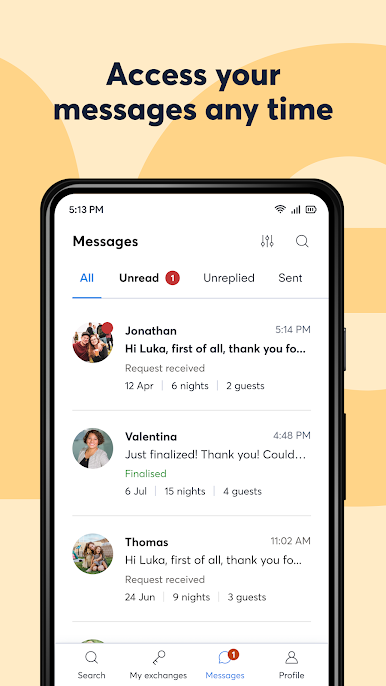
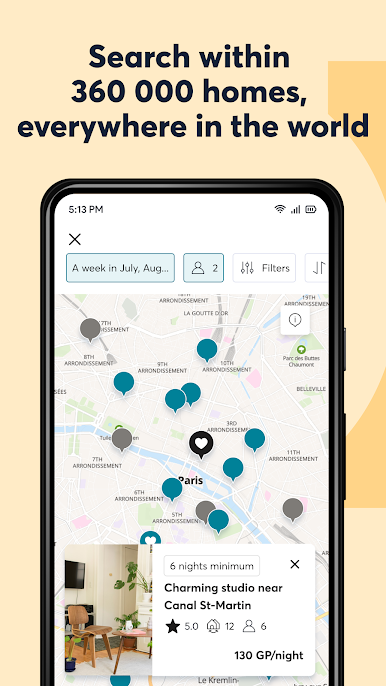
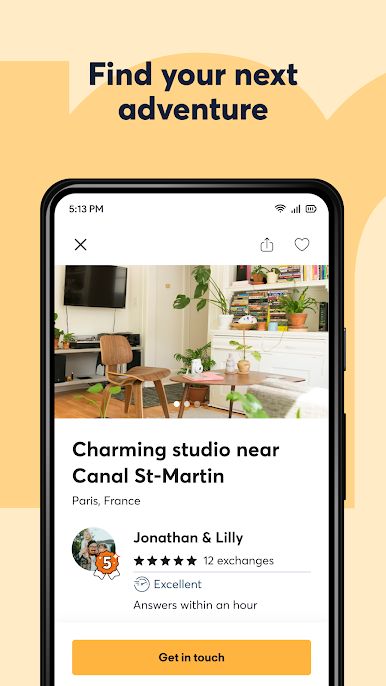
Save time and do more with the HomeExchange mobile app: search available homes, live chat with HomeExchange members, add images of your home directly from your phone.
Download the HomeExchange app now!
Six tips for using the app:
1. Register for free, complete your profile, and post your accommodation
2. Subscribe to the annual membership to access all the features and benefits
3. Specify the destinations of your choice and add the houses and apartments to your favorites list
4. Contact other members through our integrated messaging system to plan your next trip
5. Finalize your exchange by agreeing with your exchange partners
6. Leave with peace of mind and access all the information about your exchange location through the application
Comments or questions? Contact us: mobile@homeexchange.com
Follow us on Twitter and Instagram @homeexchangecom
And Facebook: https://www.facebook.com/homeexchangecom/
The site allows members to find an economical and comfortable accommodation solution to go on vacation with ease thanks to the innovative GuestPoints system and with complete peace of mind thanks to strong guarantees that protect your exchanges and your home.
Save time and do more with the HomeExchange mobile app: search available homes, live chat with HomeExchange members, add images of your home directly from your phone.
Download the HomeExchange app now!
Six tips for using the app:
1. Register for free, complete your profile, and post your accommodation
2. Subscribe to the annual membership to access all the features and benefits
3. Specify the destinations of your choice and add the houses and apartments to your favorites list
4. Contact other members through our integrated messaging system to plan your next trip
5. Finalize your exchange by agreeing with your exchange partners
6. Leave with peace of mind and access all the information about your exchange location through the application
Comments or questions? Contact us: mobile@homeexchange.com
Follow us on Twitter and Instagram @homeexchangecom
And Facebook: https://www.facebook.com/homeexchangecom/
HomeExchange - House SwappingをPCでプレイ
-
BlueStacksをダウンロードしてPCにインストールします。
-
GoogleにサインインしてGoogle Play ストアにアクセスします。(こちらの操作は後で行っても問題ありません)
-
右上の検索バーにHomeExchange - House Swappingを入力して検索します。
-
クリックして検索結果からHomeExchange - House Swappingをインストールします。
-
Googleサインインを完了してHomeExchange - House Swappingをインストールします。※手順2を飛ばしていた場合
-
ホーム画面にてHomeExchange - House Swappingのアイコンをクリックしてアプリを起動します。

