


このページには広告が含まれます
Kinyanga avec audio
書籍と資料 | Joy for the world
BlueStacksを使ってPCでプレイ - 5憶以上のユーザーが愛用している高機能Androidゲーミングプラットフォーム

Play Kinyanga avec audio on PC
This application presents the Gospel according to Luke translated into the Kinyanga language spoken in the Democratic Congo DRC.
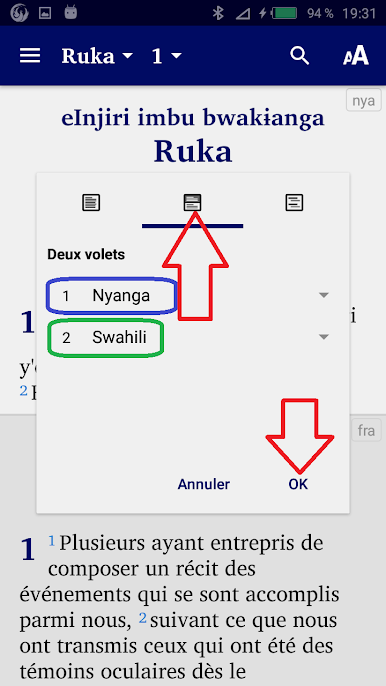
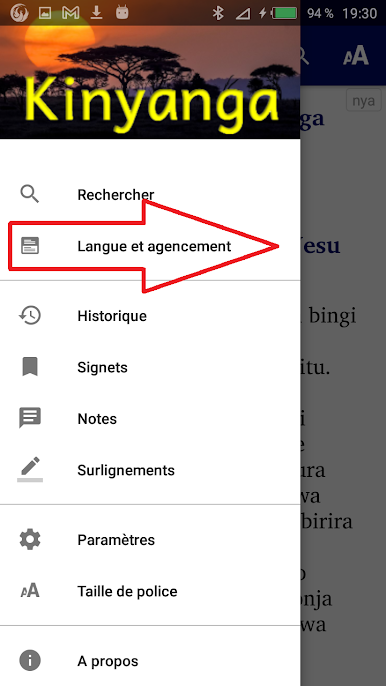
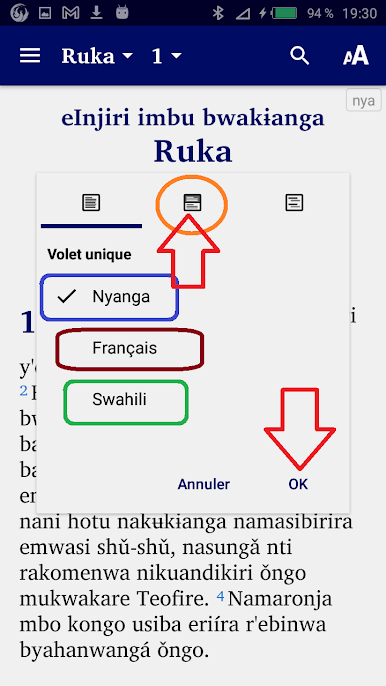
If you press the little “nya” icon in the top right you can change the windows on the screen: Now choose either:
- single pane: if you want to see the kinyanga only
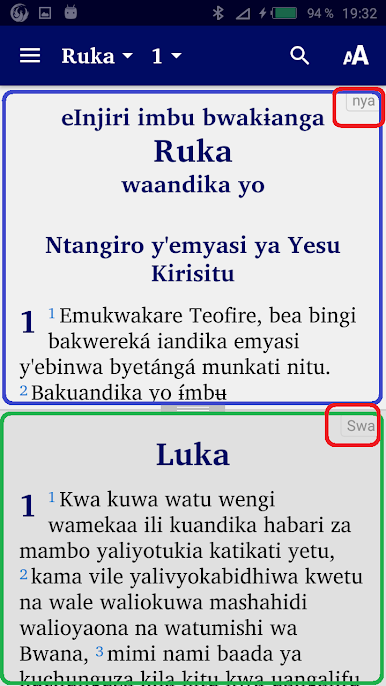
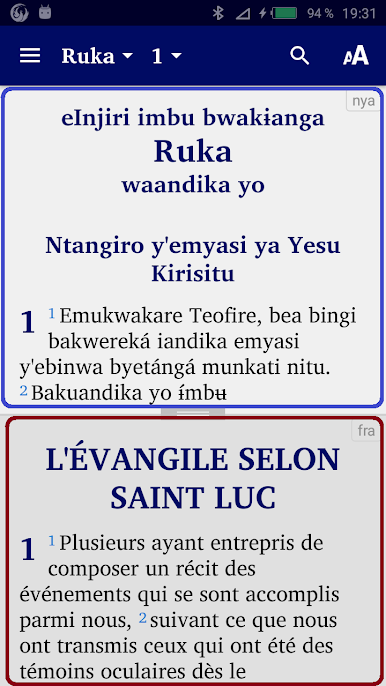
- two panes: to display the kinyanga at the top and the French version at the bottom
- verse by verse: to display a verse in Kinyanga followed by the same verse in French
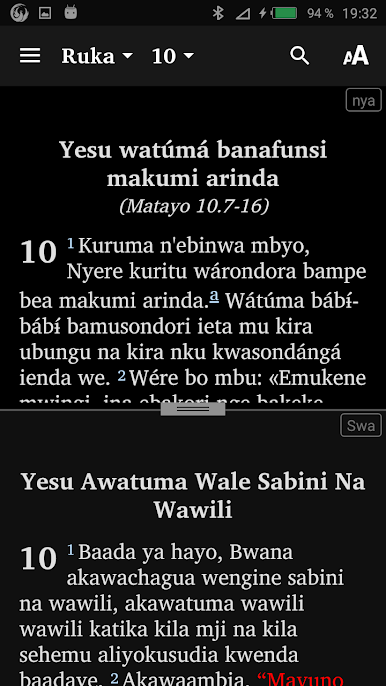
- two panes: to display the Kinyanga at the top and the Swahili version at the bottom
- verse by verse: to display a verse in Kinyanga followed by the same verse in Swahili.
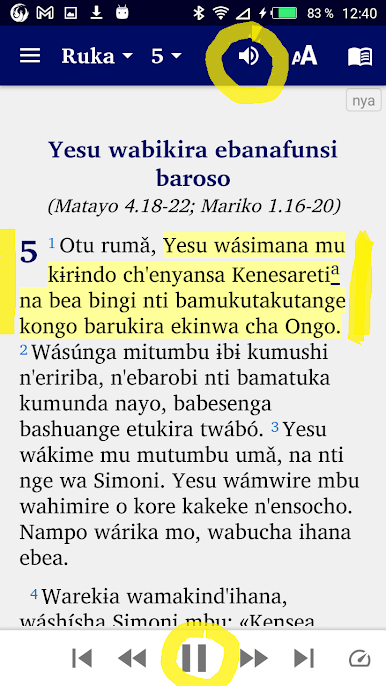
Click on the little speaker icon and “Play” at the bottom to listen to the audio which is synchronized with the writing.
If you press the little “nya” icon in the top right you can change the windows on the screen: Now choose either:
- single pane: if you want to see the kinyanga only
- two panes: to display the kinyanga at the top and the French version at the bottom
- verse by verse: to display a verse in Kinyanga followed by the same verse in French
- two panes: to display the Kinyanga at the top and the Swahili version at the bottom
- verse by verse: to display a verse in Kinyanga followed by the same verse in Swahili.
Click on the little speaker icon and “Play” at the bottom to listen to the audio which is synchronized with the writing.
Kinyanga avec audioをPCでプレイ
-
BlueStacksをダウンロードしてPCにインストールします。
-
GoogleにサインインしてGoogle Play ストアにアクセスします。(こちらの操作は後で行っても問題ありません)
-
右上の検索バーにKinyanga avec audioを入力して検索します。
-
クリックして検索結果からKinyanga avec audioをインストールします。
-
Googleサインインを完了してKinyanga avec audioをインストールします。※手順2を飛ばしていた場合
-
ホーム画面にてKinyanga avec audioのアイコンをクリックしてアプリを起動します。

