


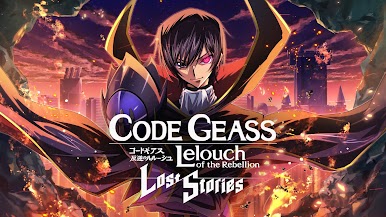
Code Geass: Lost Stories
BlueStacksを使ってPCでプレイ - 5憶以上のユーザーが愛用している高機能Androidゲーミングプラットフォーム

概要
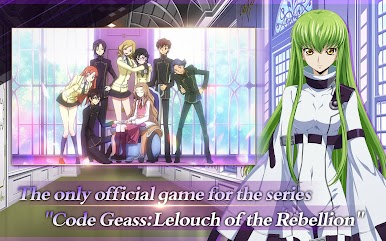
ルルーシュとチームを組んでブリタニア帝国を粉砕
-------------------------
ストーリー
-------------------------
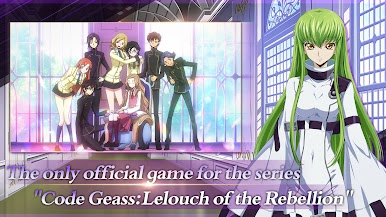
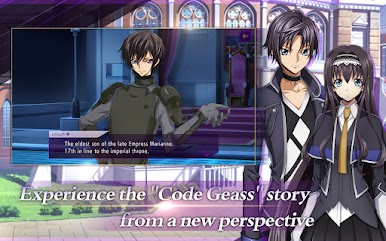
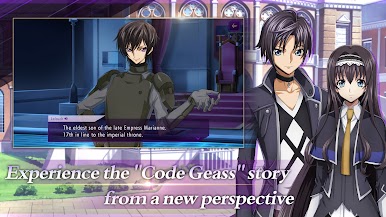
■ルルーシュたちの物語を別の視点で体験
ブリタニアの日本侵略で両親を亡くした主人公は、
ルルーシュの味方として、帝国への復讐を果たしながら、エリア 11 の混乱に身を投じる。
これはもう一つの「失われた物語」です
""コードギアス 反逆のルルーシュ""——
*メインストーリーのカットシーンは Live 2D を使用して作成されており、フルボイスです
*キャラクターの性別はいつでも変更できます
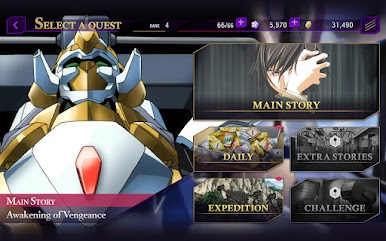
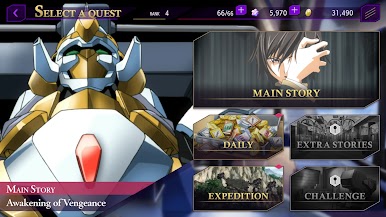
■公式スピンオフに基づくストーリーとゲーム固有のサイドストーリーが含まれます
スピンオフなど
コードギアス 亡国のアキト、
コードギアス:反射のオズとサイドストーリー
メインキャラクターに焦点を当てたものも追加されます。
-------------------------
ゲームプレイ
-------------------------
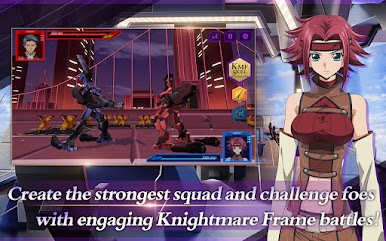
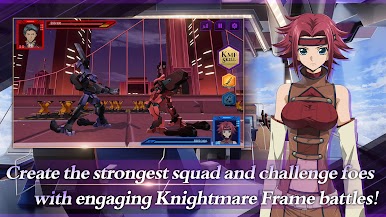
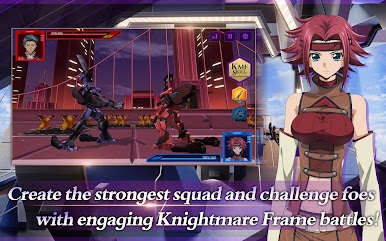
■戦略性の高いリアルタイムバトルシステム
ペースの速い戦闘で指揮を楽しんでください。
チームのナイトメアフレームは、勝利と敗北の違いです。
高品質の 3D バトルシーンは、各小競り合いにさらに興奮を与えます。
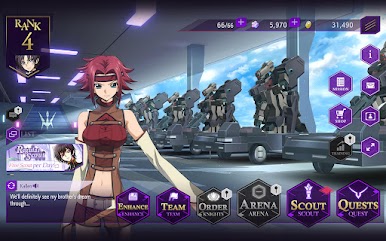
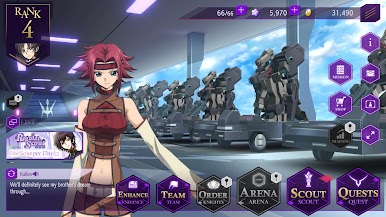
■自分だけのバトルチームを作ろう!
アニメに登場するすべてのキャラクターとナイトメアフレームが使用可能
独自のチームを作成します。誰を戦闘に送り込むか、そして彼らがどのナイトメアフレームを操縦するかはあなた次第です。
お気に入りから選択して、プレイスタイルに合った最強のチームを作りましょう。
-------------------------
主なキャラクター:CV(以下にリストされています)
-------------------------
ルルーシュ:福山潤、
ヒーロー:内田祐馬、ヒロイン:大橋彩香、
スザク:桜井孝宏、C.C.:ゆかな、カレン:小清水亜美、
クラリス:田所あずき、カーリー:高橋みなみ、
アノン:岩見愛香
-------------------------
スタッフ
-------------------------
■「コードギアス 反逆のルルーシュ」のアニメ制作スタッフが帰ってきた!
クリエイティブディレクター:SUNRISE、大河内一郎、谷口五郎
オリジナル企画・制作:SUNRISE
オリジナルキャラクターデザイン:CLAMP
ゲーム内キャラクターデザイン:木村貴博、しらびぃ
ゲーム内のナイトメアフレームデザイン:アストレイ
開発者:DMM GAMES、f4samurai
発売元:こもえゲーム
アニメーション制作スタジオ:SUNRISE
テーマソング:FLOW-ペンデュラム
お問い合わせ
公式ウェブサイト:https://loststories.komoejoy.com/
Facebook:https://www.facebook.com/loststories.KOMOE/
-------------------------
著作権
-------------------------
©SUNRISE/PROJECT GEASS キャラクターデザイン ©2006 CLAMP・ST
©SUNRISE/PROJECT GEASS キャラクターデザイン ©2006-2008 CLAMP・ST
©SUNRISE/PROJECT G-AKITO キャラクターデザイン ©2006-2011 CLAMP・ST
©SUNRISE/PROJECT L-GEASS キャラクターデザイン ©2006-2017 CLAMP・ST
©2019 EXNOA LLC・f4samurai
©2023 KOMOE Game Corporation
注
*このゲームのストーリーには、「暴力」、「性行為」、「反社会的感情」のテーマが含まれており、若い視聴者には適していない場合があります。
*このゲームは無料でプレイできますが、ゲーム内通貨やさまざまなアイテムなど、特定の購入時に支払いシステムを使用できます。
*ゲームをダウンロードしてプレイする際は、これらの点に注意してください。
これはあなたの「失われた物語」です



Code Geass: Lost StoriesをPCでプレイ
-
BlueStacksをダウンロードしてPCにインストールします。
-
GoogleにサインインしてGoogle Play ストアにアクセスします。(こちらの操作は後で行っても問題ありません)
-
右上の検索バーにCode Geass: Lost Storiesを入力して検索します。
-
クリックして検索結果からCode Geass: Lost Storiesをインストールします。
-
Googleサインインを完了してCode Geass: Lost Storiesをインストールします。※手順2を飛ばしていた場合
-
ホーム画面にてCode Geass: Lost Storiesのアイコンをクリックしてアプリを起動します。

