


Live Play Bingo: Real Hosts
BlueStacksを使ってPCでプレイ - 5憶以上のユーザーが愛用している高機能Androidゲーミングプラットフォーム

Play Live Play Bingo: Real Hosts on PC or Mac
Live Play Bingo: Real Hosts is a casino game developed by Live Play Mobile Inc. BlueStacks app player is the best platform to play this Android game on your PC or Mac for an immersive gaming experience.
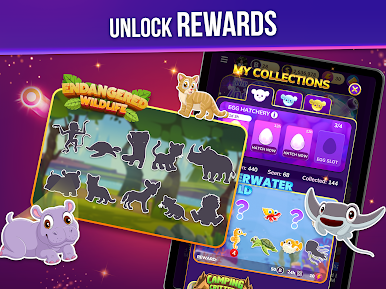
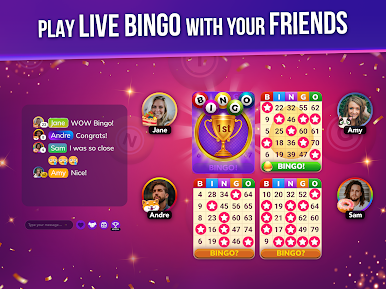
Download Live Play Bingo: Real Hosts on PC and get to play live bingo on your mobile devices. Watch live broadcasts of bingo hosted by real people all on your mobile and get to win lots of prizes. Collect your virtual bingo cards and start marking the numbers. Are you ready to play? Download Live Play Bingo: Real Hosts on PC now.
It’s out with the old and in with the new in this online bingo game. Have fun playing bingo games all day and all night long, 7days a week. Forget about the clustered bingo halls and have a real-time virtual bingo game all from the comfort of your home. Watch live bingo broadcasts with real-life hosts and start winning. Interact with other players online and have a fun time.
Collect four free virtual lucky cards and start marking the numbers called out by the host. Enjoy real-life recognition when you win the game and have your host call out your name for everyone to acknowledge. Make new friends from the bingo room and earn free coins to play in the slot games.














Live Play Bingo: Real HostsをPCでプレイ
-
BlueStacksをダウンロードしてPCにインストールします。
-
GoogleにサインインしてGoogle Play ストアにアクセスします。(こちらの操作は後で行っても問題ありません)
-
右上の検索バーにLive Play Bingo: Real Hostsを入力して検索します。
-
クリックして検索結果からLive Play Bingo: Real Hostsをインストールします。
-
Googleサインインを完了してLive Play Bingo: Real Hostsをインストールします。※手順2を飛ばしていた場合
-
ホーム画面にてLive Play Bingo: Real Hostsのアイコンをクリックしてアプリを起動します。

