


このページには広告が含まれます
シャドウファイト2
アクション | NEKKI
BlueStacksを使ってPCでプレイ - 5憶以上のユーザーが愛用している高機能Androidゲーミングプラットフォーム

PCでシャドウファイト2をプレイ
Facebook で 4000 万人以上のユーザーを誇る大ヒット人気ゲームの新作!
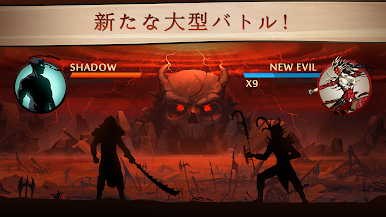
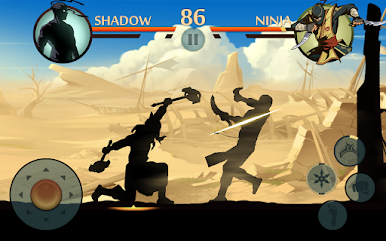
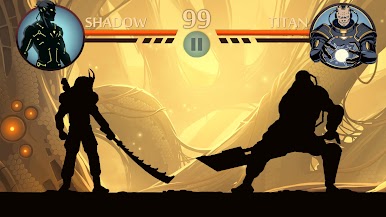
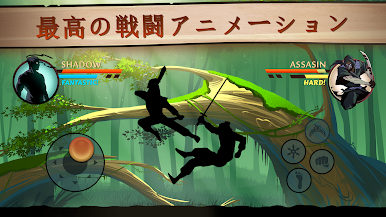
シャドウファイト2は RPG とクラシックな格闘ジャンルを組み合わせた刺激的なゲームです。ご自分のキャラクターに無数の強力な武器やレアな防具セットを装備させる事が可能、まるで生きているように滑らかなアニメーションで武術技が繰り出されます!敵を倒し、悪魔のボスキャラを打ちのめし、そしてその手で影の門を閉じましょう。蹴って殴って飛んで斬って、勝利を掴む覚悟はありますか?それを証明する方法は一つしかありません。
- 新型アニメーションシステムによって、まるで生きているようなディテールで描画された壮大な戦いの中へ飛び込もう
- タッチスクリーン専用に設計された最新戦闘インターフェイスにより可能となった、楽しいくらいに直感的な操作を使って、敵を叩きつぶせ
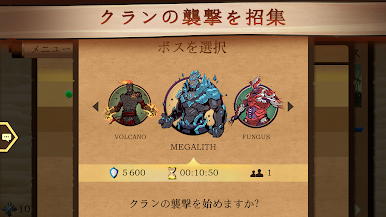
-「冥界」に乗り込んでフレンドと共に恐ろしいボスと戦おう!
- のめり込む面白いストーリーの備わったアクション満載・アドレナリン大量の戦闘RPG。凶悪な悪魔に満ちた 6 つの世界を旅しよう
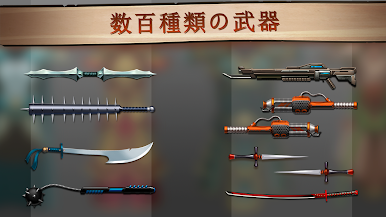
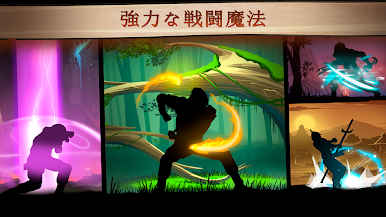
- あなたの戦士に強力な剣やヌンチャク、鎧一式、魔法技などを装備させてカスタマイズせよ
シャドウファイト2、戦闘開始!
シャドウファイト2は RPG とクラシックな格闘ジャンルを組み合わせた刺激的なゲームです。ご自分のキャラクターに無数の強力な武器やレアな防具セットを装備させる事が可能、まるで生きているように滑らかなアニメーションで武術技が繰り出されます!敵を倒し、悪魔のボスキャラを打ちのめし、そしてその手で影の門を閉じましょう。蹴って殴って飛んで斬って、勝利を掴む覚悟はありますか?それを証明する方法は一つしかありません。
- 新型アニメーションシステムによって、まるで生きているようなディテールで描画された壮大な戦いの中へ飛び込もう
- タッチスクリーン専用に設計された最新戦闘インターフェイスにより可能となった、楽しいくらいに直感的な操作を使って、敵を叩きつぶせ
-「冥界」に乗り込んでフレンドと共に恐ろしいボスと戦おう!
- のめり込む面白いストーリーの備わったアクション満載・アドレナリン大量の戦闘RPG。凶悪な悪魔に満ちた 6 つの世界を旅しよう
- あなたの戦士に強力な剣やヌンチャク、鎧一式、魔法技などを装備させてカスタマイズせよ
シャドウファイト2、戦闘開始!

シャドウファイト2をPCでプレイ
-
BlueStacksをダウンロードしてPCにインストールします。
-
GoogleにサインインしてGoogle Play ストアにアクセスします。(こちらの操作は後で行っても問題ありません)
-
右上の検索バーにシャドウファイト2を入力して検索します。
-
クリックして検索結果からシャドウファイト2をインストールします。
-
Googleサインインを完了してシャドウファイト2をインストールします。※手順2を飛ばしていた場合
-
ホーム画面にてシャドウファイト2のアイコンをクリックしてアプリを起動します。

