

このページには広告が含まれます
Blue Archive
ロールプレイング | NEXON Company
BlueStacksを使ってPCでプレイ - 5憶以上のユーザーが愛用している高機能Androidゲーミングプラットフォーム

PCでBlue Archiveをプレイ
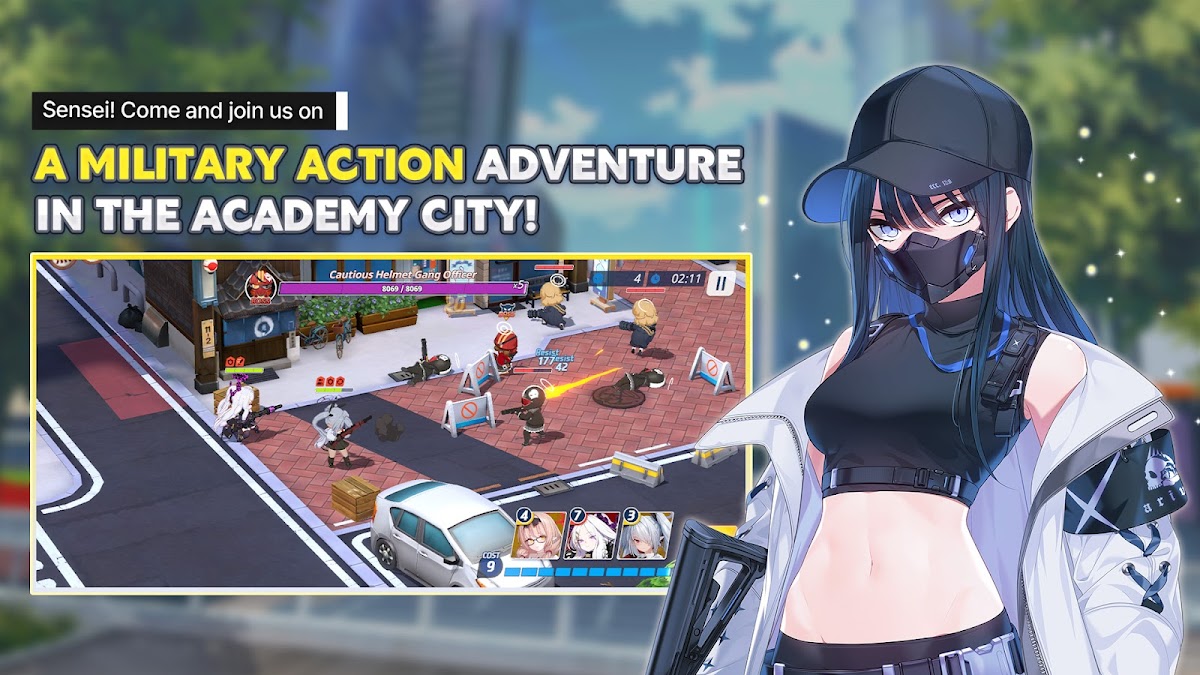
壮大なアニメファンタジーRPGの少女たちと共に、あなたの物語を始めましょう。ブルーアーカイブの世界は、キヴォトスの少女たちの物語を辿りながら、緻密なファンタジーの旅へとあなたを誘います。本作は、アニメビジュアル、アクション、恋愛、そしてRPGストラテジーを融合させています。感動と冒険、そして忘れられない瞬間に満ちた旅へと出発しましょう。
■忘れられないファンタジーに満ちたアニメRPG!
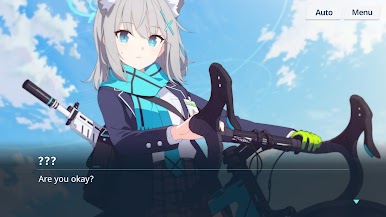
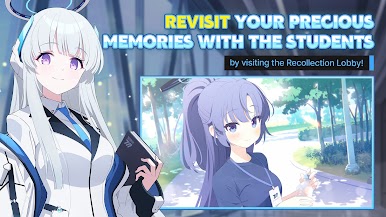
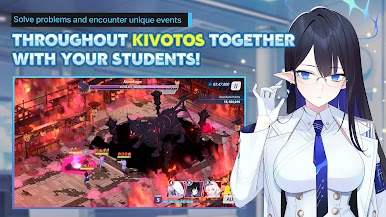
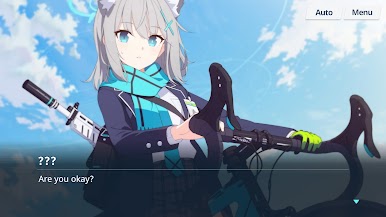
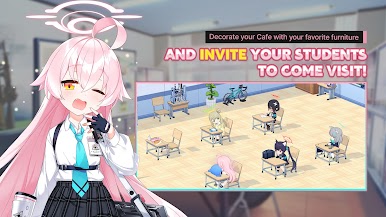
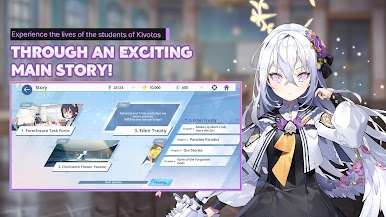
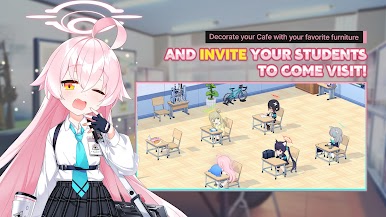
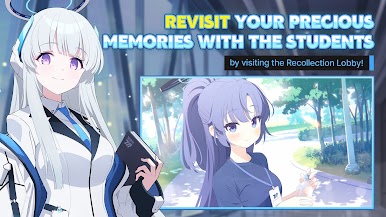
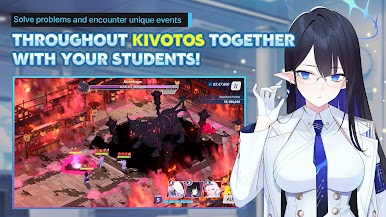
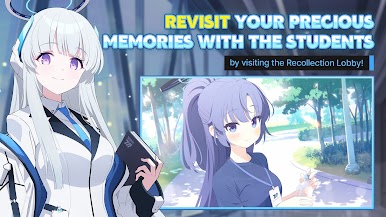
魔法の学校とスリリングな冒険に満ちたファンタジー都市、キヴォトスで、あなたは教師の役割を担います。学校生活や軍事作戦を通して、生徒たちを導きましょう。それぞれの少女たちの物語はキヴォトスの冒険の一部となり、心温まる瞬間と忘れられない物語に満ちた、活気あふれるRPGの世界を創り出します。
■エリートアニメガールたちを率いて、タクティカルRPGを体験!
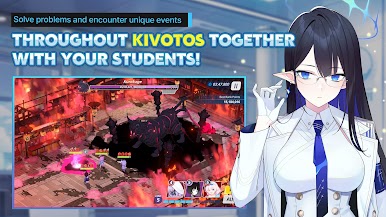
それぞれがあなたのタクティカルチームのためにデザインされたエリートアニメガールたちで分隊を編成しましょう。すべての戦いが戦略とスキルの激突となるRPG戦闘に飛び込みましょう。それぞれのRPG小競り合いは、3Dアニメーションとドラマチックな演出が施されたアニメシーケンスです。展開していくストーリーの中で、RPGミッションを通して戦略的な才能を発揮しましょう。
■ 恋愛ストーリーで女の子たちとの絆を育もう!
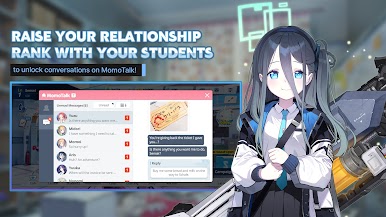
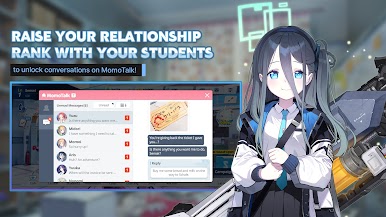
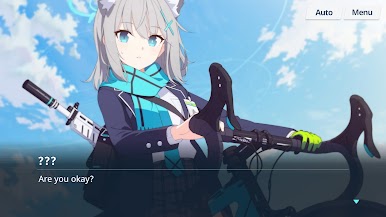
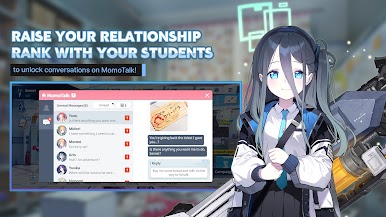
『ブルーアーカイブ』に登場する女の子たちは、それぞれに独自の物語を持っています。これらのエピソードは、学校行事、プライベートチャット、そして日常の交流を通して展開されます。MomoTalkでは、心温まる告白から、このファンタジーストーリーを形作るドラマチックな出来事まで、それぞれの女の子たちの新たな一面を解き放ちます。スリリングなアクションと人との繋がりが楽しめるRPGです。
■物語に満ちたアニメ風ファンタジーMMORPGを体験しよう
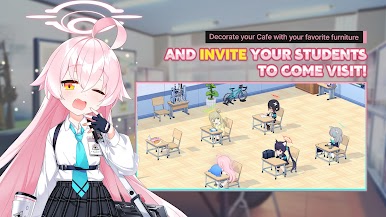
アニメとRPGのメカニクスが融合した世界を体験してください。『ブルーアーカイブ』のファンタジー世界は、魅力的な学校と女の子たちの物語の宝庫です。秘密の任務に挑んだり、ガチャコンテンツでバトルをしたり、クラブでの騒動を楽しんだり。あらゆる場所で新たな冒険が待っています。キヴォトスで出会うたびに、新たな物語を発見してください。
■戦略、壮大なファンタジー、そしてアニメガールたちで、ガチャを駆使して勝利を掴め!
ガチャシステムで生徒を召喚し、自分のプレイスタイルに合った部隊を編成しましょう。新たな少女たちが登場するたびに、戦略的な可能性とストーリーが生まれます。あなたの選択は戦闘結果やストーリーの進行に影響を与え、毎回新たなRPG体験をもたらします。シナジーを生み出し、スキルを磨き、チームを率いて戦いに挑み、秘密のエピソードを解き明かしましょう。
ブルーアーカイブは単なるゲームではありません。戦略的な戦場でハイリスクな戦いを繰り広げる、壮大なアニメRPGです。広大なファンタジーの世界で、忘れられない少女たちが紡ぐ学園ストーリーを体験してください。絆、冒険、そして戦略的なスリルを求めるなら、究極のアニメRPGの旅を今すぐ始めましょう。
アニメRPGの冒険をもっと知りたい方は、ぜひフォローしてください。
公式サイト:https://bluearchive.nexon.com/
Facebook:facebook.com/EN.BlueArchive
Twitter:https://twitter.com/EN_BlueArchive
YouTube:ブルーアーカイブチャンネル
注:このゲームをプレイするにはインターネット接続が必要です。
最高のアニメRPG体験のための推奨スペック:Android OS 9.0以上 / Galaxy Note 8以上 / 6GB以上のRAM
このアニメRPGをダウンロードすることにより、利用規約およびプライバシーポリシーに同意したことになります。
- 利用規約:http://m.nexon.com/terms/304
- プライバシーポリシー:http://m.nexon.com/terms/305
アプリの権限情報
下記のサービスを提供するために、特定の権限を要求します。
任意の権限:
写真/メディア/ファイルの保存:ゲーム実行ファイルおよび動画の保存、および写真/動画のアップロード
カメラ:アップロード用の写真または動画の撮影
電話:プロモーションテキストメッセージの送信のために電話番号を収集
通知:アプリがサービス通知を送信できるようにする
※任意の権限の許可または拒否は、ゲームプレイに影響しません。
権限管理:
Android 6.0以降:設定 > アプリケーション > アプリ > 権限
Android 6.0未満:OSをアップデートするか、アプリをアンインストールしてください
※このアプリにはアプリ内購入機能が含まれています。この機能はデバイスの設定から無効にできます。
■忘れられないファンタジーに満ちたアニメRPG!
魔法の学校とスリリングな冒険に満ちたファンタジー都市、キヴォトスで、あなたは教師の役割を担います。学校生活や軍事作戦を通して、生徒たちを導きましょう。それぞれの少女たちの物語はキヴォトスの冒険の一部となり、心温まる瞬間と忘れられない物語に満ちた、活気あふれるRPGの世界を創り出します。
■エリートアニメガールたちを率いて、タクティカルRPGを体験!
それぞれがあなたのタクティカルチームのためにデザインされたエリートアニメガールたちで分隊を編成しましょう。すべての戦いが戦略とスキルの激突となるRPG戦闘に飛び込みましょう。それぞれのRPG小競り合いは、3Dアニメーションとドラマチックな演出が施されたアニメシーケンスです。展開していくストーリーの中で、RPGミッションを通して戦略的な才能を発揮しましょう。
■ 恋愛ストーリーで女の子たちとの絆を育もう!
『ブルーアーカイブ』に登場する女の子たちは、それぞれに独自の物語を持っています。これらのエピソードは、学校行事、プライベートチャット、そして日常の交流を通して展開されます。MomoTalkでは、心温まる告白から、このファンタジーストーリーを形作るドラマチックな出来事まで、それぞれの女の子たちの新たな一面を解き放ちます。スリリングなアクションと人との繋がりが楽しめるRPGです。
■物語に満ちたアニメ風ファンタジーMMORPGを体験しよう
アニメとRPGのメカニクスが融合した世界を体験してください。『ブルーアーカイブ』のファンタジー世界は、魅力的な学校と女の子たちの物語の宝庫です。秘密の任務に挑んだり、ガチャコンテンツでバトルをしたり、クラブでの騒動を楽しんだり。あらゆる場所で新たな冒険が待っています。キヴォトスで出会うたびに、新たな物語を発見してください。
■戦略、壮大なファンタジー、そしてアニメガールたちで、ガチャを駆使して勝利を掴め!
ガチャシステムで生徒を召喚し、自分のプレイスタイルに合った部隊を編成しましょう。新たな少女たちが登場するたびに、戦略的な可能性とストーリーが生まれます。あなたの選択は戦闘結果やストーリーの進行に影響を与え、毎回新たなRPG体験をもたらします。シナジーを生み出し、スキルを磨き、チームを率いて戦いに挑み、秘密のエピソードを解き明かしましょう。
ブルーアーカイブは単なるゲームではありません。戦略的な戦場でハイリスクな戦いを繰り広げる、壮大なアニメRPGです。広大なファンタジーの世界で、忘れられない少女たちが紡ぐ学園ストーリーを体験してください。絆、冒険、そして戦略的なスリルを求めるなら、究極のアニメRPGの旅を今すぐ始めましょう。
アニメRPGの冒険をもっと知りたい方は、ぜひフォローしてください。
公式サイト:https://bluearchive.nexon.com/
Facebook:facebook.com/EN.BlueArchive
Twitter:https://twitter.com/EN_BlueArchive
YouTube:ブルーアーカイブチャンネル
注:このゲームをプレイするにはインターネット接続が必要です。
最高のアニメRPG体験のための推奨スペック:Android OS 9.0以上 / Galaxy Note 8以上 / 6GB以上のRAM
このアニメRPGをダウンロードすることにより、利用規約およびプライバシーポリシーに同意したことになります。
- 利用規約:http://m.nexon.com/terms/304
- プライバシーポリシー:http://m.nexon.com/terms/305
アプリの権限情報
下記のサービスを提供するために、特定の権限を要求します。
任意の権限:
写真/メディア/ファイルの保存:ゲーム実行ファイルおよび動画の保存、および写真/動画のアップロード
カメラ:アップロード用の写真または動画の撮影
電話:プロモーションテキストメッセージの送信のために電話番号を収集
通知:アプリがサービス通知を送信できるようにする
※任意の権限の許可または拒否は、ゲームプレイに影響しません。
権限管理:
Android 6.0以降:設定 > アプリケーション > アプリ > 権限
Android 6.0未満:OSをアップデートするか、アプリをアンインストールしてください
※このアプリにはアプリ内購入機能が含まれています。この機能はデバイスの設定から無効にできます。




Blue ArchiveをPCでプレイ
-
BlueStacksをダウンロードしてPCにインストールします。
-
GoogleにサインインしてGoogle Play ストアにアクセスします。(こちらの操作は後で行っても問題ありません)
-
右上の検索バーにBlue Archiveを入力して検索します。
-
クリックして検索結果からBlue Archiveをインストールします。
-
Googleサインインを完了してBlue Archiveをインストールします。※手順2を飛ばしていた場合
-
ホーム画面にてBlue Archiveのアイコンをクリックしてアプリを起動します。

