


このページには広告が含まれます
Secret Gift
仕事効率化 | Pixzelle Studio
BlueStacksを使ってPCでプレイ - 5憶以上のユーザーが愛用している高機能Androidゲーミングプラットフォーム

PCでSecret Giftをプレイ
秘密のギフト(シークレットサンタの専門アプリ)を使用すると、このようなイベントを整理する際に心配する必要はありません。
あなたがしなければならないすべては次のとおりです。
1)あなたのイベントを作成します。
2)参加者を追加します。
3)情報を送信します。
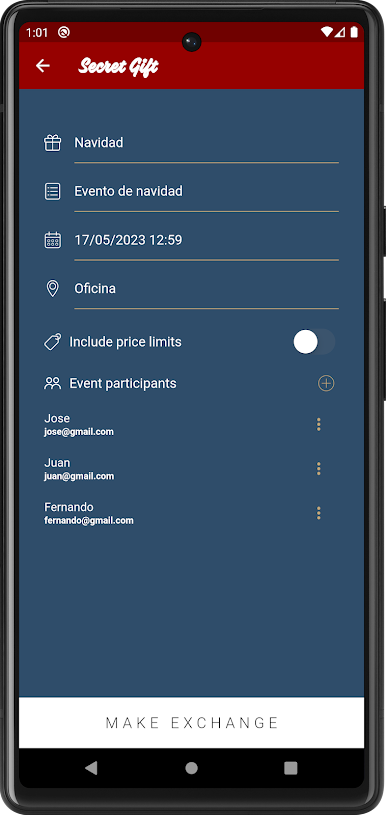
あなたのイベントを作成するときは、追加する必要があります。
- イベント名
- 日時
- ロケーション
- それは、価格帯を持っているのだろうか?
参加者のために、あなただけ(交換はギフトオプションを持っている場合、あなたがそれらを追加することができます)の名前と電子メールアドレスを追加します。
オプションメニューで、参加者に情報を送信し、あなたの交換が行われます。
************
さらに
- あなたが好きなあなたは何回でも交換を行うことができます。
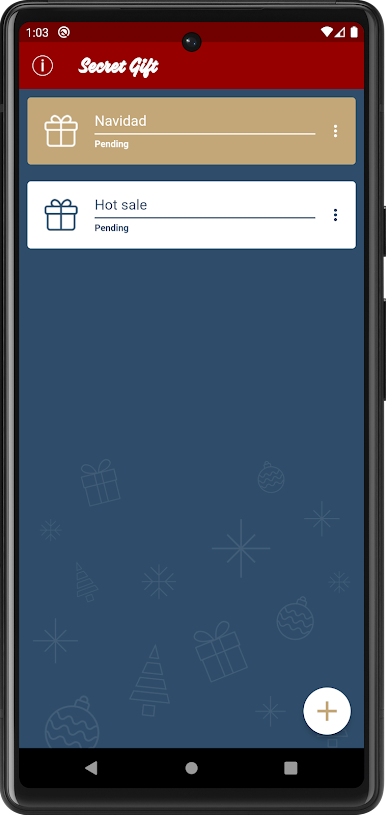
- 必要な数のイベントを作成することができます。
- 必要な数の参加者を追加することができます。
あなたがしなければならないすべては次のとおりです。
1)あなたのイベントを作成します。
2)参加者を追加します。
3)情報を送信します。
あなたのイベントを作成するときは、追加する必要があります。
- イベント名
- 日時
- ロケーション
- それは、価格帯を持っているのだろうか?
参加者のために、あなただけ(交換はギフトオプションを持っている場合、あなたがそれらを追加することができます)の名前と電子メールアドレスを追加します。
オプションメニューで、参加者に情報を送信し、あなたの交換が行われます。
************
さらに
- あなたが好きなあなたは何回でも交換を行うことができます。
- 必要な数のイベントを作成することができます。
- 必要な数の参加者を追加することができます。
Secret GiftをPCでプレイ
-
BlueStacksをダウンロードしてPCにインストールします。
-
GoogleにサインインしてGoogle Play ストアにアクセスします。(こちらの操作は後で行っても問題ありません)
-
右上の検索バーにSecret Giftを入力して検索します。
-
クリックして検索結果からSecret Giftをインストールします。
-
Googleサインインを完了してSecret Giftをインストールします。※手順2を飛ばしていた場合
-
ホーム画面にてSecret Giftのアイコンをクリックしてアプリを起動します。

