


Random Name Picker
BlueStacksを使ってPCでプレイ - 5憶以上のユーザーが愛用している高機能Androidゲーミングプラットフォーム

Run Random Name Picker on PC or Mac
Get freedom from your phone’s obvious limitations. Use Random Name Picker, made by RandomAppsInc, a Tools app on your PC or Mac with BlueStacks, and level up your experience.
About the App
If you ever need a quick and fair way to pick a name from a list—whether it’s for a classroom activity, a raffle, or just to solve a group dilemma—Random Name Picker by RandomAppsInc is built for you. This handy Tools app keeps things simple, so you can focus on making decisions without a lot of hassle. Just make your lists, tap a button (or give your phone a little shake), and watch as names are picked at random. Whether you’re running giveaways or settling debates, this app makes choosing names feel a whole lot easier.
App Features
-
Custom Lists Made Easy
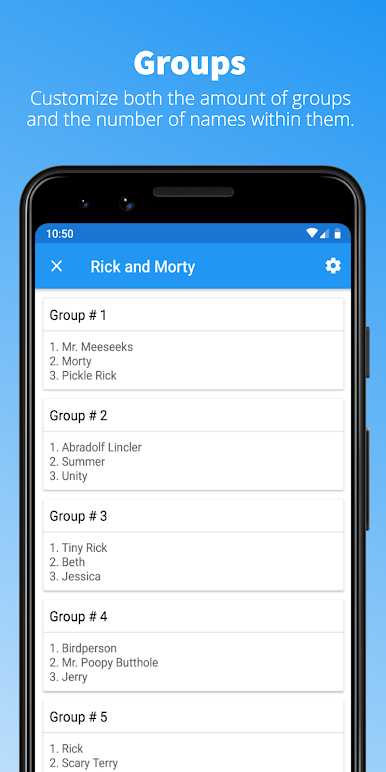
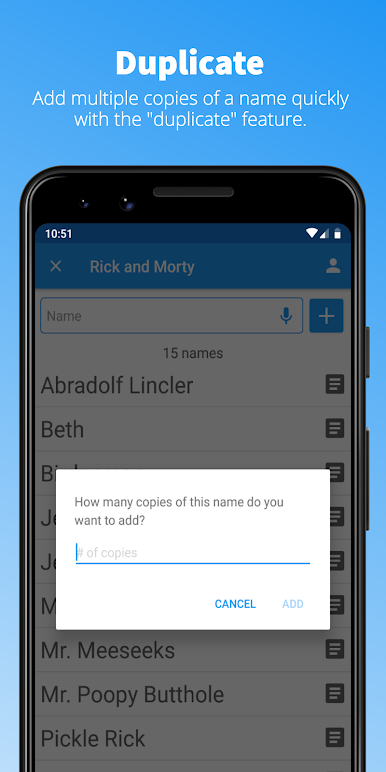
Create as many name lists as you want. Add, remove, rename, or duplicate lists—manage them however you see fit. -
Flexible Name Selection
Pick any number of names randomly, with or without replacement. Need to select three winners for a prize? It’s a breeze. -
Presentation Mode
Want to add some excitement? Try out customizable presentation options to turn a regular name picking session into a little event. -
Import & Export
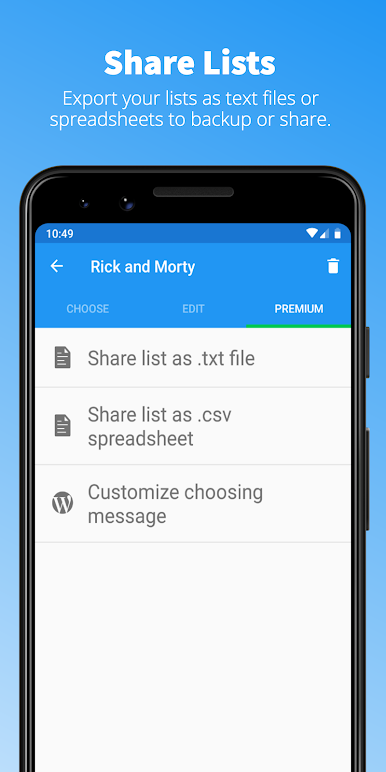
Quickly bring in names from a .txt file or share your list as a .txt or .csv file. Handy if you’re moving things between devices, or just need to keep records. -
History Tracking
Every chosen name is saved in order, so you can always see who’s been picked and easily copy or clear the results. -
Smart Suggestions
No need to keep typing the same names—auto-suggestion helps you fill out your lists faster. -
Merging Lists
Drop all your names into one place easily by importing lists into each other. -
Share Your Picks
Display chosen names as ordered lists, and copy them for fast sharing with friends or colleagues. -
Shake to Pick
If you’re tired of tapping, just shake your device to randomly select a name. -
Text-to-Speech Support
The app can announce the chosen names out loud—perfect when your voice needs a break. -
Simple, Modern Layout
Clean and intuitive interface with support for both portrait and landscape mode. It’s designed to look great and be easy to use, no matter how new or old your device is. -
Runs Well on BlueStacks
Works smoothly if you want to use it on your PC or Mac with BlueStacks.
No matter if you’re a teacher, event planner, or just someone who likes things fair and square, Random Name Picker helps keep the process quick and fun.
Switch to BlueStacks and make the most of your apps on your PC or Mac.




Random Name PickerをPCでプレイ
-
BlueStacksをダウンロードしてPCにインストールします。
-
GoogleにサインインしてGoogle Play ストアにアクセスします。(こちらの操作は後で行っても問題ありません)
-
右上の検索バーにRandom Name Pickerを入力して検索します。
-
クリックして検索結果からRandom Name Pickerをインストールします。
-
Googleサインインを完了してRandom Name Pickerをインストールします。※手順2を飛ばしていた場合
-
ホーム画面にてRandom Name Pickerのアイコンをクリックしてアプリを起動します。

