


このページには広告が含まれます
Somali Basic Phrases
コミュニケーション | Qvyshift LLC
BlueStacksを使ってPCでプレイ - 5憶以上のユーザーが愛用している高機能Androidゲーミングプラットフォーム

Play Somali Basic Phrases on PC
Military-related Somali phrases for language learners. With Somali text and audio.
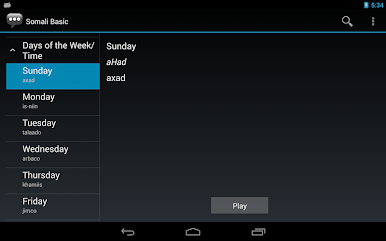
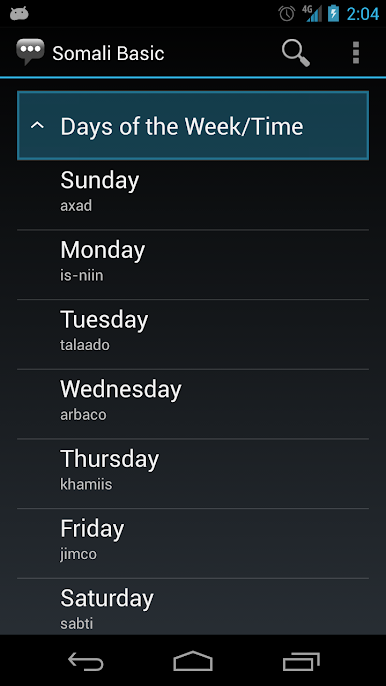
Using this app, you can select an English phrase and view its translation and how to pronounce it in Somali.
This app was originally developed as an entry to the 2010 CIO/G6 "Apps for the Army" competition, and it is based on the modules publicly available online from the U.S. Defense Language Institute. While this app's subject matter relates mainly to military topics, the app is broadly useful with content relating to a range of topics.
• Contains over 600 phrases with native speaker audio recordings
• Dictionary lookup: Type or say what you want to search
• Pronunciation help: See the transliterated/Romanized text
• Good for language learning, or as a reference
This app is part of a series of phrasebook apps published for many different languages and dialects. Phrasebooks in the series are available as "basic" and "medical" variants.
• Text may be exported as Anki flash cards
• Works offline: No network connection is required
• Search bar for quick vocabulary lookup
• No login or registration needed
• Dark background color minimizes eye strain
Many of the languages covered by this series of phrasebook apps are under-resourced, with translation apps and dictionaries not widely available from other sources.
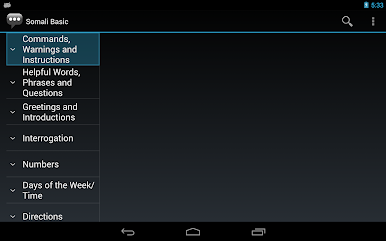
Categories
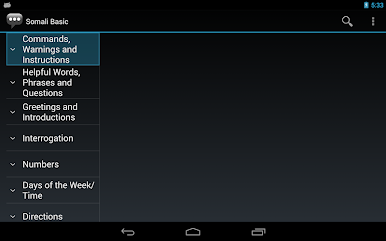
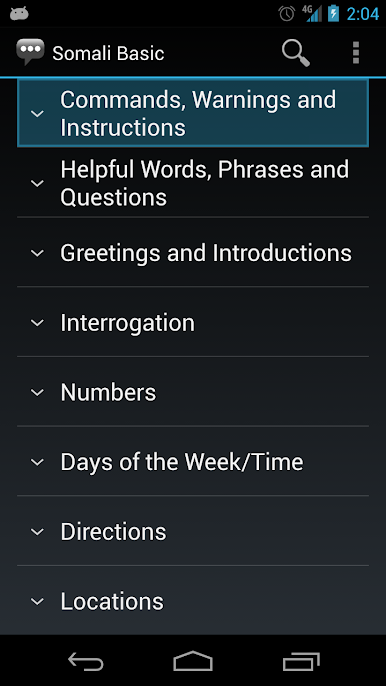
Commands, Warnings and Instructions
Helpful Words, Phrases and Questions
Greetings and Introductions
Interrogation
Numbers
Days of the Week/Time
Directions
Locations
Descriptions (Colors, Shapes, Sizes, Tastes, Qualities, Quantities)
Emergency Terms
Food and Sanitation
Fuel and Maintenance
Medical Terms/General
Medical Terms/Parts of the Body
Military Ranks
Lodging
Occupations
Customs (Port of Entry)
Relatives
Weather
General Military Terms
Mine Warfare Terms
How to use
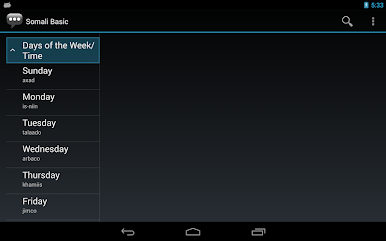
1. Choose a subject category from the menu. That category will be expanded.
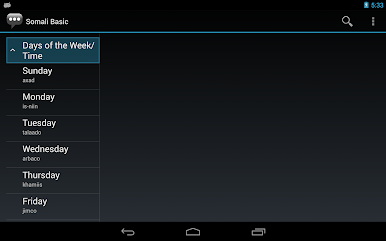
2. From the expanded list of phrases shown, tap on the phrase you want.
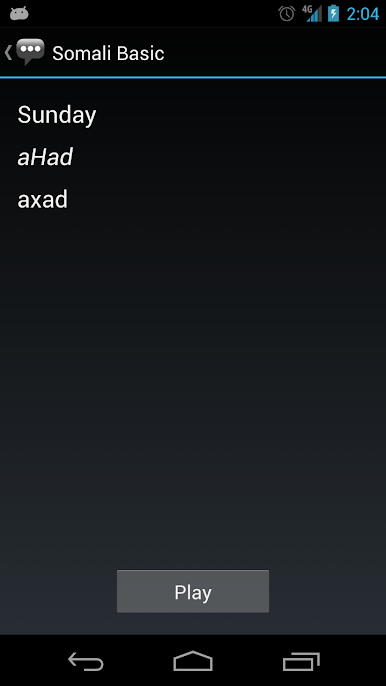
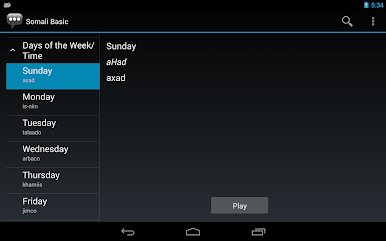
3. On the phrase detail page, the Somali phrase is shown alongside its pronunciation and the equivalent English phrase. Press the Play button to hear the audio pronunciation by a native speaker.
Ideal for
• U.S. military service members
• Doctors, nurses, and medical professionals
• Travelers
• Aid workers
• Linguists
Languages and dialects available in this series
Albanian, Algerian, Amharic, Azeri, Baluchi, Bengali, Bosnian, Burmese, Cantonese, Cebuano, Chavacano, Croatian, Czech, Dari, Egyptian, Emirati, French, Gan (Jiangxinese), Georgian, Gujarati, Haitian, Hassaniya, Hausa, Hebrew, Hindi, Igbo, Ilocano, Indonesian (Bahasa), Iraqi, Japanese, Javanese, Jordanian, Kashmiri, Kazakh, Khmer, Korean (North), Kosovar (Albanian), Kurmanji, Kyrgyz, Lebanese, Libyan, Lingala, Malay, Mandarin, Mongolian, Moroccan, Nepali, Palestinian, Pashto (Afghanistan), Pashto (Pakistan), Persian-Farsi, Polish, Portuguese (Brazil), Portuguese (Europe), Punjabi, Quechua, Russian, Saudi, Serbian, Sindhi, Somali, Sorani, Spanish (Colombia), Spanish (Mexico), Spanish (Venezuela), Sudanese, Swahili, Syrian, Tagalog, Tajik, Tamashek, Tamil, Tausug, Telugu, Thai, Tigrinya, Tunisian, Turkish, Turkmen, Uighur, Ukrainian, Urdu, Uzbek, Vietnamese, Shanghainese, Yakan, Yemeni, Yoruba
Making flash cards: Launch app and choose "Flash cards" from the menu in the top corner, and follow the prompts.
Materials in this app are adapted from publications authored by the Defense Language Institute Foreign Language Center (www.dliflc.edu). This app is not affiliated with DLIFLC or any other government or military organization.
Using this app, you can select an English phrase and view its translation and how to pronounce it in Somali.
This app was originally developed as an entry to the 2010 CIO/G6 "Apps for the Army" competition, and it is based on the modules publicly available online from the U.S. Defense Language Institute. While this app's subject matter relates mainly to military topics, the app is broadly useful with content relating to a range of topics.
• Contains over 600 phrases with native speaker audio recordings
• Dictionary lookup: Type or say what you want to search
• Pronunciation help: See the transliterated/Romanized text
• Good for language learning, or as a reference
This app is part of a series of phrasebook apps published for many different languages and dialects. Phrasebooks in the series are available as "basic" and "medical" variants.
• Text may be exported as Anki flash cards
• Works offline: No network connection is required
• Search bar for quick vocabulary lookup
• No login or registration needed
• Dark background color minimizes eye strain
Many of the languages covered by this series of phrasebook apps are under-resourced, with translation apps and dictionaries not widely available from other sources.
Categories
Commands, Warnings and Instructions
Helpful Words, Phrases and Questions
Greetings and Introductions
Interrogation
Numbers
Days of the Week/Time
Directions
Locations
Descriptions (Colors, Shapes, Sizes, Tastes, Qualities, Quantities)
Emergency Terms
Food and Sanitation
Fuel and Maintenance
Medical Terms/General
Medical Terms/Parts of the Body
Military Ranks
Lodging
Occupations
Customs (Port of Entry)
Relatives
Weather
General Military Terms
Mine Warfare Terms
How to use
1. Choose a subject category from the menu. That category will be expanded.
2. From the expanded list of phrases shown, tap on the phrase you want.
3. On the phrase detail page, the Somali phrase is shown alongside its pronunciation and the equivalent English phrase. Press the Play button to hear the audio pronunciation by a native speaker.
Ideal for
• U.S. military service members
• Doctors, nurses, and medical professionals
• Travelers
• Aid workers
• Linguists
Languages and dialects available in this series
Albanian, Algerian, Amharic, Azeri, Baluchi, Bengali, Bosnian, Burmese, Cantonese, Cebuano, Chavacano, Croatian, Czech, Dari, Egyptian, Emirati, French, Gan (Jiangxinese), Georgian, Gujarati, Haitian, Hassaniya, Hausa, Hebrew, Hindi, Igbo, Ilocano, Indonesian (Bahasa), Iraqi, Japanese, Javanese, Jordanian, Kashmiri, Kazakh, Khmer, Korean (North), Kosovar (Albanian), Kurmanji, Kyrgyz, Lebanese, Libyan, Lingala, Malay, Mandarin, Mongolian, Moroccan, Nepali, Palestinian, Pashto (Afghanistan), Pashto (Pakistan), Persian-Farsi, Polish, Portuguese (Brazil), Portuguese (Europe), Punjabi, Quechua, Russian, Saudi, Serbian, Sindhi, Somali, Sorani, Spanish (Colombia), Spanish (Mexico), Spanish (Venezuela), Sudanese, Swahili, Syrian, Tagalog, Tajik, Tamashek, Tamil, Tausug, Telugu, Thai, Tigrinya, Tunisian, Turkish, Turkmen, Uighur, Ukrainian, Urdu, Uzbek, Vietnamese, Shanghainese, Yakan, Yemeni, Yoruba
Making flash cards: Launch app and choose "Flash cards" from the menu in the top corner, and follow the prompts.
Materials in this app are adapted from publications authored by the Defense Language Institute Foreign Language Center (www.dliflc.edu). This app is not affiliated with DLIFLC or any other government or military organization.
Somali Basic PhrasesをPCでプレイ
-
BlueStacksをダウンロードしてPCにインストールします。
-
GoogleにサインインしてGoogle Play ストアにアクセスします。(こちらの操作は後で行っても問題ありません)
-
右上の検索バーにSomali Basic Phrasesを入力して検索します。
-
クリックして検索結果からSomali Basic Phrasesをインストールします。
-
Googleサインインを完了してSomali Basic Phrasesをインストールします。※手順2を飛ばしていた場合
-
ホーム画面にてSomali Basic Phrasesのアイコンをクリックしてアプリを起動します。

