


すごい時間割- 大学生の時間割
BlueStacksを使ってPCでプレイ - 5憶以上のユーザーが愛用している高機能Androidゲーミングプラットフォーム

PCまたはMacですごい時間割- 大学生の時間割をプレイする
Recruit Co.,Ltd.のエキサイティングな教育ゲームであるすごい時間割- 大学生の時間割を、何百万人もの人々と一緒に体験しましょう。BlueStacks アプリプレイヤーがあれば、PCやMacで、より速いゲームプレイとマウスやキーボードを使った優れた操作性で、常に相手の一歩先を行くことができます。
ゲームについて
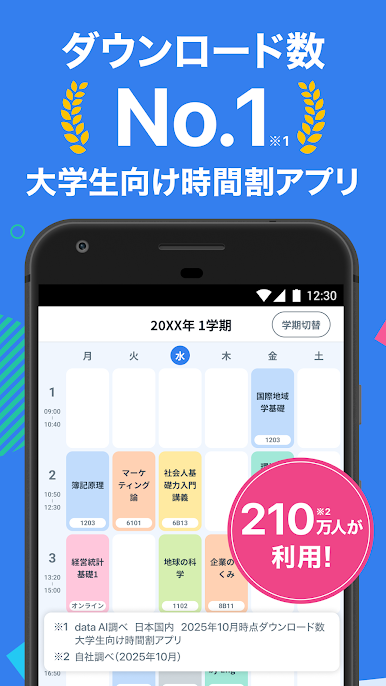
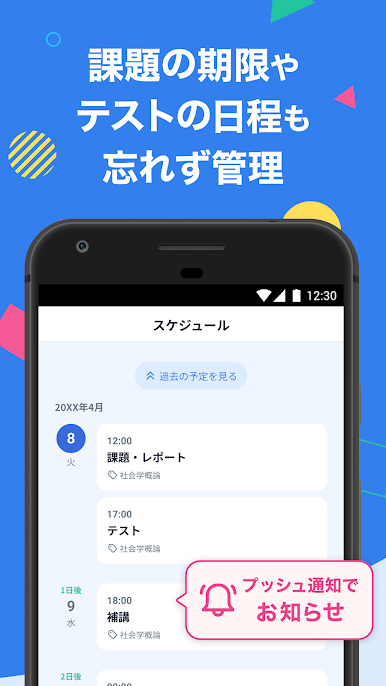
大学生になったら、「すごい時間割- 大学生の時間割」で毎日のスケジュール管理がぐっとラクになります。授業やテスト、課題の締め切り…全部これ1つでまとめて把握OK。悩ましい出欠管理や課題の管理も、もうメモ帳や頭の中で頑張らなくて大丈夫ですよ。BlueStacksを使えば大画面で操作感も快適です。
ゲームの特徴
-
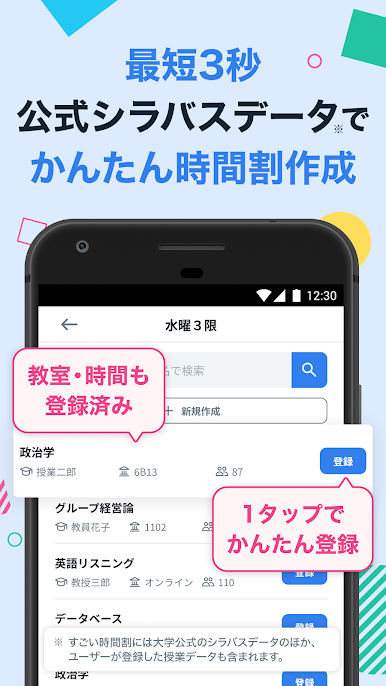
ワンタップで時間割作成
すでに登録されている授業データから選ぶだけ。最短3秒で自分だけの時間割表が完成しちゃいます。 -
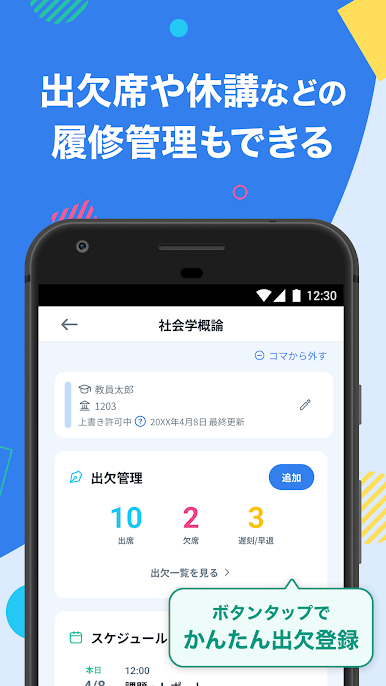
出席・休講・テストもまとめて管理
各授業ごとに出席数・欠席数・遅刻数、さらに休講やテスト情報まで一括で記録。うっかり忘れも減ります。 -
課題・レポート・試験日程をラクラク登録
課題やレポート提出日、試験スケジュールも、このアプリでバッチリ管理。プッシュ通知でリマインドもしてくれるから安心。 -
豊富な授業データ
有名大学のシラバス情報や、他の学生が登録した授業データも利用できて、手入力の手間が省けます。 -
着せ替え・色分け対応
背景や授業ごとに好きなカラーでカスタマイズ可能。自分好みのデザインで見やすい時間割が作れます。 -
友達と時間割をシェア
気になる友達や同じ大学の学生とも簡単に時間割共有。休み時間や空きコマの調整にも便利。 -
メモ&画像添付機能
授業ごとにメモを残せたり、板書をスマホで撮った画像も一緒に管理できるからノート代わりにも。 -
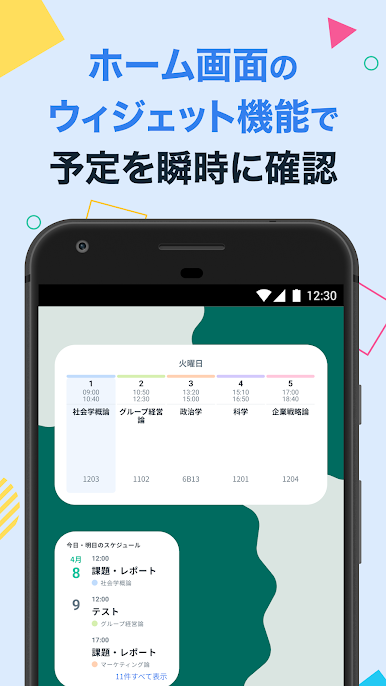
ウィジェットですぐ確認
ホーム画面にウィジェットを置いておけば、次の講義や教室情報、スケジュールをパッとチェックできます。 -
タスク管理やToDoリスト対応
やることリスト感覚で課題管理もラクチン。小さな「やり忘れ」も逃しません。
リーダーボードのトップに立つ準備はできていますか?準備は万全でしょう。BlueStacksに最適化された正確なコントロールと鮮明なビジュアルがあなたを勝利へと導きます。
すごい時間割- 大学生の時間割をPCでプレイ
-
BlueStacksをダウンロードしてPCにインストールします。
-
GoogleにサインインしてGoogle Play ストアにアクセスします。(こちらの操作は後で行っても問題ありません)
-
右上の検索バーにすごい時間割- 大学生の時間割を入力して検索します。
-
クリックして検索結果からすごい時間割- 大学生の時間割をインストールします。
-
Googleサインインを完了してすごい時間割- 大学生の時間割をインストールします。※手順2を飛ばしていた場合
-
ホーム画面にてすごい時間割- 大学生の時間割のアイコンをクリックしてアプリを起動します。

