


このページには広告が含まれます
Hello!Virtual Space Puppy:3D
カジュアル | Tap Happy
BlueStacksを使ってPCでプレイ - 5憶以上のユーザーが愛用している高機能Androidゲーミングプラットフォーム

Play Hello!Virtual Space Puppy:3D on PC
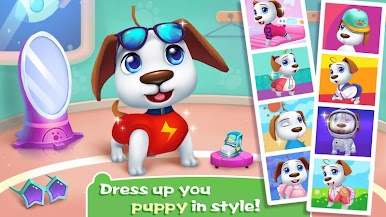
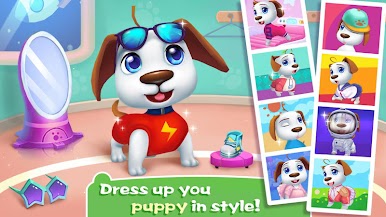
There are some little cute puppies, acting like a spoiled child to his owner! Come here and adopt a little puppy. The puppy can wag his tail and lie on the ground waiting for you to touch him! But you should take good care of your little friend. He will be hungry and tired, and if you ignore him he will be so bored! Play as a real puppy and simulate the process of raising it. Don't forget to take good care of him! Do you want a smart puppy? Come on and play with puppy together!
Features:
🍖 Play as a real dog
🍖 Simulate action and bark of real dog
🍖 3 kinds of smart puppies to choose from
🍖 Play with smart puppy and spend happy hours
🍖 More flexible and interesting ways to interact
The puppy is so cute, don’t you want to adopt it? Puppy is waiting for you! So download and play it for free!
Features:
🍖 Play as a real dog
🍖 Simulate action and bark of real dog
🍖 3 kinds of smart puppies to choose from
🍖 Play with smart puppy and spend happy hours
🍖 More flexible and interesting ways to interact
The puppy is so cute, don’t you want to adopt it? Puppy is waiting for you! So download and play it for free!













Hello!Virtual Space Puppy:3DをPCでプレイ
-
BlueStacksをダウンロードしてPCにインストールします。
-
GoogleにサインインしてGoogle Play ストアにアクセスします。(こちらの操作は後で行っても問題ありません)
-
右上の検索バーにHello!Virtual Space Puppy:3Dを入力して検索します。
-
クリックして検索結果からHello!Virtual Space Puppy:3Dをインストールします。
-
Googleサインインを完了してHello!Virtual Space Puppy:3Dをインストールします。※手順2を飛ばしていた場合
-
ホーム画面にてHello!Virtual Space Puppy:3Dのアイコンをクリックしてアプリを起動します。

