


Create Music DJ Pad: Easy Beat
BlueStacksを使ってPCでプレイ - 5憶以上のユーザーが愛用している高機能Androidゲーミングプラットフォーム

Run Create Music DJ Pad: Easy Beat on PC or Mac
Get freedom from your phone’s obvious limitations. Use Create Music DJ Pad: Easy Beat, made by Uminate, a Music & Audio app on your PC or Mac with BlueStacks, and level up your experience.
About the App
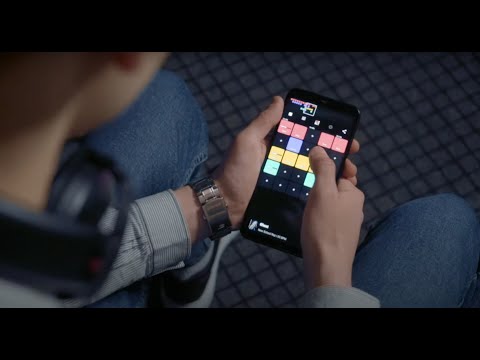
Create Music DJ Pad: Easy Beat by Uminate turns your device into a pocket-friendly studio that’s actually fun to use. Tap pads, trigger loops, and sketch full songs without getting buried in menus. It’s a Music-audio playground where you can jot ideas on the go or build out tracks at home—yes, even comfortably on BlueStacks.
App Features
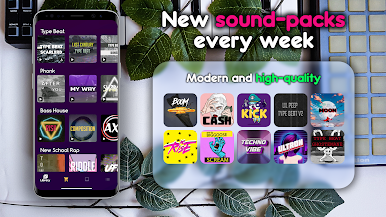
- Sound packs you’ll want to use: A rich library of high‑quality packs spanning modern styles, ready to mix and match.
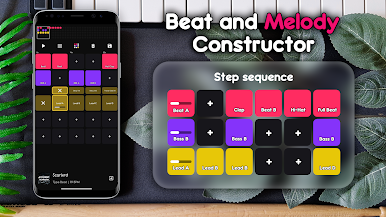
- Launchpad for quick ideas: Fire off loops and one-shots from a clean grid to build layered, unique compositions fast.
- Step sequencer made simple: Program patterns or record in real time and hear changes instantly as you go.
- Live effects control: Shape your sound on the fly with real-time effect tweaks during playback.
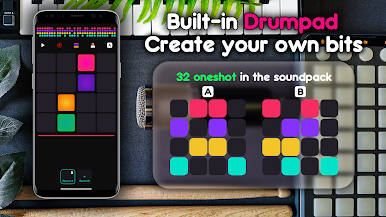
- Drum pad mode for beats: Finger-drum tight rhythms and craft catchy melodic lines right on the pads.
- Genre-ready presets: Hip-hop, EDM, Trap, FutureBass, SynthWave, and more to spark inspiration anytime.
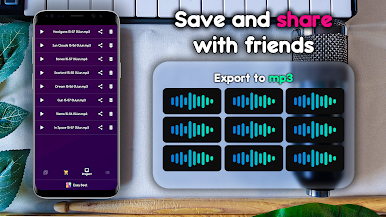
- Save and share with ease: Record your sessions, keep them on your phone, or post straight to your socials.
- Helpful guides built in: Short tips and training snippets get beginners moving without slowing down pros.
- Metronome and BPM tools: Lock in your timing and dial in the tempo to keep everything in the pocket.
- Clean, intuitive layout: A straightforward interface that keeps you creating, not hunting for buttons.
- Beginner-friendly, pro-capable: Accessible enough for first tracks, flexible enough for serious producers.
Ready to experience Create Music DJ Pad: Easy Beat on a bigger screen, in all its glory? Download BlueStacks now.
Create Music DJ Pad: Easy BeatをPCでプレイ
-
BlueStacksをダウンロードしてPCにインストールします。
-
GoogleにサインインしてGoogle Play ストアにアクセスします。(こちらの操作は後で行っても問題ありません)
-
右上の検索バーにCreate Music DJ Pad: Easy Beatを入力して検索します。
-
クリックして検索結果からCreate Music DJ Pad: Easy Beatをインストールします。
-
Googleサインインを完了してCreate Music DJ Pad: Easy Beatをインストールします。※手順2を飛ばしていた場合
-
ホーム画面にてCreate Music DJ Pad: Easy Beatのアイコンをクリックしてアプリを起動します。

