


このページには広告が含まれます
Spiris
ビジネス | Spiris
BlueStacksを使ってPCでプレイ - 5憶以上のユーザーが愛用している高機能Androidゲーミングプラットフォーム

Play Spiris on PC
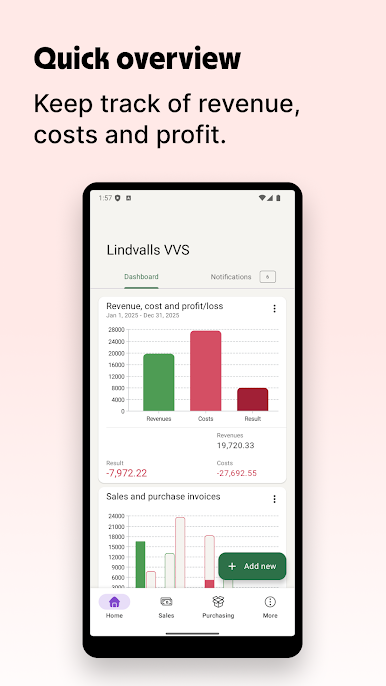
On the app start page, you get a clear status of your sales and purchase invoices, your results and your bank balance if you have bank integration.
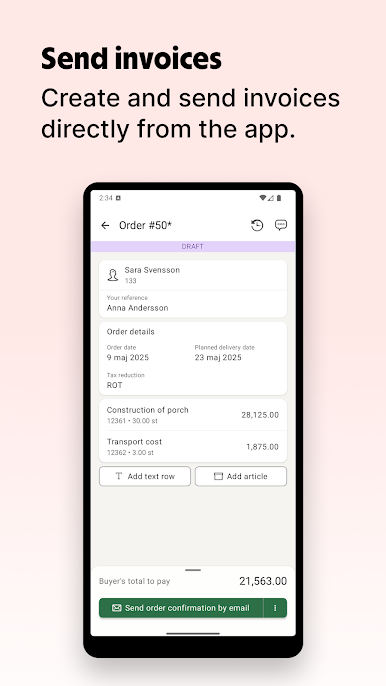
• Create and send invoices as well as register them as paid
• Take pictures of receipts and purchase invoices to use as accounting bases
• Approve purchase invoice straight in your mobile phone
• Get reminders of important events
• Communicate with colleagues in your company or with your accounting office
• Create and send invoices as well as register them as paid
• Take pictures of receipts and purchase invoices to use as accounting bases
• Approve purchase invoice straight in your mobile phone
• Get reminders of important events
• Communicate with colleagues in your company or with your accounting office

SpirisをPCでプレイ
-
BlueStacksをダウンロードしてPCにインストールします。
-
GoogleにサインインしてGoogle Play ストアにアクセスします。(こちらの操作は後で行っても問題ありません)
-
右上の検索バーにSpirisを入力して検索します。
-
クリックして検索結果からSpirisをインストールします。
-
Googleサインインを完了してSpirisをインストールします。※手順2を飛ばしていた場合
-
ホーム画面にてSpirisのアイコンをクリックしてアプリを起動します。

