


Sub4Sub Pro
BlueStacksを使ってPCでプレイ - 5憶以上のユーザーが愛用している高機能Androidゲーミングプラットフォーム

Run Sub4Sub Pro on PC or Mac
Let BlueStacks turn your PC, Mac, or laptop into the perfect home for Sub4Sub Pro, a fun Tools app from dev.hdcstudio.
About the App
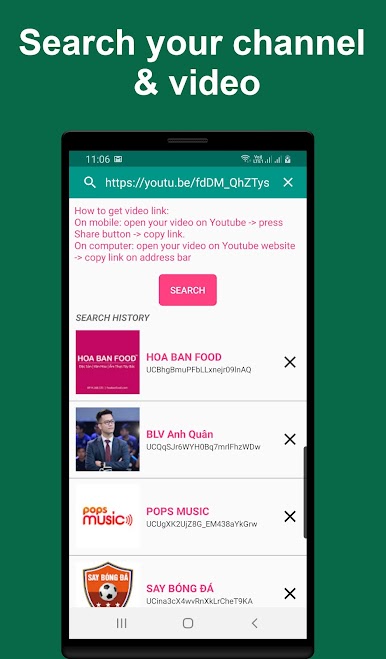
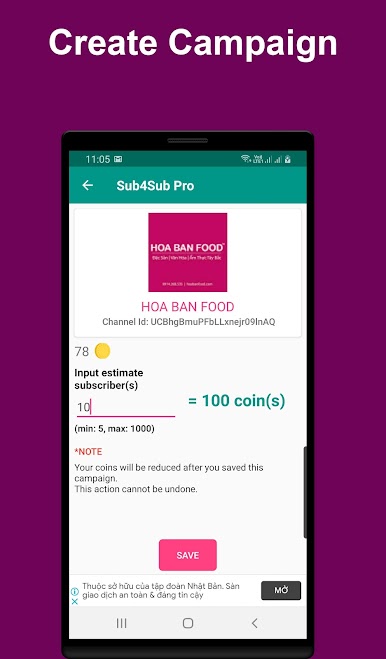
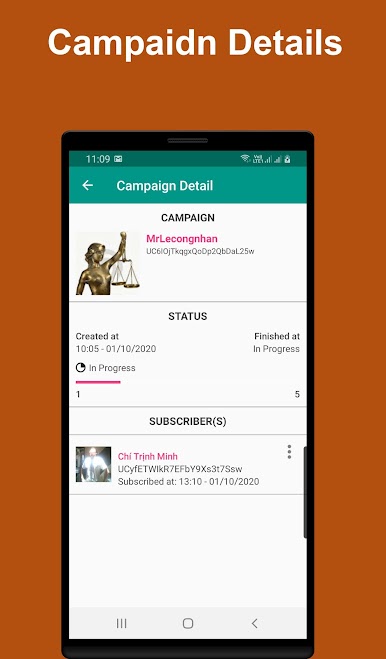
Sub4Sub Pro by dev.hdcstudio is a dynamic platform designed to help users introduce their channels and videos globally. It’s an engaging community-driven app that allows users to easily share their content and get discovered. Want to know how it works? Just download, log in, search, and share your video or channel to make them viral!
App Features
-
Simple Sharing:
Post your video or channel link through the app and let others around the world explore your content. It’s like chatting over a virtual coffee—a fun way to connect and grow. -
Community Focused:
Sub4Sub Pro encourages authentic engagement without any shortcuts like buying views or subscribers. It’s all about genuine discovery. -
Effortless Platform:
A great, easy-to-use interface with seamless navigation. Plus, using BlueStacks, it’ll run smooth as butter on your PC. -
Policy-Compliant:
Stay comfy knowing the app respects platform policies, focusing only on promoting videos and channels without any risky business.
Got questions or need help? The friendly dev.hdcstudio team is just an email away.
BlueStacks brings your apps to life on a bigger screen—seamless and straightforward.

Sub4Sub ProをPCでプレイ
-
BlueStacksをダウンロードしてPCにインストールします。
-
GoogleにサインインしてGoogle Play ストアにアクセスします。(こちらの操作は後で行っても問題ありません)
-
右上の検索バーにSub4Sub Proを入力して検索します。
-
クリックして検索結果からSub4Sub Proをインストールします。
-
Googleサインインを完了してSub4Sub Proをインストールします。※手順2を飛ばしていた場合
-
ホーム画面にてSub4Sub Proのアイコンをクリックしてアプリを起動します。

