


Voice Changer & Sound Effects
Play on PC with BlueStacks – the Android Gaming Platform, trusted by 500M+ gamers.

Page Modified on: Aug 18, 2025
Run Voice Changer & Sound Effects on PC or Mac
Why limit yourself to your small screen on the phone? Run Voice Changer & Sound Effects, an app by Vocal Remover AI& Photo Enhancer & FM Radio Player, best experienced on your PC or Mac with BlueStacks, the world’s #1 Android emulator.
About the App
Ever wanted to sound like a robot, chipmunk, or even an old man just for fun? Voice Changer & Sound Effects from Vocal Remover AI& Photo Enhancer & FM Radio Player lets you play with your voice in ways you probably haven’t tried before. Whether you’re messing around with friends, looking for the perfect sound for your latest video, or just craving a laugh, this Music & Audio app gives you tools to record, transform, and share your audio—no experience needed.
App Features
-
Loads of Wild Voice Effects
Feel like switching things up? Pick from all kinds of voice effects—robot, monster, alien, child, or even squirrel. There’s a palette of options to experiment with. -
All Sorts of Sound Effects
Toss in sound effects like animal noises, farts, helicopters, or classroom chatter. It’s easy to layer in unexpected sounds to keep things interesting. -
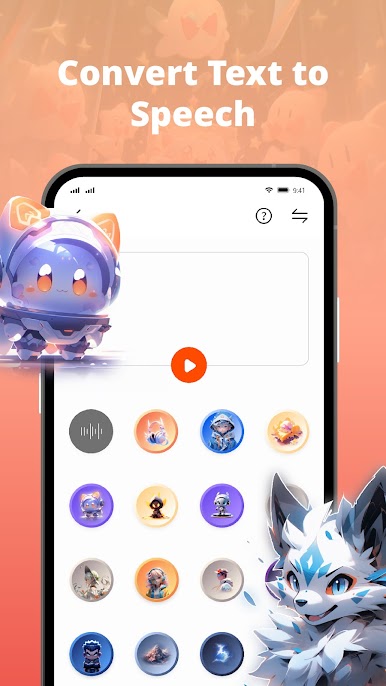
Easy Text to Speech
Got something to say, but don’t want to record your own voice? Just type your text and let the app transform it into speech—with your chosen effect, of course. -
Record or Import Your Audio
Hit the record button or use something you’ve already got saved. You can instantly apply effects to newly recorded or existing audio files. -
Share and Surprise Friends
Send your funniest or weirdest voice changes straight to friends and family. Sharing is quick and supports apps you already use often. -
Perfect for Pranks and Skits
Want to play tricks or spice up your videos? Mix voices and effects for pranks, gaming chats, or creative projects—the possibilities are wide open. -
Floating Window Tool
Want to keep changing your voice while using other apps? The floating window means Voice Changer & Sound Effects stays accessible, even while you multi-task. -
Create Unique Audio for Content
If you make podcasts, videos, or voiceovers, you can personalize each clip with different effects. Make your content stand out whether for fun or creativity. -
Custom Ringtones and Notifications
Like your new creation? Set it as a ringtone or alert sound for extra flair.
By the way, running Voice Changer & Sound Effects on BlueStacks puts all these features on a bigger screen, making editing and sharing audio even easier.
BlueStacks brings your apps to life on a bigger screen—seamless and straightforward.





Play Voice Changer & Sound Effects on PC. It’s easy to get started.
-
Download and install BlueStacks on your PC
-
Complete Google sign-in to access the Play Store, or do it later
-
Look for Voice Changer & Sound Effects in the search bar at the top right corner
-
Click to install Voice Changer & Sound Effects from the search results
-
Complete Google sign-in (if you skipped step 2) to install Voice Changer & Sound Effects
-
Click the Voice Changer & Sound Effects icon on the home screen to start playing

