


Spiral Smash
Play on PC with BlueStacks – the Android Gaming Platform, trusted by 500M+ gamers.

Page Modified on: Oct 6, 2026
Play Spiral Smash on PC
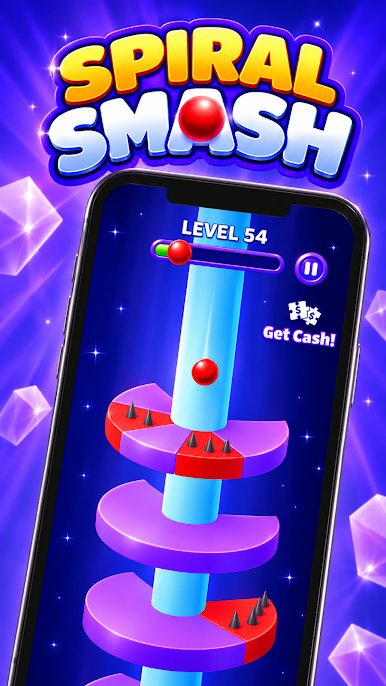
Spiral Smash is a one-finger arcade game that's easy to pick up and hard to put down. Drag to spin the tower, line up the gaps and send your ball bouncing all the way to the bottom.
FALL FAST, HIT HARD
Drop through three rings in a row without landing and your ball powers up. The next ring it hits breaks apart, even a red one. Chain your drops, build your streak and smash through the spiral.
WATCH THE RED
Red spiked sections end your run. Line up the gaps, read the tower and don't panic when it speeds up.
GRAB A SHIELD
Look out for spinning shields hidden in the gaps. Grab one to bank an extra life that saves you from one bad landing.
ALWAYS A NEW CHALLENGE
Every level brings a new tower. Some rings split into several gaps, some spin by themselves, and the drops get faster and steeper as you climb. How far can you get?
CELEBRATE EVERY WIN
Reach the bottom for fireworks and confetti, then see how many streaks you pulled off and how many tries it took.
FEATURES
• Simple one-finger drag controls
• Satisfying ring-smashing combos
• Shield pickups for an extra life
• Levels that keep getting harder
• Bright 3D towers and punchy effects
Download Spiral Smash and start dropping!



Play Spiral Smash on PC. It’s easy to get started.
-
Download and install BlueStacks on your PC
-
Complete Google sign-in to access the Play Store, or do it later
-
Look for Spiral Smash in the search bar at the top right corner
-
Click to install Spiral Smash from the search results
-
Complete Google sign-in (if you skipped step 2) to install Spiral Smash
-
Click the Spiral Smash icon on the home screen to start playing

